Asset Directory
Point NewDocument at a directory instead of a file and the whole tree is zipped in
memory and uploaded together. The browser then resolves relative paths against the
root of that archive, so a page can reference its own stylesheet, images and scripts
the way it does when you open it locally.
doc, err := unihtml.NewDocument("data")
if err != nil {
    return err
}
This is the input kind to reach for whenever the page is more than a single self contained file. A single HTML file uploaded on its own has nothing to resolve against and silently loses every local asset.
Layout of the directory
The directory is walked recursively and every file is added, with paths kept relative to the directory you named. Given this on disk:
data/
  index.html
  css/style.css
  images/frog.jpg
href="css/style.css" and src="images/frog.jpg" both resolve.
Everything in the tree is uploaded, not just what the page references. Keep build
output, node_modules and source assets out of the directory you hand over, or you
will pay for them on every conversion.
The entry point has to be called index.html
The server unpacks the archive, serves it over an internal HTTP host and points
Chrome at the root of it. That root resolves to index.html, and the name is not
configurable from the client.
A directory without one still succeeds. Chrome gets the server’s generated directory listing instead, and you get a PDF of your own file names:
report.html

style.css
No error is returned, on either the client or the server. A PDF that comes back looking like a file browser means the entry point is misnamed.
Limitations
Absolute paths inside the markup do not resolve. A src="/images/frog.jpg" is
resolved against the root of the internal host rather than against your directory,
and comes back missing. Keep every internal reference relative.
Uploads above 1MB are written to the server’s filesystem rather than held in memory, and expire after three minutes. A large asset tree is the usual reason to hit that path.
Run the example
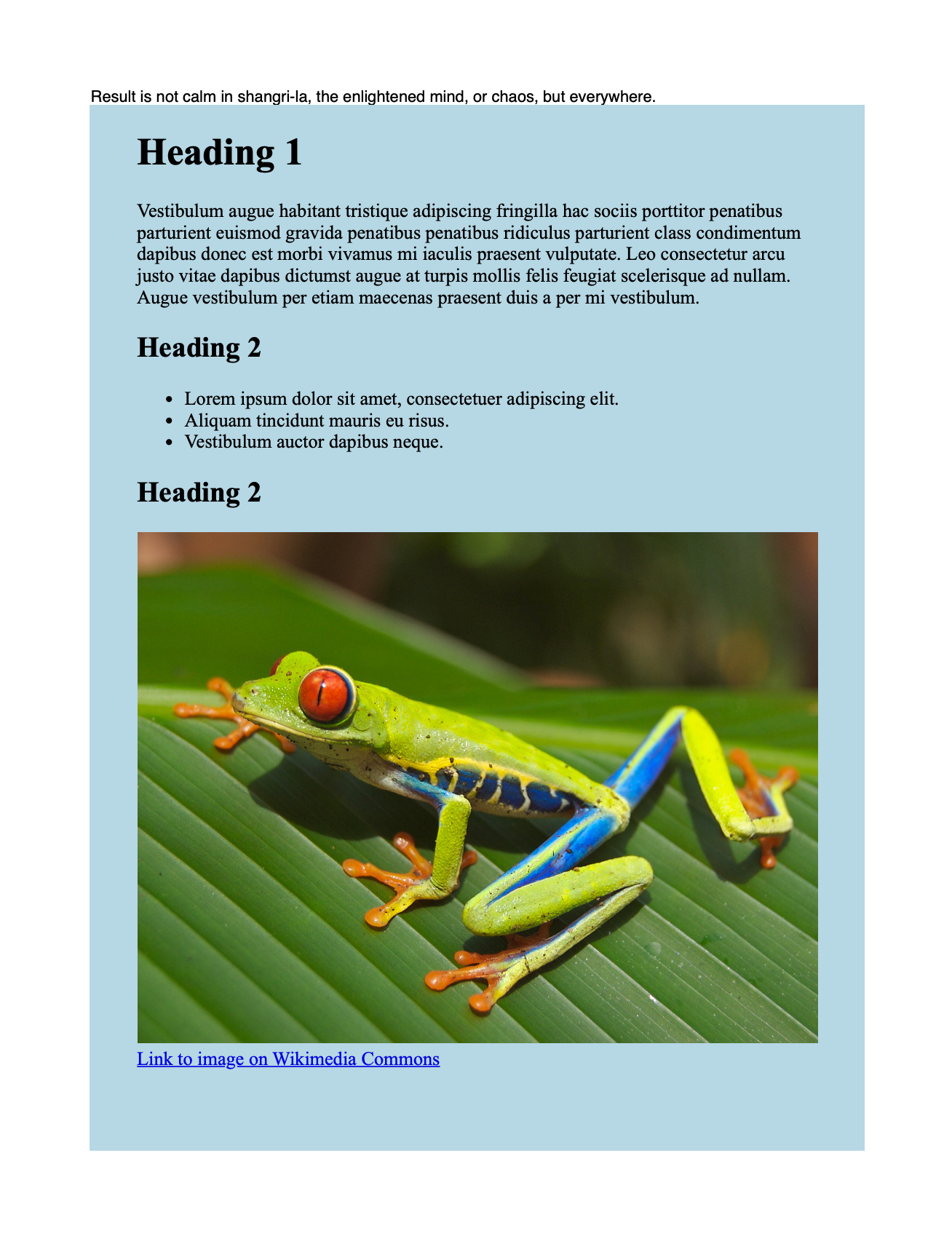
directory.go shows the directory input mixed with creator content. It draws a
styled paragraph, then the converted HTML, then a second paragraph, so the PDF has
Go-generated text above and below the rendered page.
TrimLastPageContent is what makes the trailing paragraph sit directly under the
HTML instead of being pushed to a fresh page. It only has that effect on the
c.Draw path, which is the one used here.
The data directory holds index.html, a stylesheet that sets a light blue
background and constrains the container width, and a photograph, along with two
links to Wikimedia. Those links are in the markup but will not be clickable in the
output, because c.Draw discards annotations. See
links.
git clone https://github.com/unidoc/unihtml-examples.git
cd unihtml-examples/directory
go run directory.go localhost:8080
If this is your first time using UniHTML, follow the getting started guide to create an API key and set up your development environment.
View the full source
Sample output