Margins
Margins are the white space Chrome leaves around the rendered page, applied at print time rather than as CSS. Set all four at once, or set them individually with a unit of your choosing.
if err := doc.SetPageSize(sizes.A5); err != nil {
    return err
}
doc.SetMarginLeft(sizes.Millimeter(10))
doc.SetMarginRight(sizes.Point(10))
doc.SetMarginTop(sizes.Millimeter(10))
doc.SetMarginBottom(sizes.Millimeter(13))
The SetPageSize call at the top is not decoration. Without it, or without some
other call that switches the document to absolute positioning, all four individual
setters are thrown away.
Two calls that look interchangeable
| Call | Unit | Positioning |
|---|---|---|
SetMargins(left, right, top, bottom) | float64, always points | Switches to absolute |
SetMarginLeft(sizes.Length) and siblings | Any sizes.Length | Leaves it alone |
SetMargins takes four bare float64 values interpreted as points, in the order
left, right, top, bottom. Check that order against your own code. CSS shorthand goes
clockwise from the top, and this does not.
The individual setters accept sizes.Millimeter, sizes.Point or sizes.Inch,
which is more convenient and is where both of the problems below come from.
A lone margin setter does nothing
A new unihtml.Document starts in relative positioning. While it stays relative,
all four margins are overwritten with 1mm immediately before the request is built,
whatever you set. Measured on a Letter page:
| Calls | Left margin in the output |
|---|---|
| none | 2pt, the forced 1mm |
SetMarginLeft(sizes.Millimeter(50)) | 2pt, the value discarded |
SetMargins(0, 0, 0, 0) then SetMarginLeft(sizes.Millimeter(50)) | 141pt, correct |
SetPageSize(sizes.A5) then SetMarginLeft(sizes.Millimeter(50)) | 141pt, correct |
SetMargins, SetPageSize, SetPageWidth, SetPageHeight and SetPos all flip
positioning to absolute. Any one of them, called first, makes the individual setters
work. SetLandscapeOrientation does not, so it is no help here.
Once positioning is absolute, sides you never set default to 10mm rather than 1mm.
Fractional values round to whole units
Lengths are serialized with no decimal places, so the value the server sees is
rounded before it is used. sizes.Inch(0.5) becomes 0in:
| You write | Server receives |
|---|---|
sizes.Inch(0.5) | 0in, no margin at all |
sizes.Inch(1) | 1in |
sizes.Millimeter(12.7) | 13mm |
sizes.Point(10.4) | 10pt |
Half an inch is the case that bites, because it is a natural margin to ask for and
it lands on zero. Two of the examples in the repository call
SetMarginBottom(sizes.Inch(0.5)) and neither gets a bottom margin.
Millimeters and points are fine granularity for page margins, so use those. Half an
inch is sizes.Millimeter(13).
Do not reach for sizes.Inch(1).Points() to convert your way around this. That
conversion is wrong in the current release and returns 0.0pt.
Limitations
Margins are ignored entirely on the c.Draw path, where the creator’s page margins
apply instead.
A negative value is rejected before the request goes out, with negative value for MarginLeft or the equivalent for the other sides.
Margins are print parameters, not CSS, so they do not cascade and cannot be overridden per page from the stylesheet. For space that varies through the document, use CSS padding on the elements instead.
Run the example
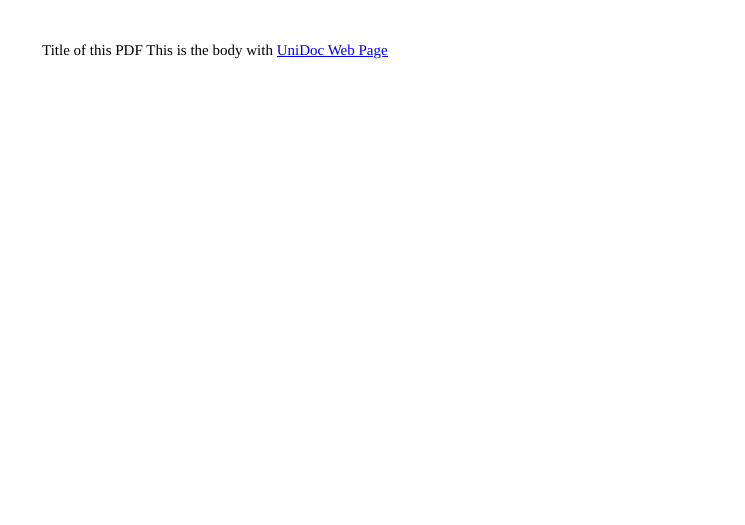
margins-and-properties/main.go converts basic.html on A5 landscape, sets each of
the four margins with a different unit type, then sets the PDF’s author, title,
subject and dates through UniPDF’s model package before writing result.pdf.
Its SetMarginBottom(sizes.Inch(0.5)) is the rounding case above, so the output has
no bottom margin. The other three sides come through.
git clone https://github.com/unidoc/unihtml-examples.git
cd unihtml-examples/margins-and-properties
go run main.go localhost:8080
If this is your first time using UniHTML, follow the getting started guide to create an API key and set up your development environment.
View the full source
Sample output