Wait for Rendering
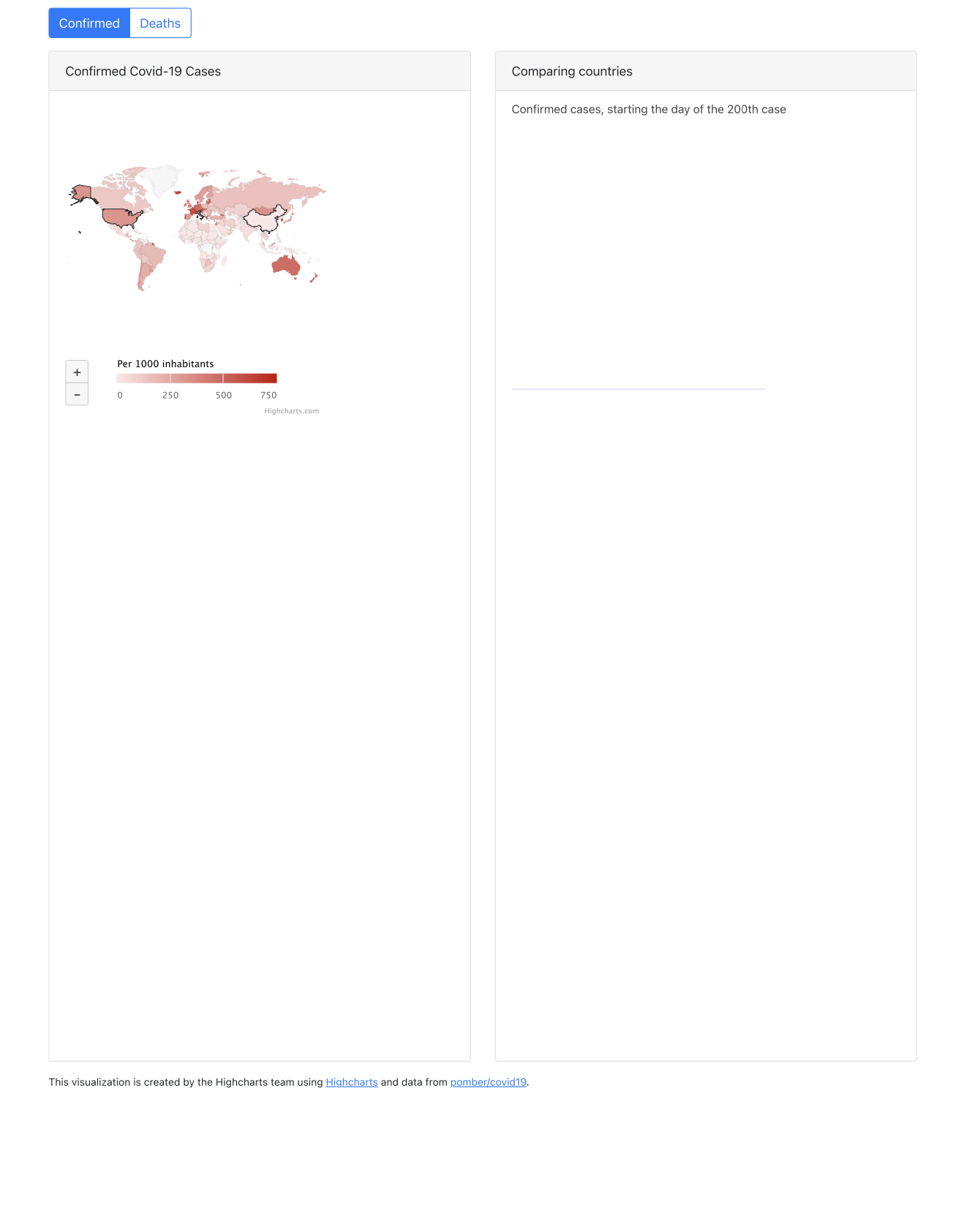
The server captures the page as soon as the DOM has loaded. Anything a script draws after that point, which covers most charting libraries, is not there yet, and the PDF comes back with an empty space where the chart should be. Nothing errors.
Tell it what to wait for:
doc.WaitVisible(".highcharts-root", selector.ByQueryAll)Now the capture blocks until an element matching that selector is present and
visible. A chart library that appends an <svg> when it finishes gives you a
reliable thing to wait on.
Three ways to wait
| Call | Waits for | Use when |
|---|---|---|
WaitReady(sel, by) | The element exists in the DOM | The element is added late but may be hidden |
WaitVisible(sel, by) | The element exists and is visible | The usual choice for charts and images |
WaitTime(d) | A fixed duration, unconditionally | There is nothing specific to wait for |
Prefer a selector. WaitTime pays its full cost on every conversion whether the page
was ready in 50ms or not, and it still guesses wrong when the network is slow. Reach
for it when the completion signal is not visible in the DOM, for instance a canvas
that is drawn into rather than replaced.
Both selector calls can be used more than once, and every selector registered has to be satisfied before the capture happens.
Matching modes
The second argument decides how the selector is interpreted. It defaults to
selector.BySearch when omitted.
| Mode | Equivalent to |
|---|---|
selector.BySearch | DOM.performSearch, accepts both CSS and XPath |
selector.ByQuery | document.querySelector() |
selector.ByQueryAll | document.querySelectorAll() |
selector.ByID | document.querySelector('#' + id) |
selector.ByNodeID | A numeric DevTools node id |
selector.ByJSPath | A Chrome DevTools “JS Path” expression |
ByQueryAll is the right one for a page with several charts, since it waits on all
matches rather than the first. ByJSPath passes the selector to Runtime.evaluate,
so keep untrusted input out of it.
Limitations
A selector that never appears does not fail fast. The conversion runs until the timeout expires and then returns that error, so a typo in a class name costs you the full 15 seconds. Check the selector in a browser first.
WaitTime is capped at three minutes and is rejected client-side above that, with
too long minimum load time. Maximum is 3 minutes. The server caps a whole query at
ten minutes.
Waiting does not buy you more time. The conversion wraps its request in a 15 second context regardless of what you are waiting for, so a wait plus a slow render that add up to more than that fails even though each part was reasonable. Raise the ceiling explicitly:
doc.SetTimeoutDuration(60 * time.Second)Scripts loaded from a CDN need the container to reach the internet. Without outbound access the library never loads, the selector never appears, and the failure looks like a timeout rather than a network problem.
Run the example
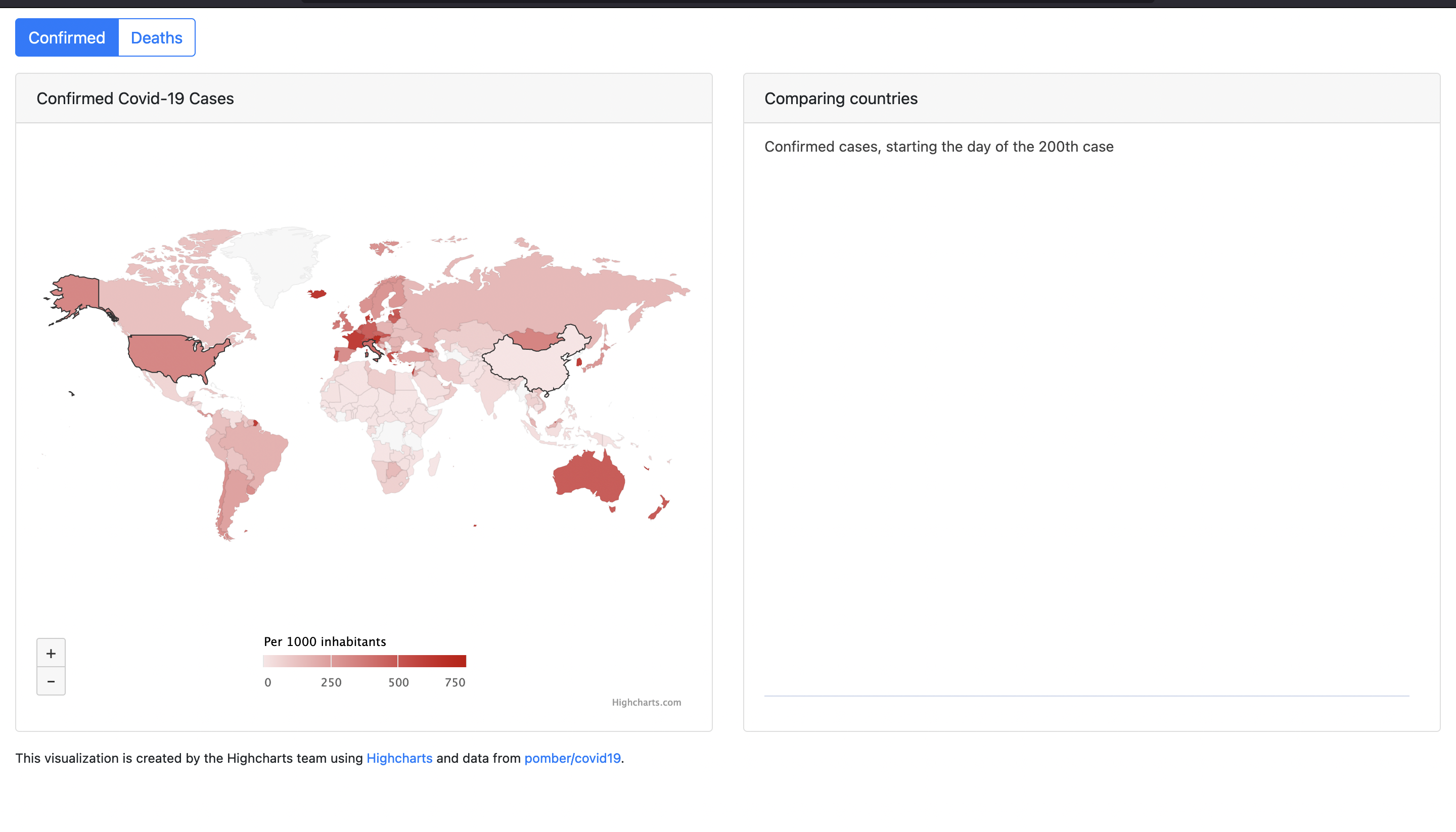
graph.go converts graph.html, a Highcharts dashboard that pulls its library from
code.highcharts.com and draws several charts and a world map into the DOM. It waits
on .highcharts-root with ByQueryAll, then writes the PDF with
htmlDocument.WriteToFile, which is the one example here that never touches a
creator.Creator.
Drop the WaitVisible line and run it again: the layout and headings come through
and every chart is blank. That is the failure this page exists to prevent.
git clone https://github.com/unidoc/unihtml-examples.git
cd unihtml-examples/graph
go run graph.go localhost:8080
If this is your first time using UniHTML, follow the getting started guide to create an API key and set up your development environment.
View the full source
Sample input
Sample output