Copy between Documents
AppendNode takes a document.Node obtained from one document and adds the
element it wraps to another. Because nodes are just handles, several source
documents can be open at once and you can pick from each of them in any order you
like, which is how you build a document out of parts rather than concatenating
files.
Three calls move content between documents, and they answer different questions:
| Call | Moves | Placement |
|---|---|---|
dst.AppendNode(node) | one paragraph or table | end of the destination body |
dst.PutNodeBefore(rel, node) / PutNodeAfter(rel, node) | one paragraph or table | next to an existing node |
dst.Append(src) | an entire document | end, with headers, styles and numbering merged |
Use AppendNode when you are selecting; use Append when
you want the whole file.
Assembling from two sources
nodes1 := doc1.Nodes()
nodes2 := doc2.Nodes()

isTable := func(node *document.Node) bool {
    _, ok := node.X().(*document.Table)
    return ok
}

out := document.New()
defer out.Close()

for _, node := range nodes1.FindNodeByCondition(isTable, false) {
    out.AppendNode(node)
}
Content lands in the order you append it, not in the order it appeared in its source document, so the sequence of your loops is the layout of the result.
PutNodeBefore and PutNodeAfter are the alternative when order matters
relative to something already present. Both take the node to sit next to as the
first argument. They resolve position against a paragraph, so if the node you
name is a table they fall back to searching its children for one.
What travels with a node
AppendNode does more than move an element. Before appending it copies the
node’s style into the destination if no style with that id is there yet, pulls
across the numbering definition that style references, and re-adds any inline or
anchored images with corrected relationship ids. It also merges the source
document’s theme and font table into the destination when the destination has
none. That is why tables copied out of a styled document still render with their
borders and shading in a document created by document.New().
Runs are not handled. FindNodeByCondition with wholeElements set to true
returns run nodes among the results, and passing one to AppendNode does nothing
at all.
Limitations
The element is shared, not copied. AppendNode puts the source document’s own
XML element into the destination’s body, so the same table now belongs to two
documents in memory. Editing it after appending changes both, and appending the
same node to two destinations gives them a common element. Keep the source
documents open until you have saved the result, and treat appended content as
read-only afterwards.
Style ids are matched, not style content. If the destination already has a style
with the same id but a different definition, the incoming node keeps the id and
picks up the destination’s formatting. Two documents that both use Heading1
with different fonts will not both survive a merge.
Headers, footers and section properties do not come across. doc.Nodes() covers
the body, and the section-properties node it appends at the end is ignored by
AppendNode, so the destination keeps its own page setup.
Run the example
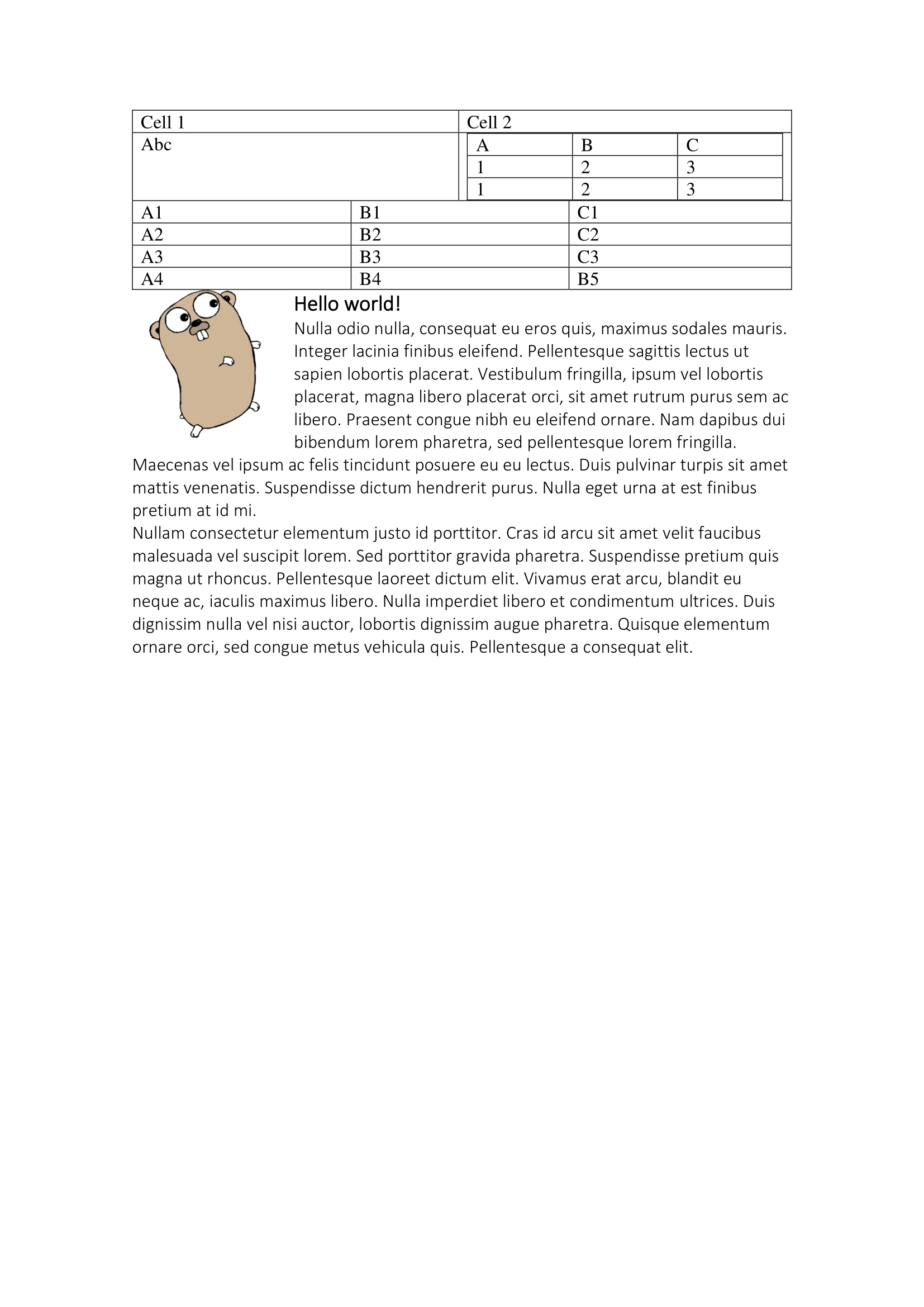
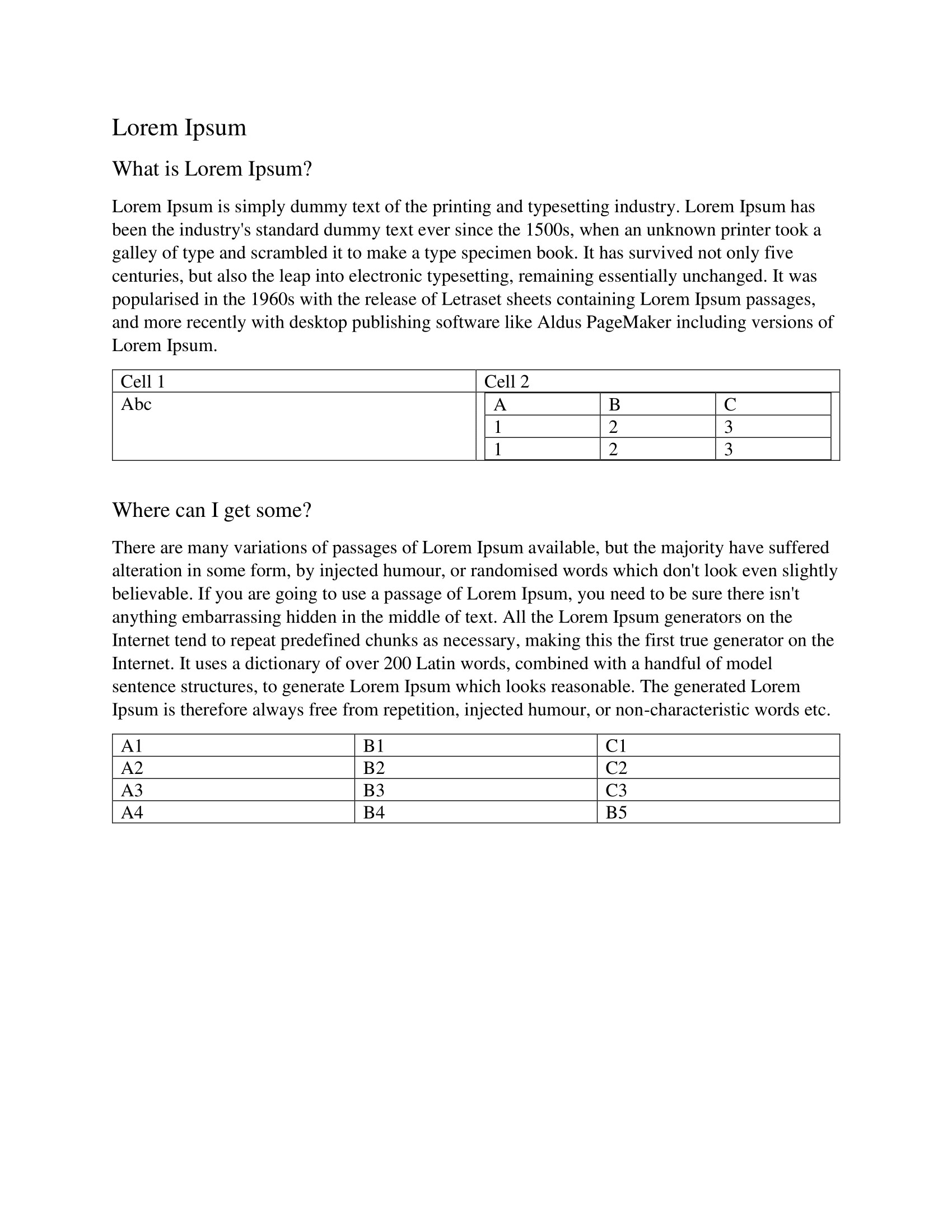
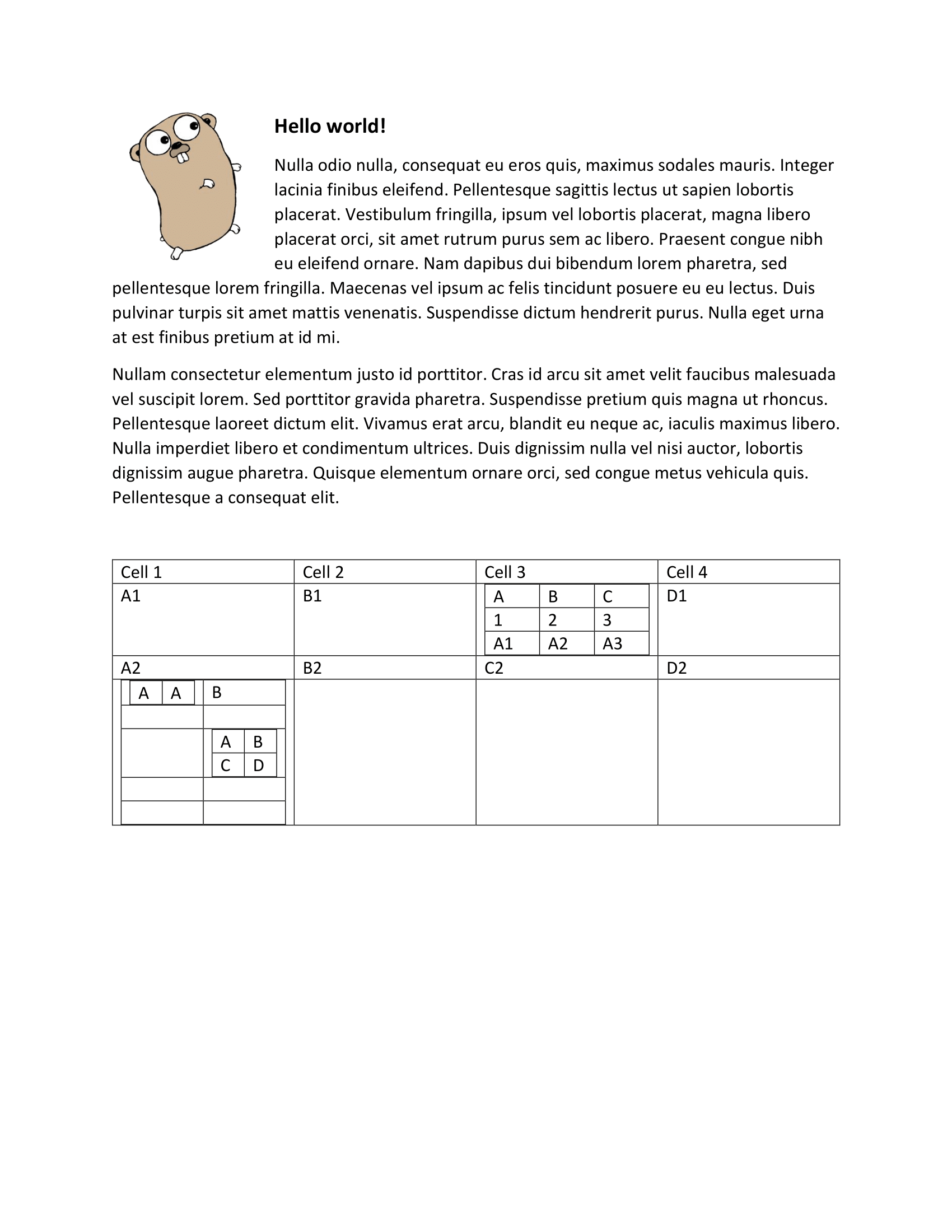
The example opens sample1.docx and sample2.docx, takes the tables from the
first and the paragraphs from the second, and writes the combination to
output/node-combine.docx.
git clone https://github.com/unidoc/unioffice-examples.git
cd unioffice-examples/document/node-combine
go run main.go
If this is your first time using UniOffice, follow the getting started guide to create an API key and set up your development environment.
View the full source
Sample output
The first source document, supplying the tables:
The second, supplying the paragraphs:
The combined result: