Find and Replace Text
ReplaceText on a Nodes value rewrites text everywhere in the document body,
paragraphs and table cells alike, without you having to walk the structure. It is
the shortest way to fill in a document whose placeholders are plain strings.
Four calls cover the ground, and they differ only in scope and in whether the pattern is a literal:
| Call | Scope | Pattern |
|---|---|---|
nodes.ReplaceText(old, new) | the whole document body | literal |
nodes.ReplaceTextByRegexp(rx, new) | the whole document body | regular expression |
node.ReplaceText(old, new) | one element and its children | literal |
node.ReplaceTextByRegexp(rx, new) | one element and its children | regular expression |
Use the Nodes form for a document-wide substitution. Use the Node form after
a finder, when the same string should change in one section and stay put
everywhere else.
Replacing everywhere
nodes := doc.Nodes()

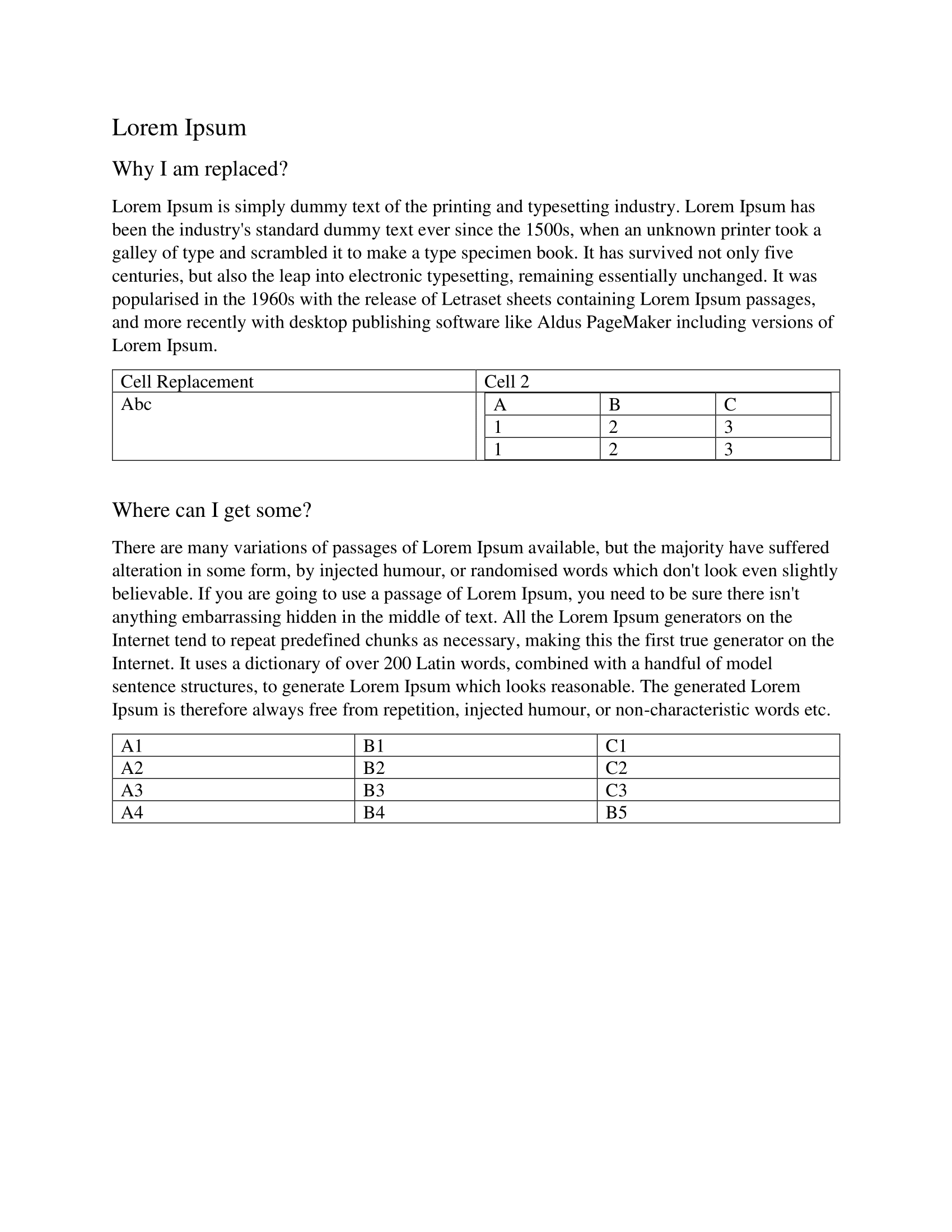
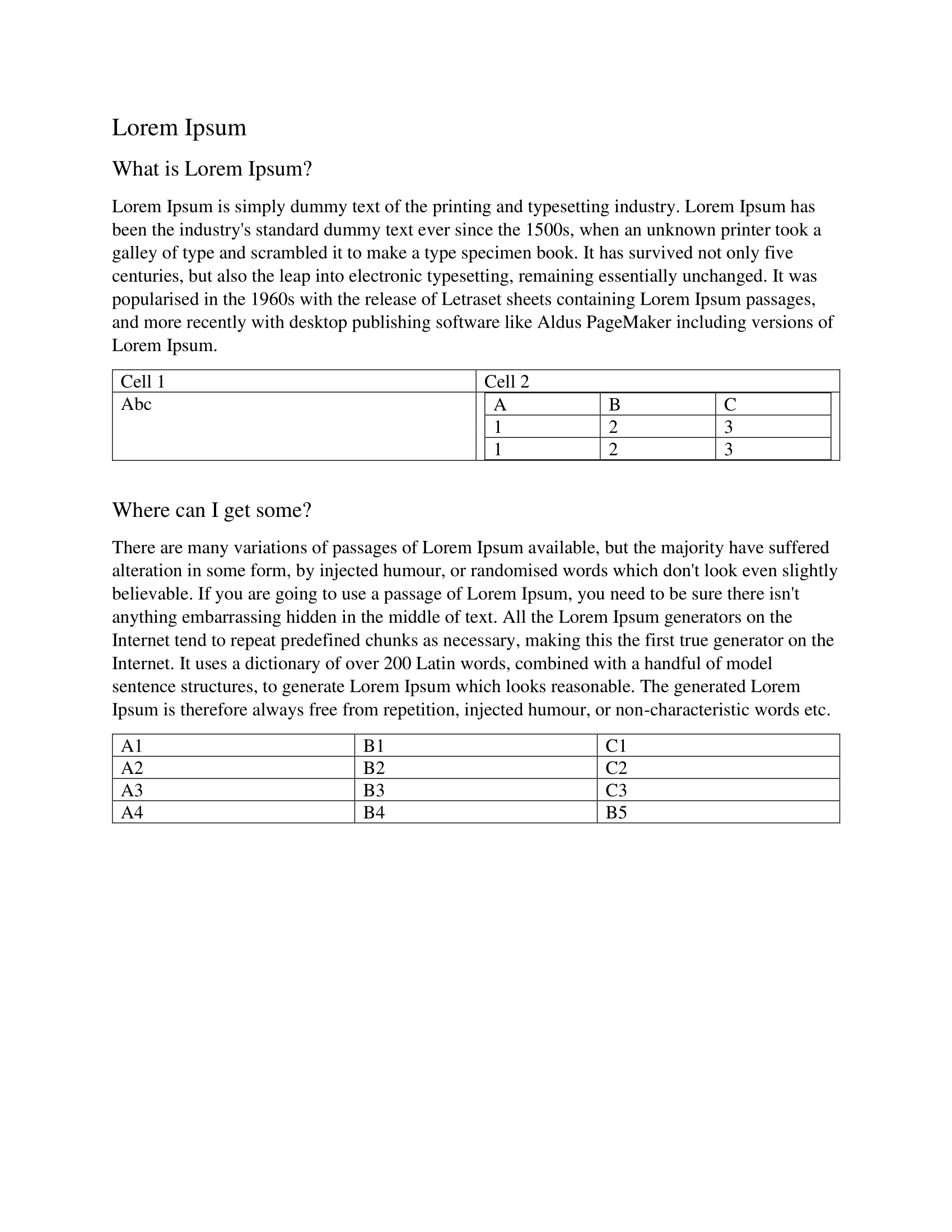
nodes.ReplaceText("Cell 1", "Cell Replacement")
nodes.ReplaceTextByRegexp(regexp.MustCompile(`What is.*`), "Why I am replaced?")

if err := doc.SaveToFile("output/node-find-and-replace.docx"); err != nil {
    log.Fatalf("error while saving file: %v", err)
}
There is no separate find step. The finders exist for when you want to inspect or count matches first:
for _, node := range nodes.FindNodeByText("Cell 1") {
    log.Println("found:", node.Text())
}
Replacement edits the document you opened, in place. Save it under a new name if you want to keep the original.
Replacement happens one run at a time
Both replace calls walk down to individual runs and do the substitution inside each run’s text separately. A phrase that Word split across two runs is therefore never matched, even though it reads as one phrase in the document.
A paragraph built from the runs "Hello " and "World" demonstrates it:
ReplaceText("Hello World", "Goodbye") changes nothing, while
ReplaceText("World", "Everyone") works. Nothing is reported either way, so a
substitution that quietly does nothing usually means the placeholder straddles a
run boundary. Keeping placeholders short and typed in one go, without formatting
changes mid-token, is what makes them reliable.
Regular expressions are matched against the same per-run text, so a pattern with
.* cannot span runs either.
Finding before replacing
FindNodeByText compares strings.TrimSpace(node.Text()) against your argument
for equality. It is a whole-element match, not a substring search, and the text
it compares against has a newline after each run: the two-run paragraph above
reports its text as "Hello \nWorld\n", which trims to "Hello \nWorld" and
matches neither "Hello World" nor "Hello".
FindNodeByRegexp runs MatchString against that same text, so it does find
substrings, and it can cross run boundaries if you let it. (?s)Hello.*World
matches the paragraph above; Hello World does not.
Both recurse into children, so text in table cells is found without any extra work. Run-level nodes report empty text, so they never match a non-empty pattern.
Limitations
Only the document body is rewritten. Headers, footers, footnotes and endnotes are
not reachable through doc.Nodes().
nodes must be a variable. Nodes is returned by value from doc.Nodes() and
its methods take pointer receivers, so doc.Nodes().ReplaceText(...) fails to
compile.
Replacements apply to every occurrence in every matched run, with no count limit and no way to replace only the first. Order matters when patterns overlap: an earlier call can produce text that a later call then rewrites again.
Run the example
The example opens sample.docx, logs what the two finders match, replaces the
literal Cell 1 inside a table and everything matching What is.*, then saves to
output/node-find-and-replace.docx.
git clone https://github.com/unidoc/unioffice-examples.git
cd unioffice-examples/document/node-find-and-replace
go run main.go
If this is your first time using UniOffice, follow the getting started guide to create an API key and set up your development environment.
View the full source
Sample output
The input document:
After replacement: