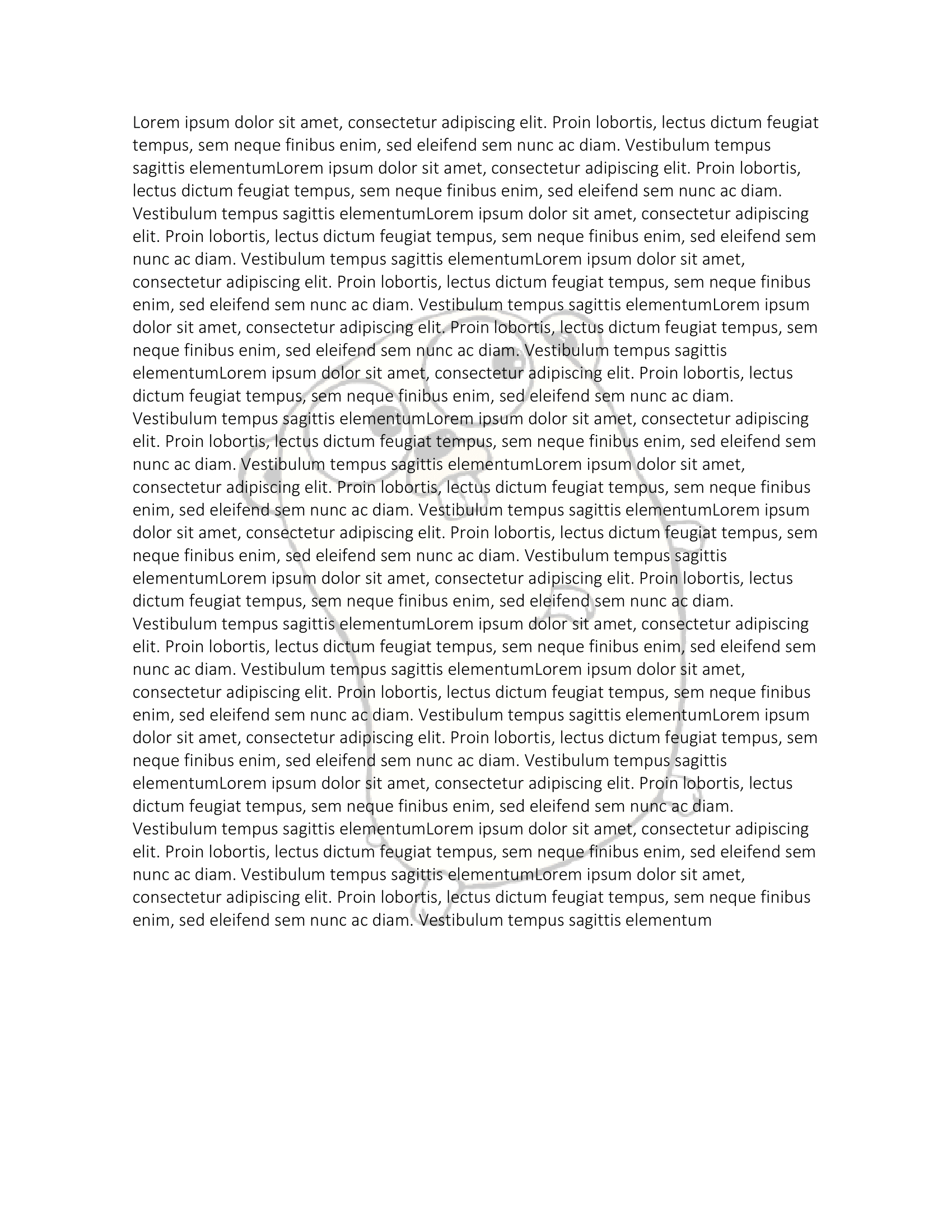
Image Watermark
An image watermark is the picture equivalent of a text watermark: a VML shape
placed in the document’s headers, so it repeats on every page and sits behind
the body content. The image itself goes through the same AddImage step as any
other picture, because the watermark needs the relationship ID that step
produces.
img, err := common.ImageFromFile("gophercolor.png")
if err != nil {
    log.Fatalf("unable to create image: %s", err)
}

imgRef, err := doc.AddImage(img)
if err != nil {
    log.Fatalf("unable to add image to document: %s", err)
}

watermark := doc.AddWatermarkPicture(imgRef)
watermark.SetPictureWashout(true)

size := imgRef.Size()
watermark.SetPictureSize(int64(size.X), int64(size.Y))
Always set the size
A new picture watermark starts with a shape style of width:0pt;height:0pt.
Skip SetPictureSize and the watermark is written into the document correctly
and rendered at zero by zero, which looks exactly like the watermark not working
at all. This is the single most common thing to get wrong here.
SetPictureSize takes width and height as int64 points. It is not a
measurement.Distance, so there is no unit to multiply by and no compile error
if you think in the wrong one:
watermark.SetPictureSize(4*72, 3*72) // 4 by 3 inchesPassing the image’s pixel dimensions, as the example does, gives you one point
per pixel, which is the same 72 dpi assumption SetSize makes for ordinary
drawings. That is fine for a scanned logo and much too large for a screenshot.
Note that multiplying by measurement.Point before the cast, which the example
does, changes nothing: measurement.Point is 1.
Nothing preserves the aspect ratio. imgRef.RelativeHeight and
RelativeWidth compute the matching dimension if you want to fix one side.
Washout
SetPictureWashout(true) applies Word’s washout preset, which raises the
brightness and drops the contrast so body text stays readable over the image.
Without it the picture is drawn at full strength and the page is usually
unreadable.
Passing false does nothing at all. The setter only has a branch for the true
case, so a watermark that has been washed out cannot be un-washed through this
API. Decide before you call it.
Where the watermark goes
AddWatermarkPicture adds the shape to the section’s default, even and
first-page headers, creating a default header if the document has none. The
image reference is re-registered against each header, since a header is a
separate part with its own relationships.
The shape is appended once per run in each header paragraph, so a document whose header already contains several runs ends up with the watermark repeated.
Limitations
If registering the image against a header fails, AddWatermarkPicture returns a
zero WatermarkPicture rather than an error. Every setter on that value guards
on an internal field being non-nil, so SetPictureWashout and SetPictureSize
then silently do nothing and you get a document with no watermark and no
indication of why.
There is no call to remove a picture watermark, and no getter for the image.
GetShapeStyle returns the shape’s position and size, and SetShapeStyle
writes a modified one back, which is the escape hatch for anything the
dedicated setters do not cover.
Run the example
The example writes a page of lorem ipsum, loads the gopher PNG, adds it as a washed-out watermark, and sizes the watermark from the image’s own dimensions.
git clone https://github.com/unidoc/unioffice-examples.git
cd unioffice-examples/document/watermark-picture
go run main.go
If this is your first time using UniOffice, follow the getting started guide to create an API key and set up your development environment.
View the full source
Sample output