Text Watermark
A watermark in a Word document is not a page-level property. It is a VML shape
sitting in the header, which is why it repeats on every page and why it stays
behind the body text without any z-order work on your part. AddWatermarkText
handles that placement and returns a WatermarkText you then style.
watermark := doc.AddWatermarkText("DRAFT")

watermark.SetFontFamily("Arial")
watermark.SetFontSize(20)
watermark.SetColor("red")
watermark.SetOpacity(0.3)
watermark.EnableDiagonalLayout(true)
That is the whole API surface worth knowing, but several of these calls are order-dependent in ways the signatures do not hint at.
Where the watermark goes
AddWatermarkText looks for the section’s default, even and first-page headers
and adds the shape to each one it finds. If the document has none, it creates a
header, sets it as the default, and puts the watermark there. So on a document
built from document.New() you get one watermark that covers every page, and on
a document opened with headers already defined you get the watermark in all of
them.
The shape is appended once per run in each header paragraph. A fresh header has a single empty run, so that is one watermark. A document whose header already contains several runs gets one copy of the watermark per run, stacked on top of each other. Where that matters, add the watermark before you populate the header.
Defaults and the setters
Without any styling calls the watermark is Calibri at 44 points, silver, fully opaque, horizontal, in a box 468 by 234 points centered on the page margins.
SetFontSize does two things. It sets the font size, and it resizes the shape’s
box to the text length times the font size wide by twice the font size tall, so
the box tracks the text instead of clipping it. It does that by finding the
default width:468pt;height:234pt in the style string and replacing it, which
means a second SetFontSize call finds nothing to replace and leaves the box at
whatever the first call made it. Set the font size once.
The same mechanism makes SetFontSize depend on the text already being set.
AddWatermarkText sets it for you before returning, so this works in the usual
flow; it would not if you built a WatermarkText and sized it before calling
SetText.
SetColor takes a VML color string, not a color.Color. Names like "red" and
hex values like "#C0C0C0" both work, and nothing validates what you pass, so a
typo produces a document Word renders with its own fallback rather than an
error.
SetOpacity runs from 0.0 to 1.0, with 1.0 the default. SetFontFamily wraps
the name in quotes for you, so pass "Arial", not "\"Arial\"".
Limitations
EnableDiagonalLayout(true) appends a 45 degree rotation to the shape’s style
string every time it is called, so calling it twice writes the rotation twice.
Passing false removes that rotation if it is there and does nothing otherwise.
Call it once, or not at all.
There is no call that removes a watermark once added, and no getter for the
color or opacity. GetText and GetStyle are the only readers.
The rotation is fixed at 45 degrees. Any other angle needs the underlying VML
style string, reachable through Pict().
Run the example
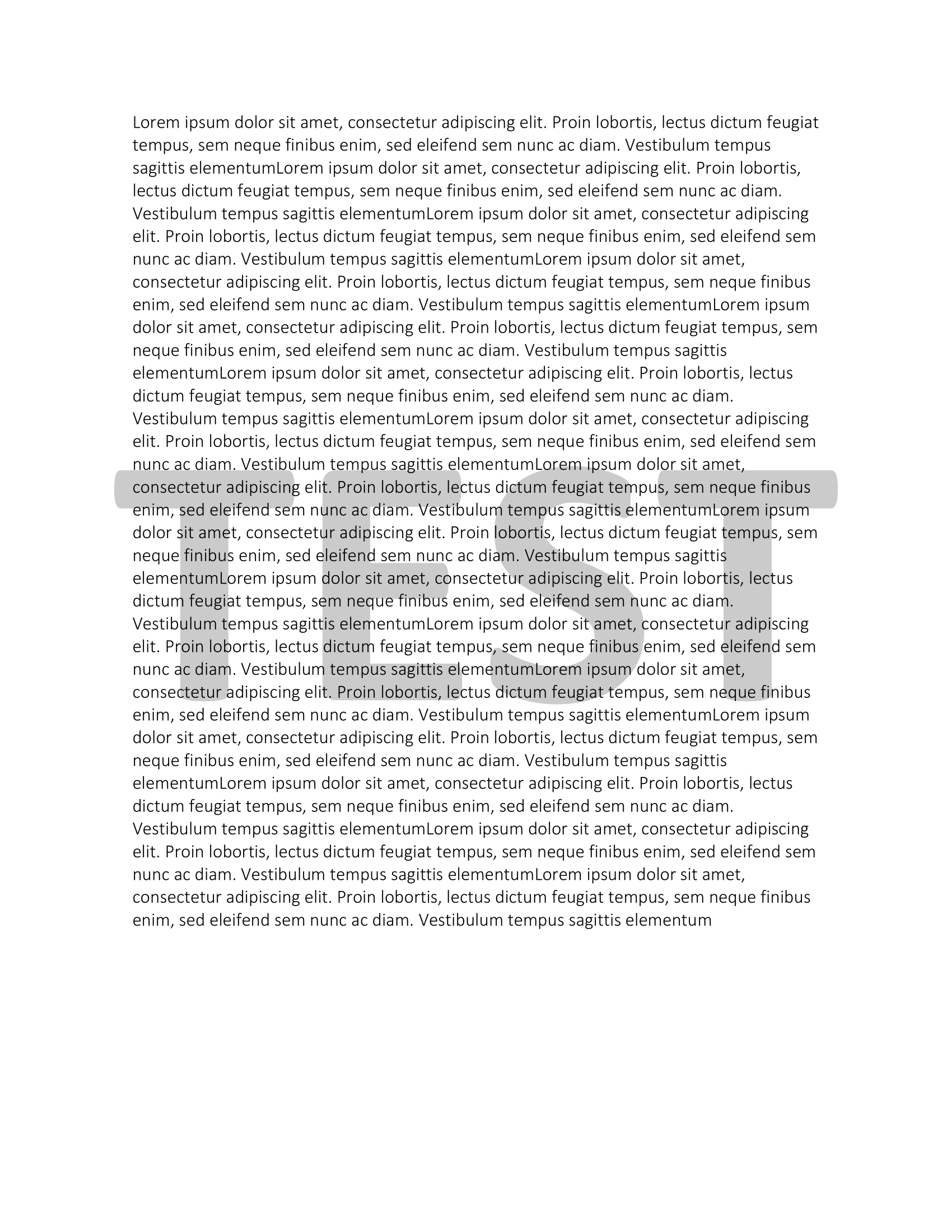
The example fills a paragraph with lorem ipsum, adds a bold red “TEST” watermark at 20 points and 30 percent opacity, and turns on the diagonal layout.
git clone https://github.com/unidoc/unioffice-examples.git
cd unioffice-examples/document/watermark-text
go run main.go
If this is your first time using UniOffice, follow the getting started guide to create an API key and set up your development environment.
View the full source
Sample output