Hyperlinks
A hyperlink in a Word document points either at a URL or at a bookmark inside the
same document. Both come from Paragraph.AddHyperLink, and the difference is
which setter you call afterwards. The link text is not the paragraph’s text: it
comes from runs added to the HyperLink itself.
| Setter | Target | Notes |
|---|---|---|
SetTarget(url) | External URL | Adds a new hyperlink relationship on every call. |
SetTargetByRef(link) | External URL | Reuses a relationship returned by Document.AddHyperlink. |
SetTargetBookmark(bm) | A bookmark in the same document | Stores the bookmark’s name as the anchor. |
The three are mutually exclusive. SetTarget and SetTargetByRef clear the
anchor, SetTargetBookmark clears the relationship ID, so the last call wins.
Adding a link
para := doc.AddParagraph()
bm := para.AddBookmark("_bookmark1")

hl := para.AddHyperLink()
hl.SetTarget("http://www.google.com")
hl.SetToolTip("hover to see this")
run := hl.AddRun()
run.Properties().SetStyle("Hyperlink")
run.AddText("Click Here to open google.com")

jump := para.AddHyperLink()
jump.SetTargetBookmark(bm)
jump.AddRun().AddText("Click Here to jump to the bookmark")
SetTargetBookmark reads the bookmark’s name, so you don’t have to keep the
Bookmark value around. Document.BookmarkByName will find one that was added
elsewhere, and it returns a second value reporting whether the name was found.
SetToolTip with an empty string removes the tooltip rather than setting a blank
one.
Making a link look like a link
A document from document.New() has no Hyperlink character style, so a link
run inherits body text formatting and renders in plain black. That is why the
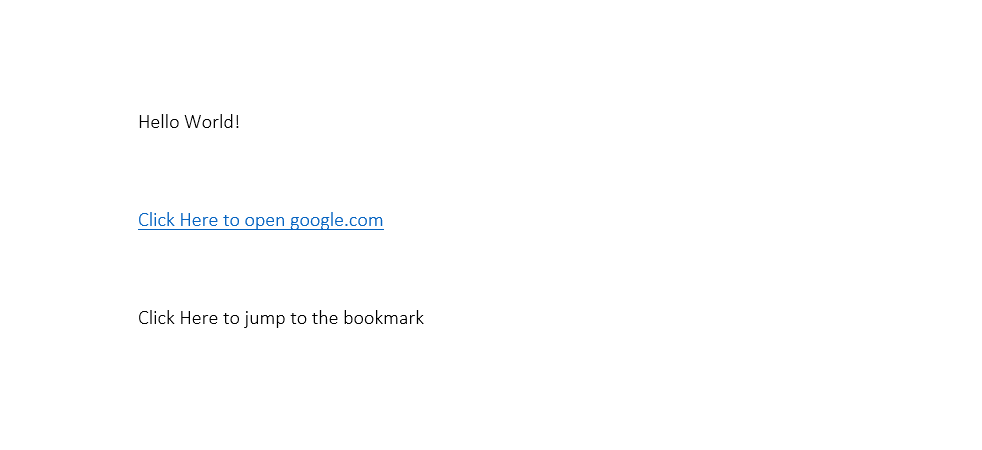
second link in the sample output below is not blue: its run never sets a style.
Define the style once and apply it to every link run:
hlStyle := doc.Styles.AddStyle("Hyperlink", wml.ST_StyleTypeCharacter, false)
hlStyle.SetName("Hyperlink")
hlStyle.SetBasedOn("DefaultParagraphFont")
clr := color.FromHex("#0563C1")
hlStyle.RunProperties().Color().SetColor(clr)
hlStyle.RunProperties().SetUnderline(wml.ST_UnderlineSingle, clr)
AddStyle returns the existing style when the ID is already present, so calling
it again on a document opened from a template that already defines Hyperlink
hands you that style instead of creating a duplicate.
Limitations
Nothing checks that the anchor exists. SetTargetBookmark copies the name out of
the Bookmark you pass, and a name with no matching bookmark produces a link
that goes nowhere when it’s clicked.
SetTarget calls Document.AddHyperlink internally, which appends a fresh
relationship to the document part. Pointing twenty links at the same URL that way
writes twenty relationships. Call Document.AddHyperlink once and pass the
result to SetTargetByRef when a destination repeats.
Both link kinds survive native DOCX to PDF conversion. A URL target becomes a clickable external link, and a bookmark target becomes an internal link annotation whose destination is resolved by bookmark name at the point the bookmark start was laid out.
Run the example
The example writes hyperlink.docx with one link to google.com and one that
jumps to a bookmark further up the same paragraph. addBlankLines is only there
to push the two links apart.
git clone https://github.com/unidoc/unioffice-examples.git
cd unioffice-examples/document/hyperlink
go run main.go
If this is your first time using UniOffice, follow the getting started guide to create an API key and set up your development environment.
View the full source
Sample output