Paragraphs in Cells
A cell is a container of block content, not a string. Everything that can sit in
the document body can sit in a cell: several paragraphs, a nested table, or a
structured document tag. Cell.AddParagraph() appends to the end of the cell,
and the document-level insert calls place a paragraph or a table relative to one
that is already there, wherever it lives.
| Call | Where the new content lands |
|---|---|
cell.AddParagraph() | At the end of that cell. |
doc.InsertParagraphBefore(p) / InsertParagraphAfter(p) | Next to p, in whatever cell or body block holds it. |
cell.AddTable() | At the end of that cell, followed by an empty paragraph. |
doc.InsertTableBefore(p) / InsertTableAfter(p) | Next to p, nesting inside the cell if p is in one. |
The insert calls take a Paragraph as the anchor, never a table or a cell. To
put a table inside a cell you anchor it to a paragraph in that cell, which is
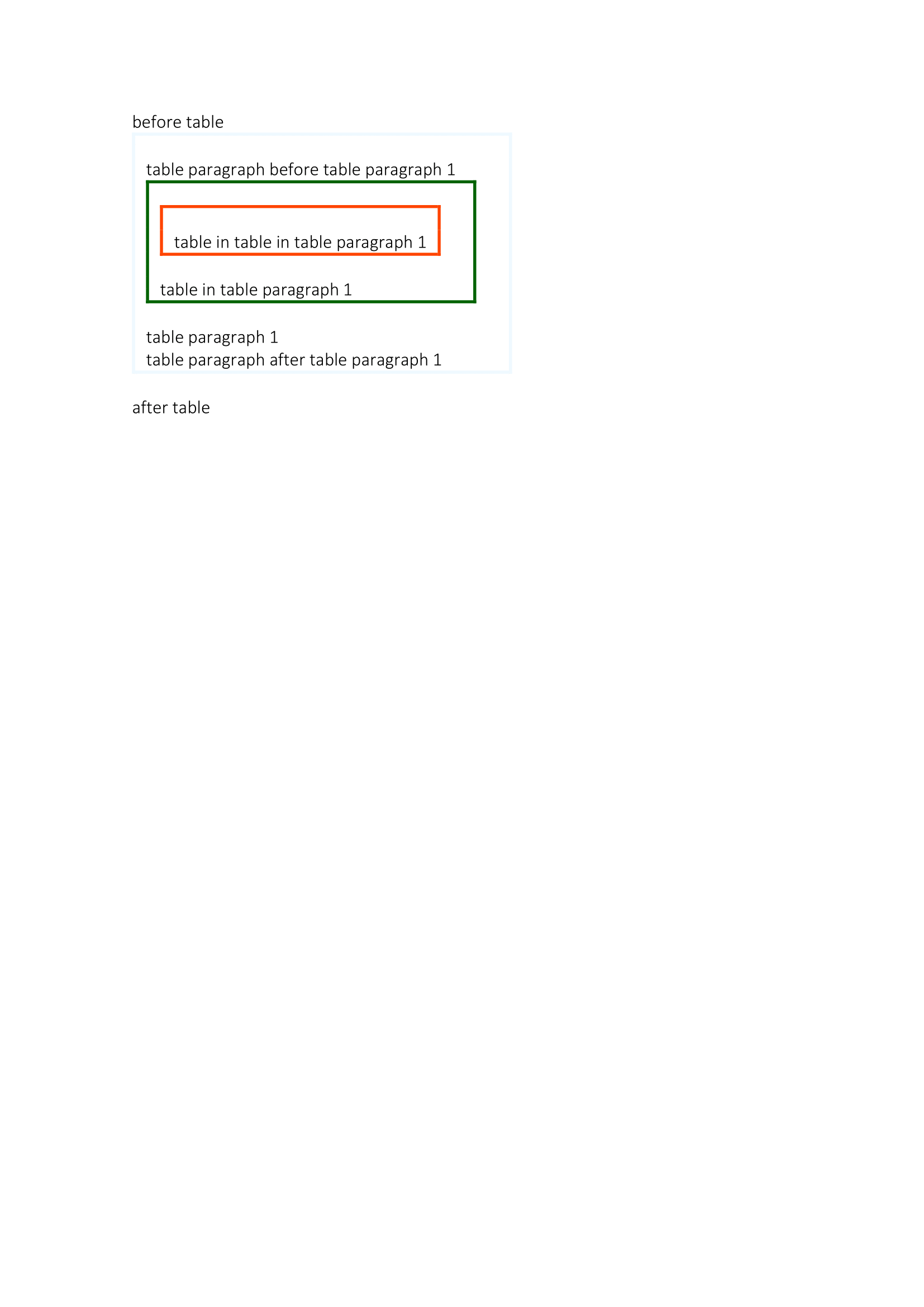
how the example nests three tables in each other.
table := doc.InsertTableAfter(paraBeforeTable)
tablePara1 := table.AddRow().AddCell().AddParagraph()
tablePara1.AddRun().AddText("table paragraph 1")

// Both land in the same cell, on either side of tablePara1.
doc.InsertParagraphAfter(tablePara1).AddRun().AddText("after")
tablePara3 := doc.InsertParagraphBefore(tablePara1)
tablePara3.AddRun().AddText("before")

// Anchored to a paragraph in the cell, so this table nests.
inner := doc.InsertTableAfter(tablePara3)
inner.AddRow().AddCell().AddParagraph().AddRun().AddText("nested")
Order of the calls does not matter beyond the anchor existing first. Each insert is positional against the anchor you name, so building a cell out of order is fine, and the paragraph handle stays valid after later inserts move things around it.
To read what is already in a cell, Cell.Paragraphs() returns its paragraphs
including those wrapped in structured document tag or custom XML blocks.
Nesting a table
Two ways to nest exist and they differ only in placement. Cell.AddTable()
appends to the end of the cell and is the direct route when you are building the
cell yourself. doc.InsertTableBefore and InsertTableAfter are what you need
when the position matters, or when you are working against a document you opened
rather than one you built.
Both keep the cell valid. A cell has to end with a paragraph or Word refuses the file, so both paths append an empty paragraph when the nested table would otherwise be the last thing in the cell. You do not have to add one yourself.
Nesting is capped at 50 levels during the traversal that the insert calls use. Beyond that the anchor is not found.
Limitations
An anchor paragraph that is not in the document is not an error. Both
InsertParagraphBefore and InsertParagraphAfter fall back to
doc.AddParagraph(), and both table insert calls fall back to doc.AddTable(),
so the content appears at the end of the body rather than where you asked for
it. A paragraph taken from a different document is the usual way to hit this.
Borders set with Borders().SetAll on a nested table apply to that table only.
There is no inheritance from the outer table, so a nested table with no border
settings renders unbordered inside a bordered parent.
This example writes its output without calling doc.Validate(). Validation is
worth running on any document that builds cells programmatically, since it
reports the two structural mistakes Word will not open a file over: a row with
no cells, and a cell that does not end with a paragraph.
Run the example
The example builds one table, adds paragraphs before and after the paragraph already in its cell, then nests a table in the cell and a third table inside that one. The output shows three levels of nesting distinguished by border color.
git clone https://github.com/unidoc/unioffice-examples.git
cd unioffice-examples/document/paragraphs_in_table
go run main.go
If this is your first time using UniOffice, follow the getting started guide to create an API key and set up your development environment.
View the full source
Sample output