Line Spacing
Line spacing is the distance between lines within one paragraph, which is a different setting from the space before and after the paragraph as a whole. It is a paragraph property, so it applies to every line the paragraph produces and cannot vary run by run.
Pick a rule first
SetLineSpacing takes a distance and a rule, and the rule changes what the
distance means.
| Rule | The distance means |
|---|---|
wml.ST_LineSpacingRuleAuto | A multiple of single spacing, where 12 points is single. Text taller than that pushes the lines further apart. |
wml.ST_LineSpacingRuleExact | A fixed line height. Text taller than the value is clipped. |
wml.ST_LineSpacingRuleAtLeast | A minimum line height. Taller text grows the line. |
wml.ST_LineSpacingRuleUnset | Clears the setting; the distance argument is ignored. |
The auto rule is the one people get wrong. The distance is not the height you
want the line to be; it is a ratio expressed against a 12 point baseline. So
12*measurement.Point is single spacing, 18*measurement.Point is one and a
half, and 24*measurement.Point is double, whatever font size the runs actually
use. The example’s comment about 24 points being double because the text is 12
points is the same arithmetic seen from the other side.
Use Exact or AtLeast when you want a real measurement, such as a 15
millimeter line height.
Doing it
para := doc.AddParagraph()
para.Properties().Spacing().SetLineSpacing(24*measurement.Point, wml.ST_LineSpacingRuleAuto)
para.AddRun().AddText(lorem)
para.SetLineSpacing(d, rule) is a shorthand for the same thing and writes the
identical w:spacing attributes. Going through Properties().Spacing() gives
you SetBefore, SetAfter, SetBeforeAuto and SetAfterAuto on the same
object.
For a whole class of paragraphs, set it on a style instead:
style.ParagraphProperties().SetLineSpacing(...) takes the same two arguments.
Limitations
Passing ST_LineSpacingRuleUnset removes both the line value and the rule, so
there is no way to write an explicit “inherit” that overrides a style. The
paragraph falls back to whatever the style says.
The distance is converted to twips by integer truncation. Anything below 1/20 of a point disappears, which only matters if you are computing spacing from a ratio.
Line spacing set on the paragraph wins over line spacing set on the paragraph’s style, and there is no per-run equivalent. A paragraph mixing 10 point and 40 point runs gets one spacing setting for all of it.
Run the example
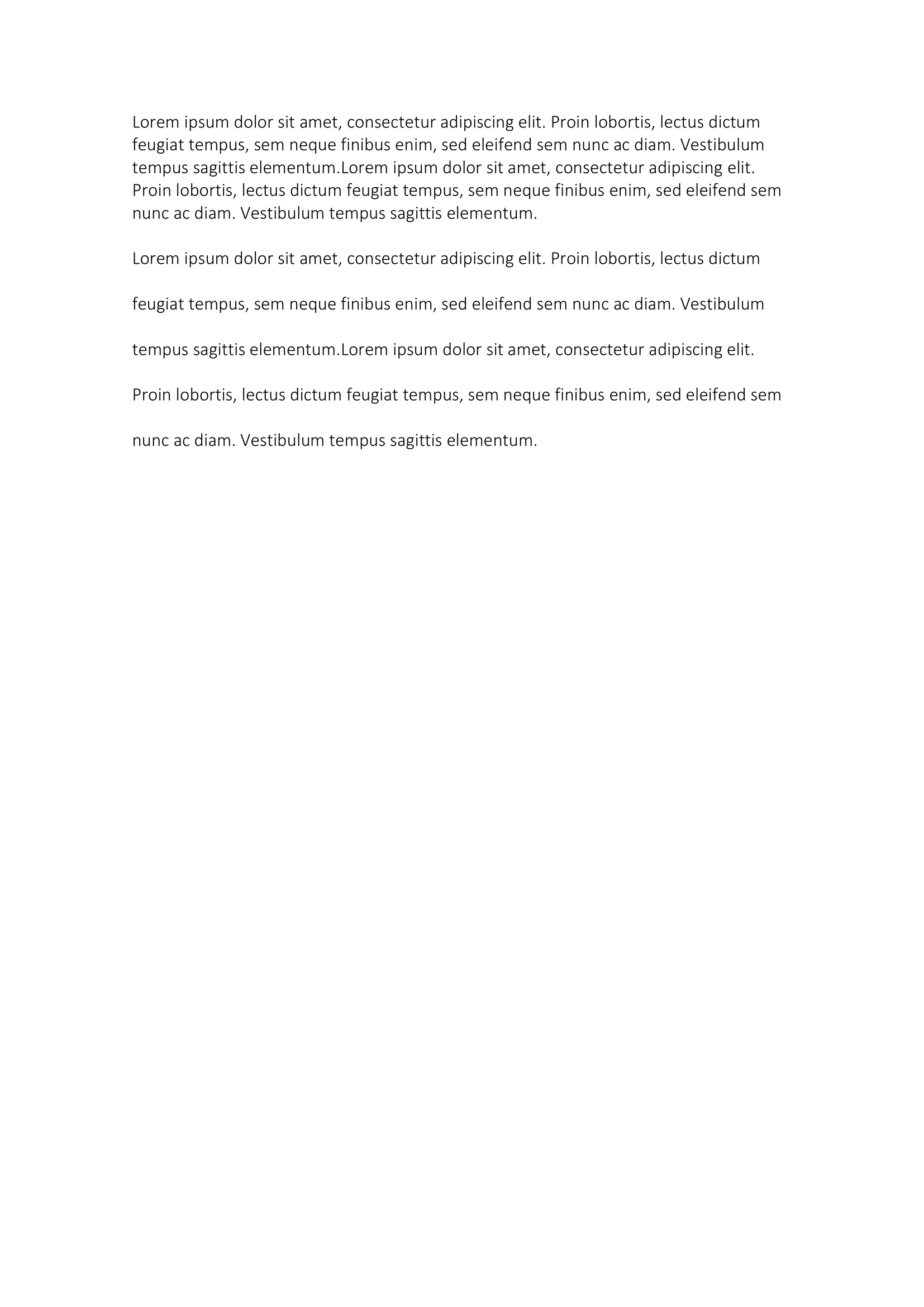
The example writes the same text twice, once with no spacing set and once at
double. The only difference between the two paragraphs is the SetLineSpacing
call. It also runs doc.Validate() before saving, which checks the document
structure and is worth copying.
git clone https://github.com/unidoc/unioffice-examples.git
cd unioffice-examples/document/line-spacing
go run main.go
If this is your first time using UniOffice, follow the getting started guide to create an API key and set up your development environment.
View the full source
Sample output