Paragraph Styles
A named style holds paragraph and run formatting in styles.xml and paragraphs
point at it by ID. Setting the same six properties on forty paragraphs is what
styles are for: define once, apply by name, and a later change to the definition
moves every paragraph that uses it.
Style or direct formatting
| Direct formatting | Named style | |
|---|---|---|
| Set with | para.SetLeftIndent(...), run.Properties().SetBold(true) | doc.Styles.AddStyle(...) then para.SetStyle(id) |
| Scope | That one paragraph or run | Every paragraph carrying the style |
| Precedence | Wins | Loses to direct formatting on the same property |
| Visible in Word’s style gallery | No | Yes, under the name you give SetName |
They combine, so the usual pattern is a style for the shape of the paragraph and direct formatting for the exceptions.
The built-in styles
document.New() calls Styles.InitializeDefault(), which creates Normal,
Title, Heading1 through Heading9, their linked character styles, plus
DefaultParagraphFont, TableNormal and NoList.
SetStyle takes the style ID, not the display name. The heading IDs have no
space in them, so SetStyle("Heading2") works and SetStyle("Heading 2") does
not. There is no error either way: an unknown ID is written into the document
and Word renders the paragraph with default formatting. If you are unsure,
doc.Styles.SearchStyleById("Heading2") returns a second boolean telling you
whether it exists, and SearchStyleByName("heading 2") looks the same style up
by its display name.
Doing it
customStyle := doc.Styles.AddStyle("CustomStyle1", wml.ST_StyleTypeParagraph, false)
customStyle.SetName("Custom Style 1")
customStyle.ParagraphProperties().SetSpacing(measurement.Inch, measurement.Inch)
customStyle.ParagraphProperties().SetAlignment(wml.ST_JcBoth)
customStyle.ParagraphProperties().SetFirstLineIndent(2 * measurement.Inch)

para := doc.AddParagraph()
para.SetStyle("CustomStyle1")
para.AddRun().AddText("Lorem ipsum dolor sit amet.")
The first argument is the ID and the third makes the style the default for its
type, which means paragraphs with no explicit style pick it up. Passing true
there while Normal is already the default paragraph style gives you two
defaults, so leave it false unless you are replacing Normal.
Style.ParagraphProperties() returns ParagraphStyleProperties, which is a
different type from the ParagraphProperties you get off a paragraph. It covers
alignment, spacing, all four indents, line spacing, tab stops, keep-with-next,
keep-on-one-page, contextual spacing and outline level.
Style.RunProperties() covers the character side: font, size, bold, color and
the rest.
Limitations
AddStyle returns the existing style when the ID is already taken instead of
creating a second one or reporting a conflict. That makes it a get-or-create,
which is convenient for editing a built-in style, and a trap if you expected a
fresh one.
ParagraphStyleProperties.SetSpacing and the indent setters treat
measurement.Zero as “remove the attribute” rather than “set it to zero”. A
style cannot therefore force zero spacing over an inherited value; it can only
decline to specify any.
SetBasedOn, SetNextStyle and SetLinkedStyle take style IDs and do not
check that the target exists. A typo produces a document Word opens without
complaint and formats differently from what you intended.
Styles created here go into the document you created them on. Copying a style
between documents means going through Styles.InsertStyle, which takes a
Style value, and making sure any style it is based on came along too.
Run the example
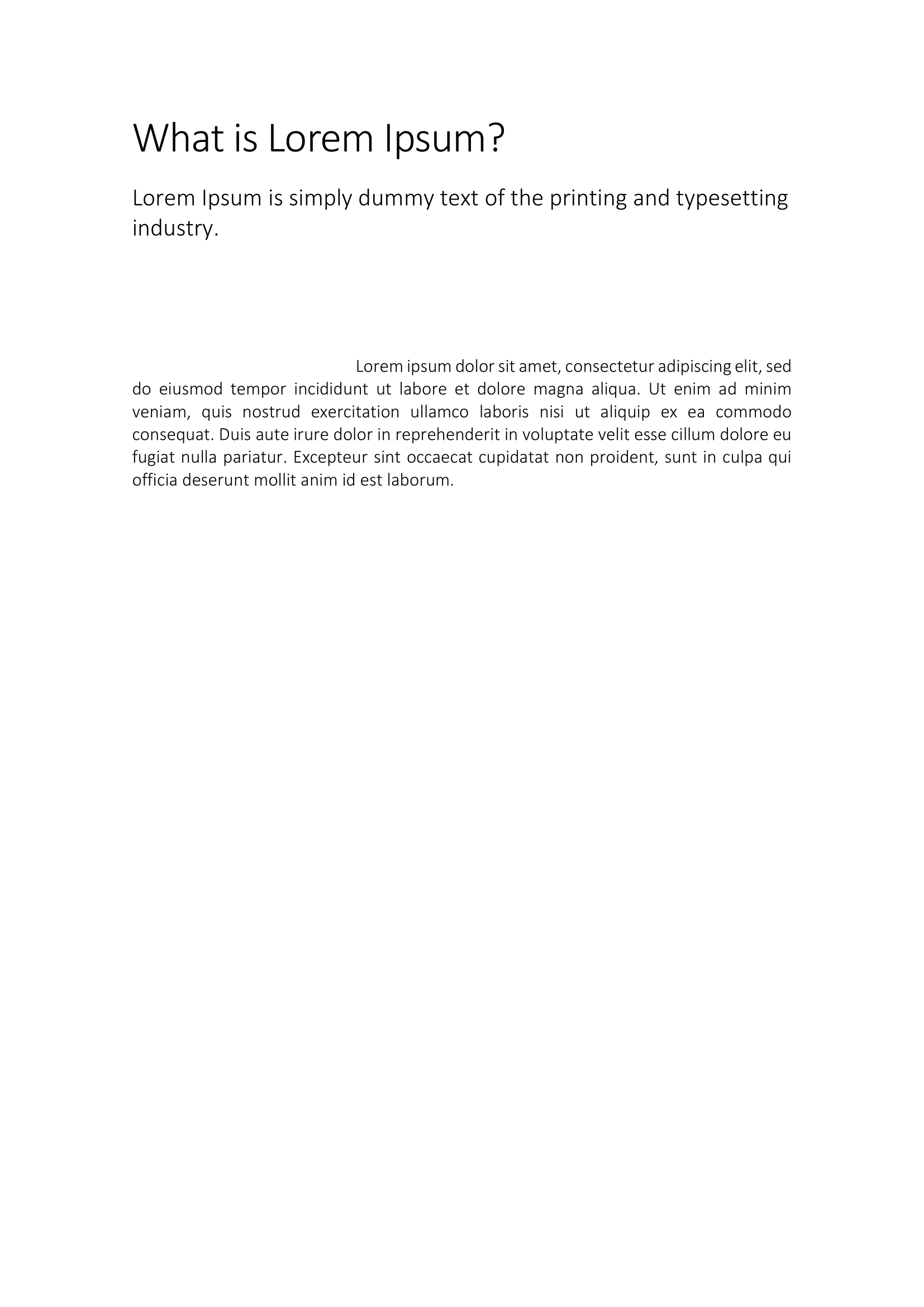
The example applies the built-in Title and Heading1 styles, then defines
CustomStyle1 with one inch of spacing above and below, justified alignment, a
two inch first-line indent and single line spacing, and applies it to a
paragraph of lorem ipsum.
git clone https://github.com/unidoc/unioffice-examples.git
cd unioffice-examples/document/paragraph-style
go run main.go
If this is your first time using UniOffice, follow the getting started guide to create an API key and set up your development environment.
View the full source
Sample output