Simple Presentation
presentation.New() gives you a working .pptx with one slide master, one
blank layout and a 16:9 slide size, and nothing else. Every slide you add is
attached to that blank layout, so there is no title placeholder, no theme fonts
and no background - whatever appears on the slide is what you put there.
| Starting point | What the deck comes with |
|---|---|
presentation.New() | One master, one empty layout, 16:9 size, no slides. |
presentation.OpenTemplate(file) | Whatever masters, layouts and theme the file defines. |
Reach for New() when the output is generated rather than designed - a status
deck, a set of chart slides, anything where the shapes are placed by
calculation. If someone has produced a .pptx with the branding already right,
use a template instead and fill its placeholders.
Adding a slide
ppt := presentation.New()
defer ppt.Close()

slide := ppt.AddSlide()

tb := slide.AddTextBox()
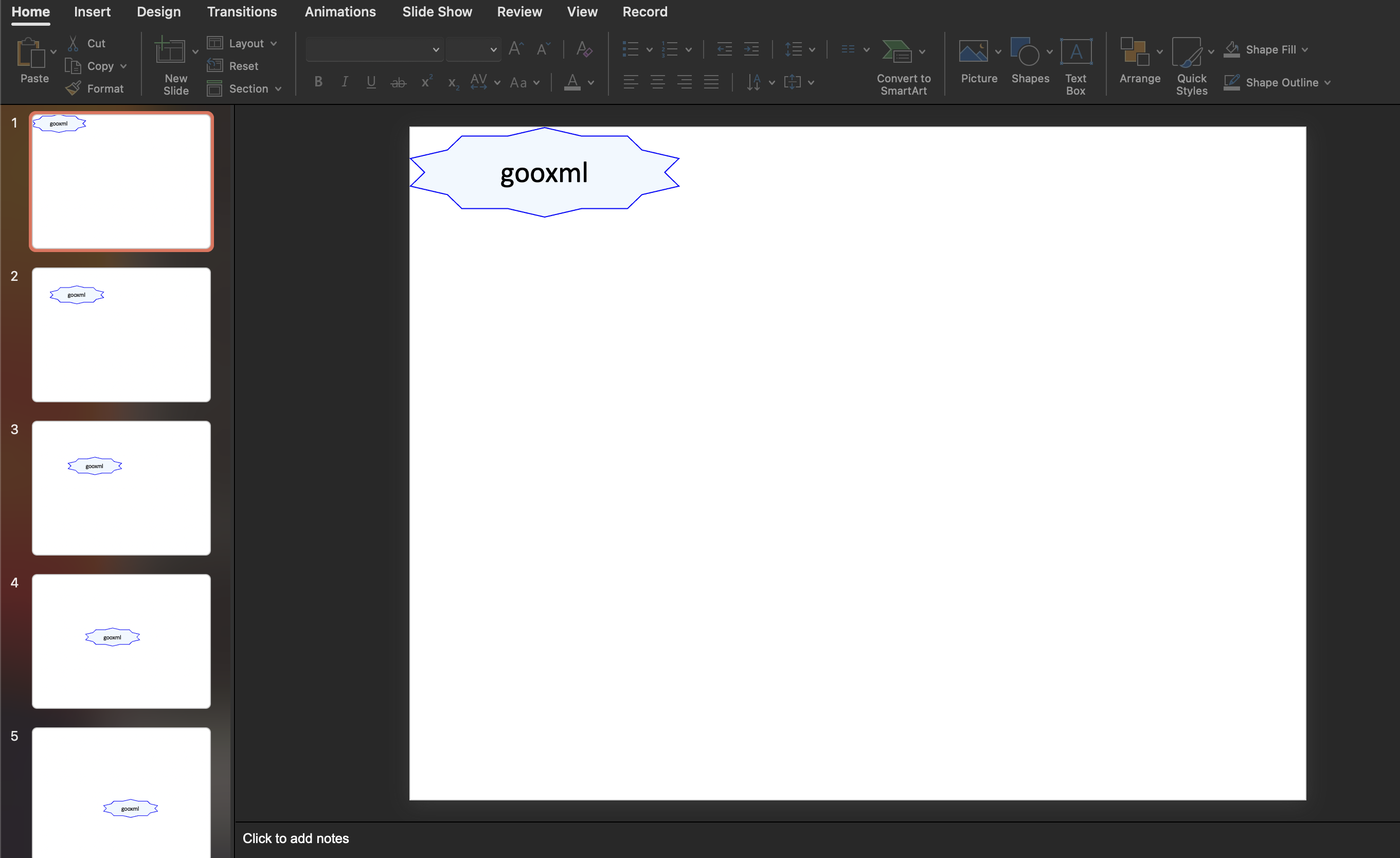
tb.Properties().SetGeometry(dml.ST_ShapeTypeStar10)
tb.Properties().SetWidth(3 * measurement.Inch)
tb.Properties().SetPosition(1*measurement.Inch, 1*measurement.Inch)
tb.Properties().SetSolidFill(color.AliceBlue)
tb.Properties().LineProperties().SetSolidFill(color.Blue)

p := tb.AddParagraph()
p.Properties().SetAlign(dml.ST_TextAlignTypeCtr)
r := p.AddRun()
r.SetText("gooxml")
r.Properties().SetSize(24 * measurement.Point)
Properties() returns a drawing.ShapeProperties, which is the same wrapper
whether the shape is a text box, a picture or anything else on the slide. The
outline of the shape comes from SetGeometry and the fill inside it from
SetSolidFill; LineProperties() reaches the border separately. Text lives one
level down, in runs inside paragraphs, and formatting such as size, color and
bold is a property of the run rather than of the box.
Distances go through the measurement package. SetPosition and SetWidth
take a measurement.Distance, so multiply by measurement.Inch,
measurement.Point or measurement.Millimeter rather than passing a bare
number. measurement.Point is 1, which is why SetSize(24 * measurement.Point)
and SetSize(24) mean the same thing for a font size, but that coincidence does
not hold for the other units.
AddTextBox starts the box at 3 by 1 inches, positioned at the top left corner
with rectangular geometry. Everything after that call is overriding a default,
so a box you never position sits on top of any other box you never positioned.
Limitations
Validate rejects a shape that has a text body but no paragraphs, so a text box
you create and never add a paragraph to fails with “slide shape with a txbody
must contain paragraphs”. Calling Validate is optional but it catches this
before PowerPoint does.
Slides have no z-order control. Shapes are drawn in the order they are added to the slide, so if two overlap, add the one that should be on top last.
defer ppt.Close() matters here even though the deck is built in memory:
Close removes the temporary directory the presentation uses for image and part
storage.
Run the example
The example writes simple.pptx with five slides, each carrying a ten-pointed
star offset one inch further down and to the right than the last.
git clone https://github.com/unidoc/unioffice-examples.git
cd unioffice-examples/presentation/simple
go run main.go
If this is your first time using UniOffice, follow the getting started guide to create an API key and set up your development environment.
View the full source
Sample output