Cell Comments
A comment is a note anchored to a cell reference, held in a per-sheet comments
part rather than in the cell itself. Sheet.Comments() creates that part on
first use, along with the legacy drawing that gives each note its marker and
pop-up box. The comment text is a RichText, the same type cells use for
rich text.
| Call | Returns | Use it when |
|---|---|---|
AddCommentWithStyle(ref, author, text) | error | You want what Excel produces: a bold author: line, the body below it, and a marker on the cell. |
AddComment(ref, author) | RichText | You want to build the runs yourself, with your own fonts, sizes and colors. |
sheet.Cell("A1").SetString("Hello World!")

if err := sheet.Comments().AddCommentWithStyle("A1", "Gopher", "This looks interesting."); err != nil {
    log.Fatalf("error adding comment: %s", err)
}

// Building the text by hand instead.
rt := sheet.Comments().AddComment("C10", "Gopher")
run := rt.AddRun()
run.SetText("A note with no author prefix.")
run.SetItalic(true)
The cell does not have to exist. AddCommentWithStyle("C10", ...) attaches a
note to an empty cell without creating one, which is what the example does.
Authors are stored once per sheet and referenced by index, so repeating the same
name across many comments costs nothing. Comment.SetAuthor changes only that
index. It does not touch the text, so on a comment created by
AddCommentWithStyle the old name stays visible in the first run.
Limitations
AddCommentWithStyle returns an error and the embedded example discards it. The
error comes from parsing the cell reference: passing something that is not a
reference gives back no digits in <ref> and no comment is added.
AddComment on its own registers the comment but does not create the drawing
shape that anchors it. The text ends up in the comments part with nothing on the
sheet pointing at it, so viewers have no marker to click. If you need custom
runs and a visible marker, add the comment with AddCommentWithStyle first and
then edit the runs it produced.
Keep comments on one sheet. The workbook holds a single legacy drawing, created
the first time any sheet calls Comments(), and AddCommentWithStyle always
appends its shape to that first drawing. Comments added to a second sheet are
written into the file and pass Workbook.Validate, but that sheet gets no
legacy drawing of its own and its notes have nowhere to render.
Comment size and position are fixed by vmldrawing.NewCommentShape; the
spreadsheet API exposes no way to move or resize a note. There is also no
delete: Comments.Comments() hands back the existing notes so you can edit
them, but removing one means dropping it from the underlying sml.Comments.
Run the example
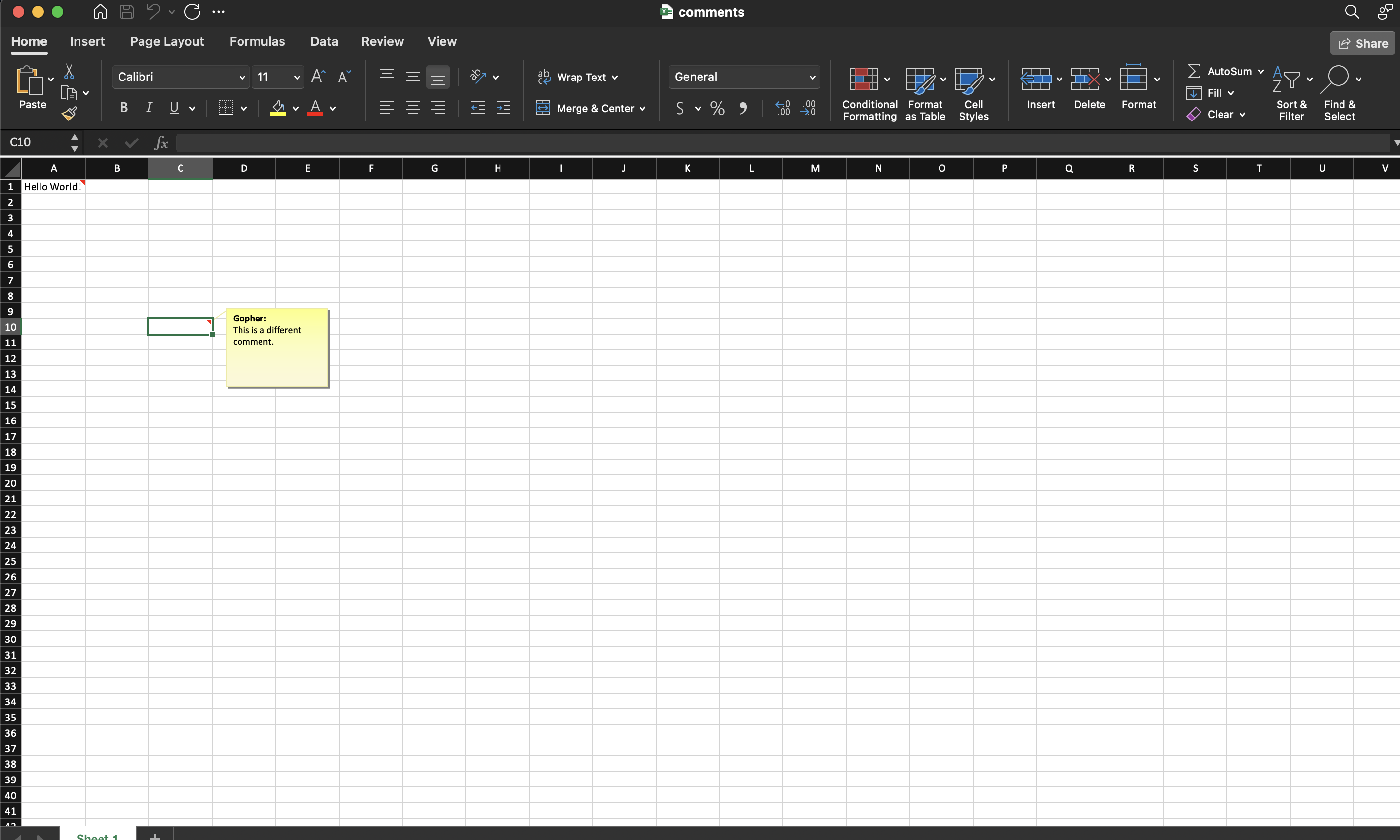
The example writes a value into A1, comments on it, and adds a second comment
to C10, a cell that has no value at all.
git clone https://github.com/unidoc/unioffice-examples.git
cd unioffice-examples/spreadsheet/comments
go run main.go
If this is your first time using UniOffice, follow the getting started guide to create an API key and set up your development environment.
View the full source
Sample output