Rich Text
A cell style formats the whole cell. When part of a cell needs to look different
from the rest, the text has to be split into runs, each carrying its own font
properties. Cell.SetRichTextString switches the cell into that mode and
returns a RichText you add runs to.
| Call | Storage | Formatting |
|---|---|---|
cell.SetString(s) | Shared strings table, deduplicated across the workbook. Returns the string ID. | One appearance for the cell, from its cell style. |
cell.SetRichTextString() | Inline in the cell. Not shared, not deduplicated. | Per run: font, size, color, bold, italic, underline. |
rt := cell.SetRichTextString()

run := rt.AddRun()
run.SetText("row 0 ")
run.SetBold(true)
run.SetColor(color.Red)

run = rt.AddRun()
run.SetText("cell 0")
run.SetItalic(true)
run.SetSize(16)
run.SetFont("Courier")
SetRichTextString clears the cell before switching it, so call it first and do
not mix it with SetString on the same cell. Runs are emitted in the order you
add them and are simply concatenated, which means any spacing between them has
to be part of the text; the trailing space in "row 0 " above is doing that.
SetSize takes a measurement.Distance, and measurement.Point is 1, so a
bare 16 means 16 points. measurement.Inch would be 72.
The same RichText type is what Comments.AddComment returns, so the runs you
build for a cell comment work exactly like these.
Limitations
A cell holds one rich text item. There is no way to append a second block or to interleave rich text with a plain string.
Rich text cannot be read back through the ordinary getters. GetString and
GetFormattedValue both return an empty string for a rich text cell, because
they look for the inline text element that runs replace. Reaching the runs means
going through cell.X().Is.R.
Setting the same property twice on one run replaces the earlier value rather
than adding a second element, so SetBold(true) followed by SetBold(false)
leaves the run unbolded.
Only character properties are per run. Alignment, wrapping, borders, fills and the number format still come from the cell style and apply to the whole cell.
Inline storage means no deduplication. A sheet of identical rich text cells is
larger than the same strings written with SetString, which share one entry.
For bulk output where the formatting is uniform, a cell style is both smaller
and faster.
Run the example
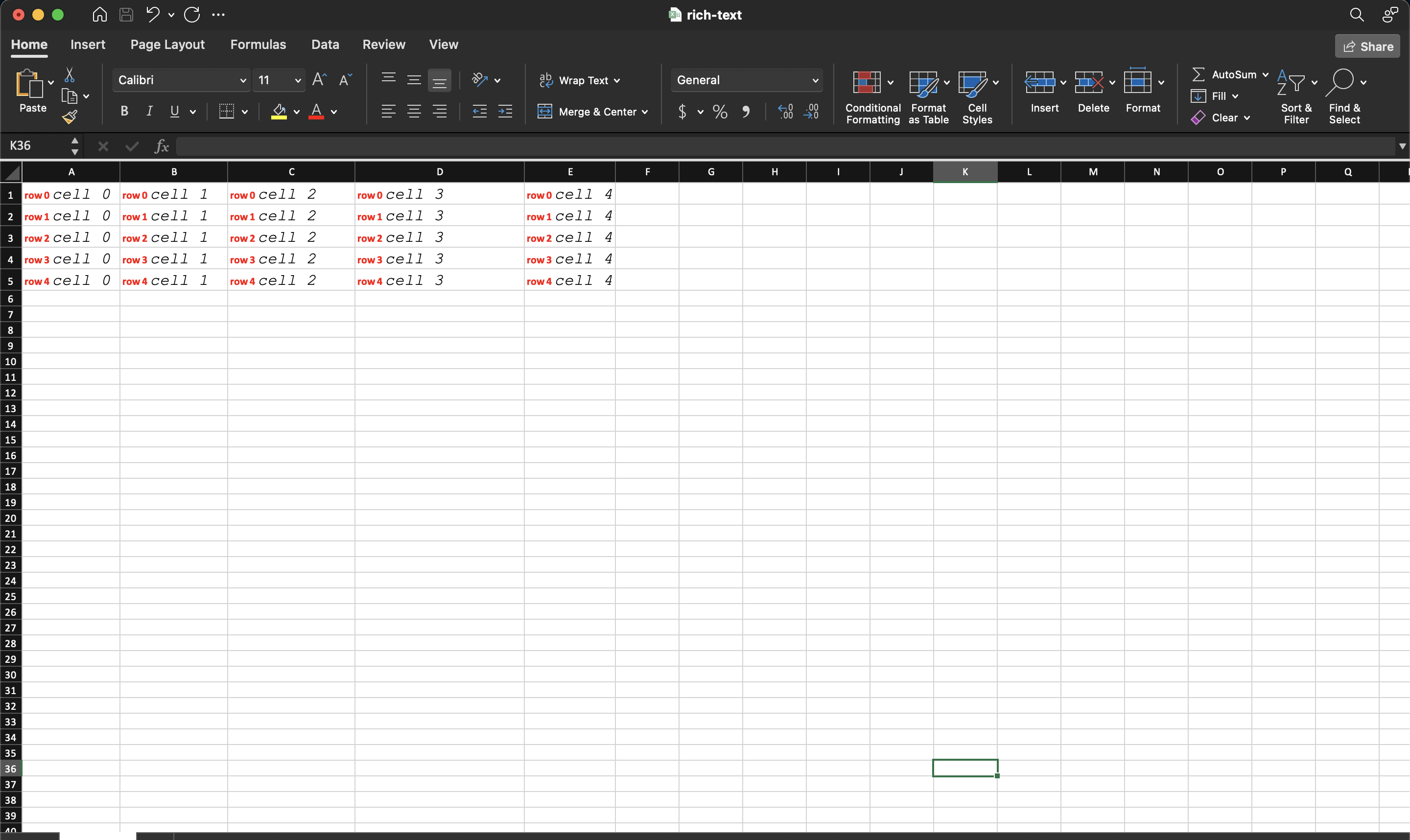
The example fills a five by five grid, giving every cell two runs: a bold red label and an italic 16 point Courier value.
git clone https://github.com/unidoc/unioffice-examples.git
cd unioffice-examples/spreadsheet/rich-text
go run main.go
If this is your first time using UniOffice, follow the getting started guide to create an API key and set up your development environment.
View the full source
Sample output