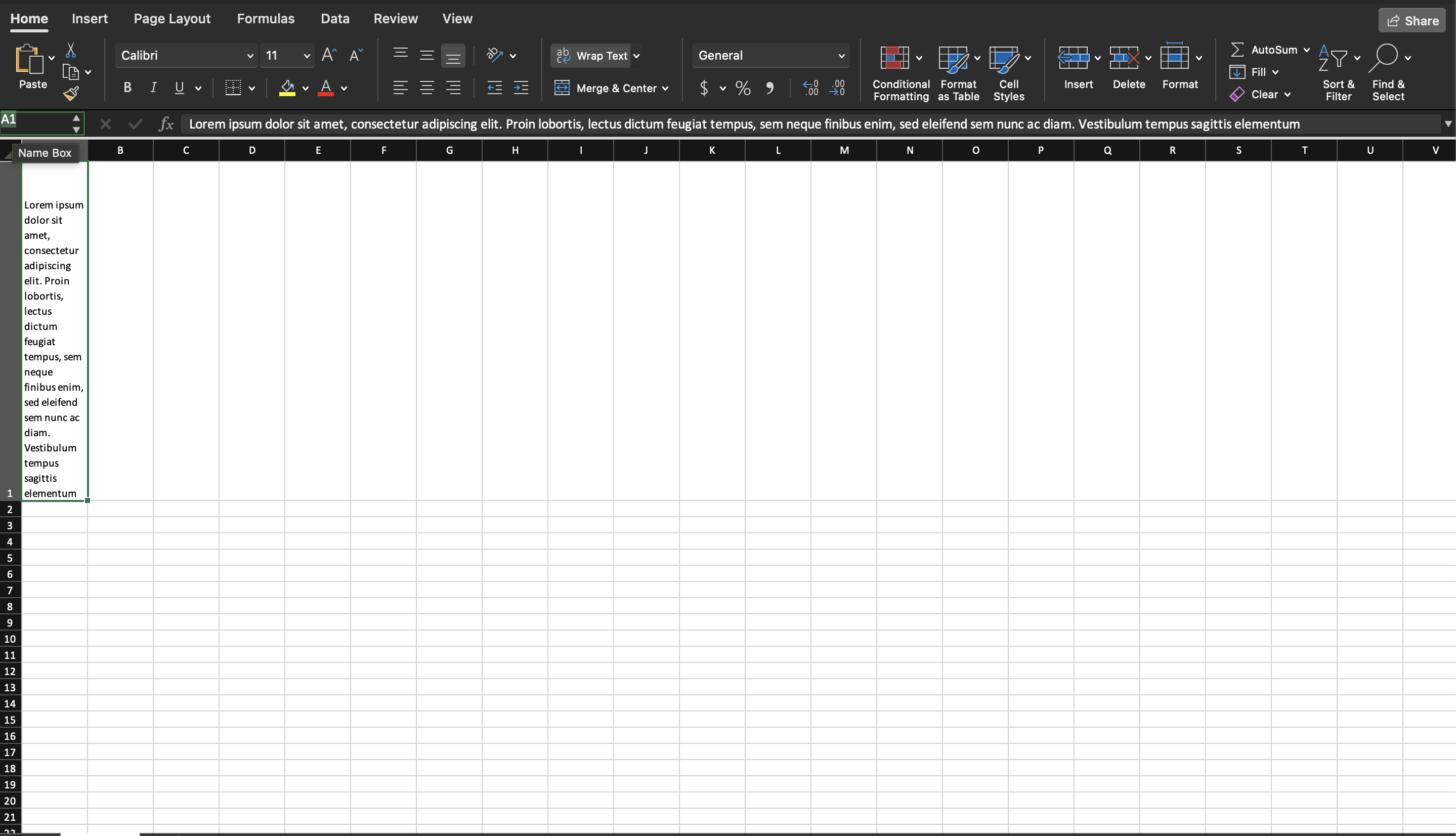
Wrap Text
A string longer than its column spills across the cells to its right, or gets
cut off where the next cell has a value. CellStyle.SetWrapped(true) breaks it
onto multiple lines inside the column instead, and the row grows to fit.
| Call | What happens to text that is too wide |
|---|---|
| Neither (default) | Overflows into empty neighbours, clipped where a neighbour has a value. |
SetWrapped(true) | Breaks onto more lines at the column width; the row gets taller. |
SetShrinkToFit(true) | Font size is reduced until the text fits on one line. |
wrapped := ss.StyleSheet.AddCellStyle()
wrapped.SetWrapped(true)

cell.SetString(lorem)
cell.SetStyle(wrapped)
Wrapping is display only. The stored string is untouched, so GetString returns
the same text whether or not the style wraps it, and there are no line breaks
written into the value.
CellStyle.Wrapped() reads the flag back, which is useful when applying styles
conditionally to a sheet you opened rather than created.
Limitations
SetWrapped(false) clears the wrap attribute but leaves the style’s
apply-alignment flag set, so a style that was wrapped and then unwrapped is not
byte-identical to one that never wrapped. That matters only because cell styles
are deduplicated by deep comparison: the two will not be merged.
Wrapping and shrink to fit both write into the same alignment element and unioffice lets you set both. Spreadsheet applications treat them as mutually exclusive and wrapping wins, so setting shrink to fit alongside it does nothing.
The column width is not adjusted. Wrapping decides what happens at the existing
width; making the column wider is a separate Column.SetWidth call, and it
takes a measurement.Distance divided internally by measurement.Character.
Row height auto-fits only while it has not been set explicitly. Row.SetHeight
marks the height as custom and pins it, which clips wrapped text that needs more
lines than the pinned height allows. Row.SetHeightAuto undoes that.
Run the example
The example writes one long paragraph into a single cell with wrapping turned on, so the row expands to hold it.
git clone https://github.com/unidoc/unioffice-examples.git
cd unioffice-examples/spreadsheet/wrapped-text
go run main.go
If this is your first time using UniOffice, follow the getting started guide to create an API key and set up your development environment.
View the full source
Sample output