Name a Cell Range
A defined name attaches a label to a range so that formulas and charts can say
Prices instead of 'Sheet 1'!$B$2:$B$6. The name belongs to the workbook, not
to a sheet, and it survives everything except the range moving out from under it.
prices := ss.AddDefinedName("Prices", sheet.RangeReference("B2:B6"))

for _, dn := range ss.DefinedNames() {
    fmt.Println("-", dn.Name(), "=", dn.Content())
}
RangeReference is what turns B2:B6 into the absolute, sheet-qualified string
a defined name needs: 'Sheet 1'!$B$2:$B$6. It reads the sheet’s current name,
so calling SetName afterwards leaves the defined name pointing at a sheet that
no longer exists. Name the sheet first. A single cell works too, since
RangeReference("B4") produces 'Sheet 1'!$B$4.
Charts are the other consumer. A series takes a reference string, and a defined name is a legal one as long as it is qualified with the sheet:
priceSeries.Values().SetReference(`'Sheet 1'!` + prices.Name())DefinedName also carries SetHidden, which keeps a name out of Excel’s name
manager, and SetLocalSheetID, which scopes it to one sheet instead of the whole
workbook. RemoveDefinedName deletes one and returns an error if it is not
found.
Limitations
Names are not validated. AddDefinedName accepts a name with spaces in it, a
name that looks like a cell reference such as A1, and two definitions of the
same name, and Validate passes all three. Excel is stricter, and rejects the
lot when it opens the file. Nothing in UniOffice will warn you.
The engine will not evaluate a formula that uses a name whose content came from
RangeReference. SUM(Prices) returns #VALUE! with invalid reference,
because the lookup passes the quoted sheet name through unchanged and no sheet is
called 'Sheet 1' with the quotes. The cached value is left blank, so Excel
computes it correctly on open and the file is fine; it is Go-side evaluation that
comes back empty. If you need RecalculateFormulas to resolve names, give the
sheet a name with no spaces in it and build the content by hand as
Data!$A$2:$A$6, which does resolve. A defined name whose content has no sheet
part at all never resolves.
The same quoting mismatch shows up in RemoveColumn, which shifts the defined
names on the sheet it edits by comparing their content against the sheet name
without quotes. A name built through RangeReference is skipped and keeps
pointing at the pre-removal range.
Run the example
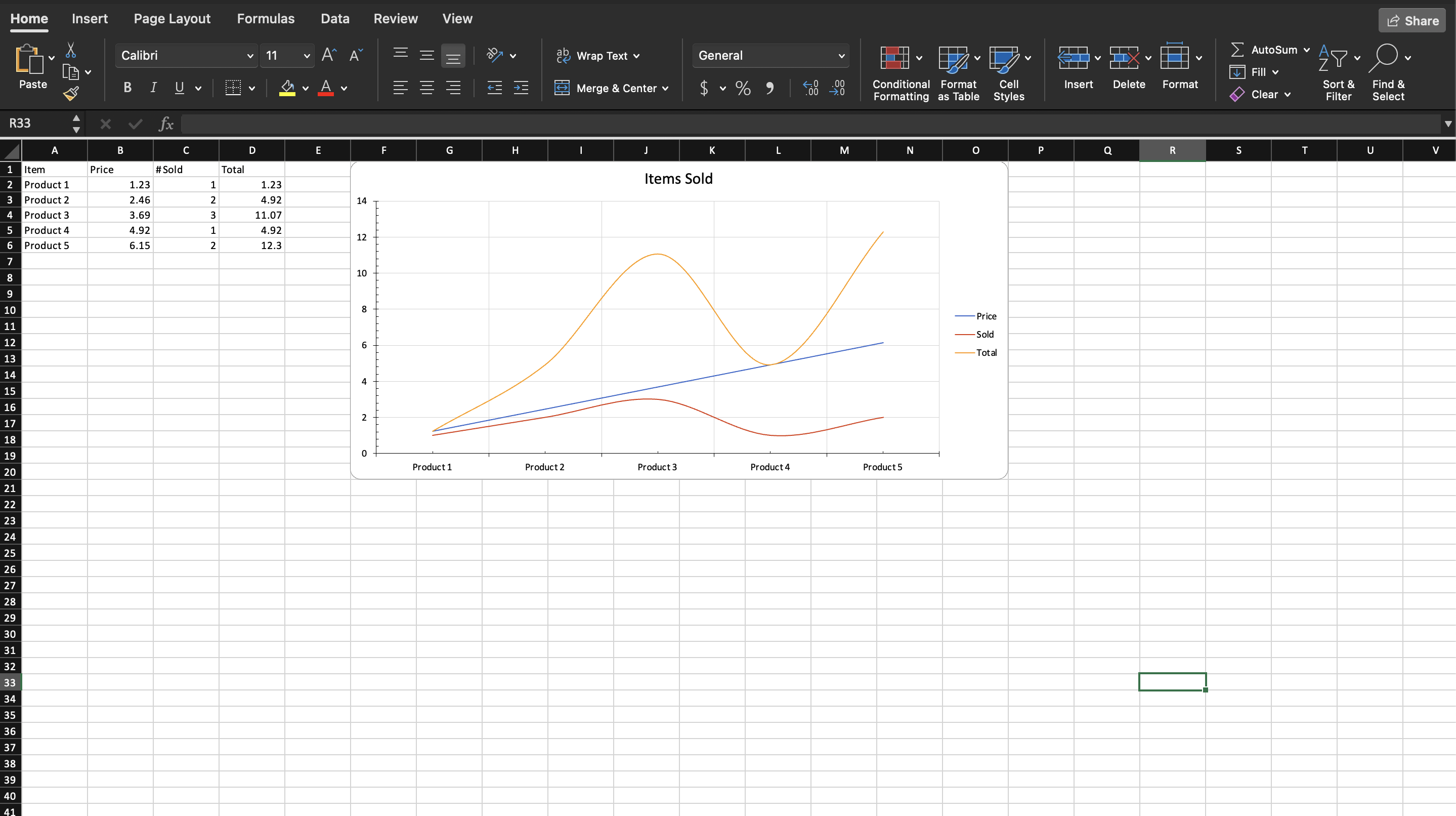
The example builds a five product table with a C*B formula in the total column,
defines four names over the columns, prints them, and then builds a line chart
whose three series and category axis all reference the names rather than cell
ranges. It never calls RecalculateFormulas, which is why the totals in the
screenshot are Excel’s own work.
git clone https://github.com/unidoc/unioffice-examples.git
cd unioffice-examples/spreadsheet/named-ranges
go run main.go
If this is your first time using UniOffice, follow the getting started guide to create an API key and set up your development environment.
View the full source
Sample output