Set a Formula
A formula cell holds two separate things: the formula text and a cached value.
SetFormulaRaw writes the text. It computes nothing, and it clears whatever the
cell held before, so until something evaluates the formula the cell reads as
empty. Excel recalculates when it opens the file, which is why a spreadsheet
generated this way still looks right; a program that reads the file without a
formula engine of its own sees the blank.
There are three setters, and which one you want depends on how many cells the formula covers.
| Call | Writes | Covers |
|---|---|---|
SetFormulaRaw(s) | a plain formula | the cell you call it on |
SetFormulaShared(s, rows, cols) | one definition reused across a block | the cell plus rows more rows and cols more columns |
SetFormulaArray(s) | an array formula, the equivalent of Ctrl+Shift+Enter in Excel | the cell, plus the cells a multi-value result spills into |
SetFormulaRaw is the one you want in almost every case. Shared formulas are a
file-size optimization covered in Shared Formulas. Array
formulas matter when the result is a matrix, for example TRANSPOSE(A1:B2),
whose four values land in a two-by-two block once the workbook is evaluated.
totalRow := sheet.AddRow()
totalRow.AddCell()
totalCell := totalRow.AddCell()
totalCell.SetFormulaRaw("SUM(B2:B11)")

ss.RecalculateFormulas()
if err := ss.Validate(); err != nil {
    log.Fatalf("error validating: %s", err)
}
ss.SaveToFile("formula.xlsx")
The first AddCell is there to consume column A, since cells added with
AddCell take the next free column in the row. The formula string is in A1
style and is stored verbatim, so the range has to match where the data actually
ended up: ten data rows starting at row 2 gives B2:B11.
RecalculateFormulas runs UniOffice’s formula engine over every sheet and fills
in the cached values. Drop that line and the file is still valid and still
opens correctly in Excel, but cell B12 is blank to anything that reads the file
directly.
Limitations
SetFormulaRaw parses the string first and returns without touching the cell if
the parse fails. There is no error return and no log line at default verbosity,
so a typo leaves the cell with its previous content and no formula at all. When
the formula text is built at runtime, check HasFormula afterwards, or use
SetFormulaShared, which returns an error for a string it cannot parse.
Which functions can be evaluated is a separate question from which can be written. Any syntactically valid formula can be stored, including functions the engine does not implement; those simply come back with an empty cached value. See Evaluate Formulas for the coverage and for what happens to the ones that fail.
Run the example
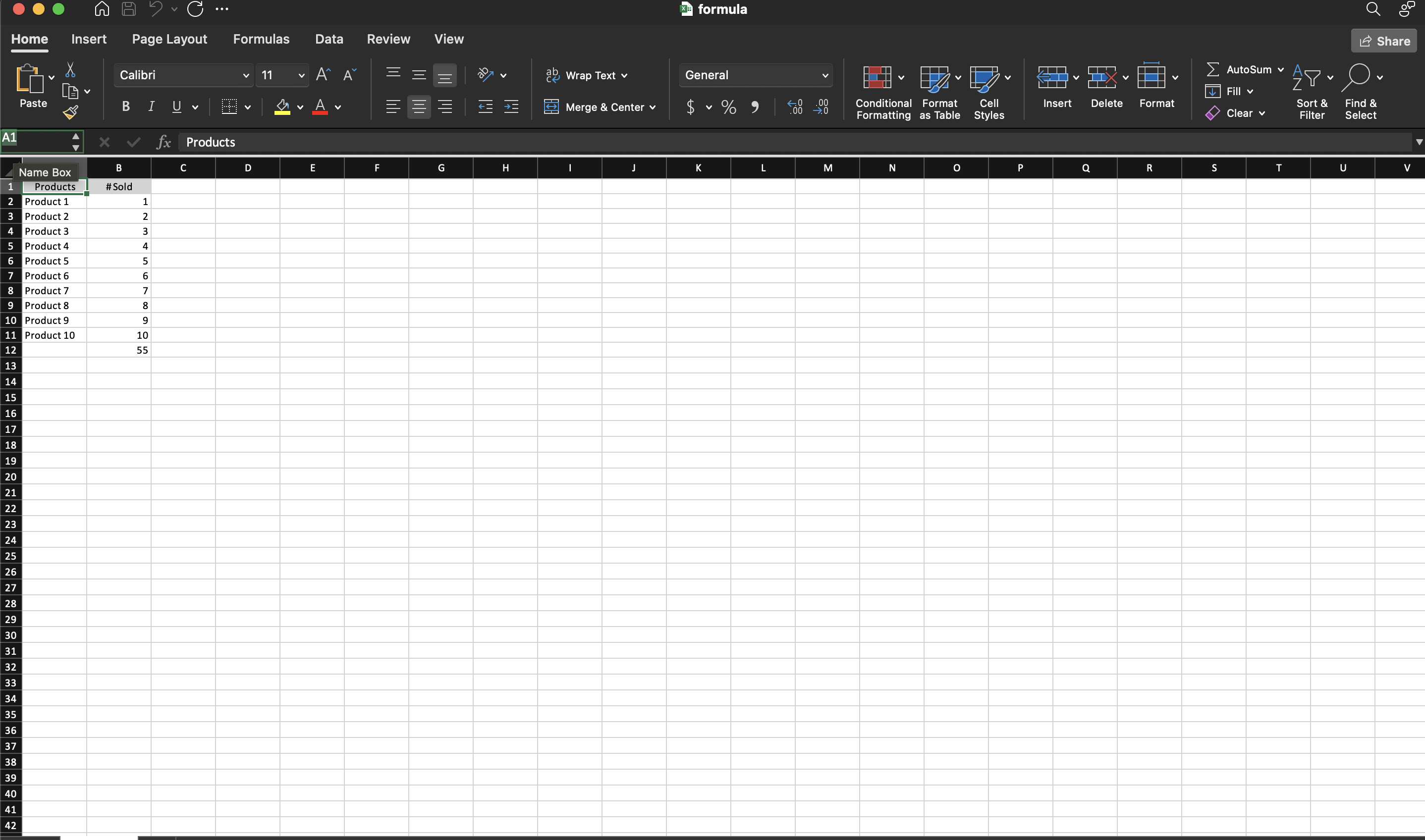
The example builds a product table, adds a total row, and sets SUM(B2:B11) on
the total cell before saving. The header style work at the top is incidental;
the formula is the last thing it does.
git clone https://github.com/unidoc/unioffice-examples.git
cd unioffice-examples/spreadsheet/formula
go run main.go
If this is your first time using UniOffice, follow the getting started guide to create an API key and set up your development environment.
View the full source
Sample output