Remove a Column
Sheet.RemoveColumn deletes a column and slides everything to the right of it
one place left. It is the one structural edit in the spreadsheet package that
also fixes up what pointed at the moved data: formulas, named ranges, merged
cell regions and table ranges are all rewritten, across every sheet in the
workbook rather than just the one you called it on.
Removing a column
ss, err := spreadsheet.Open("original.xlsx")
if err != nil {
    log.Fatalf("error opening document: %s", err)
}
defer ss.Close()

sheet, err := ss.GetSheet("Cells")
if err != nil {
    log.Fatalf("error opening sheet: %s", err)
}

if err := sheet.RemoveColumn("C"); err != nil {
    log.Fatalf("error removing column: %s", err)
}
The argument is a column letter, not an index. "C", "AA", case insensitive.
Removal is per sheet, so a column that runs across several sheets needs the call
repeated on each.
There is no InsertColumn. Widening a sheet means writing a cell into the new
position in every row, since a column is not an object that holds values.
Sheet.Column returns only a column definition carrying width, style and
visibility, and its index is 1-based, unlike reference.ColumnToIndex, which
maps A to 0.
What gets rewritten
Every formula in the workbook is reparsed and rebuilt against the new layout:
| Reference points at | After removing that column |
|---|---|
| A cell left of the removed column | Unchanged |
| A cell in the removed column | Becomes #REF! |
| A cell right of the removed column | Shifted one column left |
| A range spanning the removed column | End of the range shifted left, start kept |
Unqualified references are only updated on the sheet the removal happened on;
references carrying a sheet prefix are matched by name, so a formula on another
sheet reading Cells!D3 is corrected to Cells!C3 while a formula reading a
bare D3 on that other sheet is left alone. If a formula cannot be parsed at
all, the cell is replaced with the error value #REF!.
Named ranges scoped to the sheet are shifted the same way, and a single-column named range that covered exactly the removed column is deleted. Merged cell regions follow the same rule: shifted if they span more, dropped if the removed column was the whole thing. Table ranges are shifted, except a single-column table range covering the removed column, which is left as it was.
RemoveColumn finishes by calling RecalculateFormulas on every sheet in the
workbook, so cached values match the rewritten formulas without you asking.
Limitations
Array formulas block the removal, and they block it silently. If any cell in the
target column belongs to a multi-column array formula result, RemoveColumn
returns nil and changes nothing. A nil return is not proof the column is
gone; if the sheet has array formulas, read a cell back to confirm.
Single-column array results do not block it.
Reserved defined names are skipped. Print areas, print titles and the autofilter
name are stored under _xlnm. prefixes and are excluded from the named range
rewrite, because they can hold several comma-separated ranges. A sheet with a
print area or an autofilter set keeps the old range after a column is removed,
and it will be off by one column.
Column definitions are not renumbered. RemoveColumn moves cells, not the
Cols entries that carry width and style, so widths applied through
Sheet.Column stay attached to their original column index and end up on the
wrong column.
Run the example
The example opens original.xlsx and removes column C from both of its
sheets, Cells and MergedCells. The fixture is built to exercise the rewrite:
relative references such as =20+A3, an absolute =$E$4*100, an
=AVERAGE(D3:D12)*10 whose range sits right of the removed column, a
=SUM(cellsRange) reading a named range that spans it, and a
=MergedCells!G11+G12 mixing a qualified cross-sheet reference with an
unqualified local one.
git clone https://github.com/unidoc/unioffice-examples.git
cd unioffice-examples/spreadsheet/remove-column
go run main.go
If this is your first time using UniOffice, follow the getting started guide to create an API key and set up your development environment.
View the full source
Sample output
Before, with data in columns A through H:
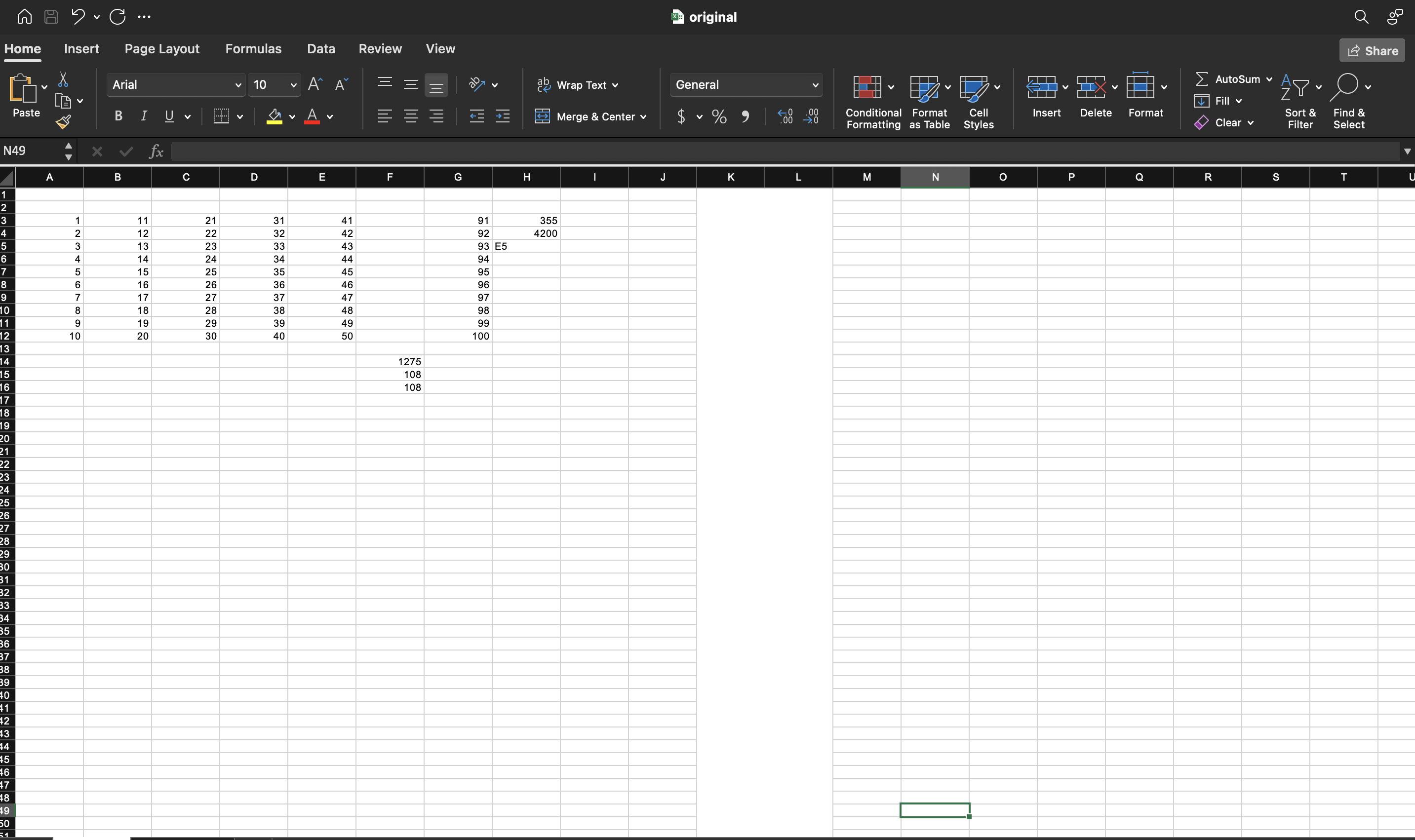
After, with column C gone and the rest pulled left. The AVERAGE result is
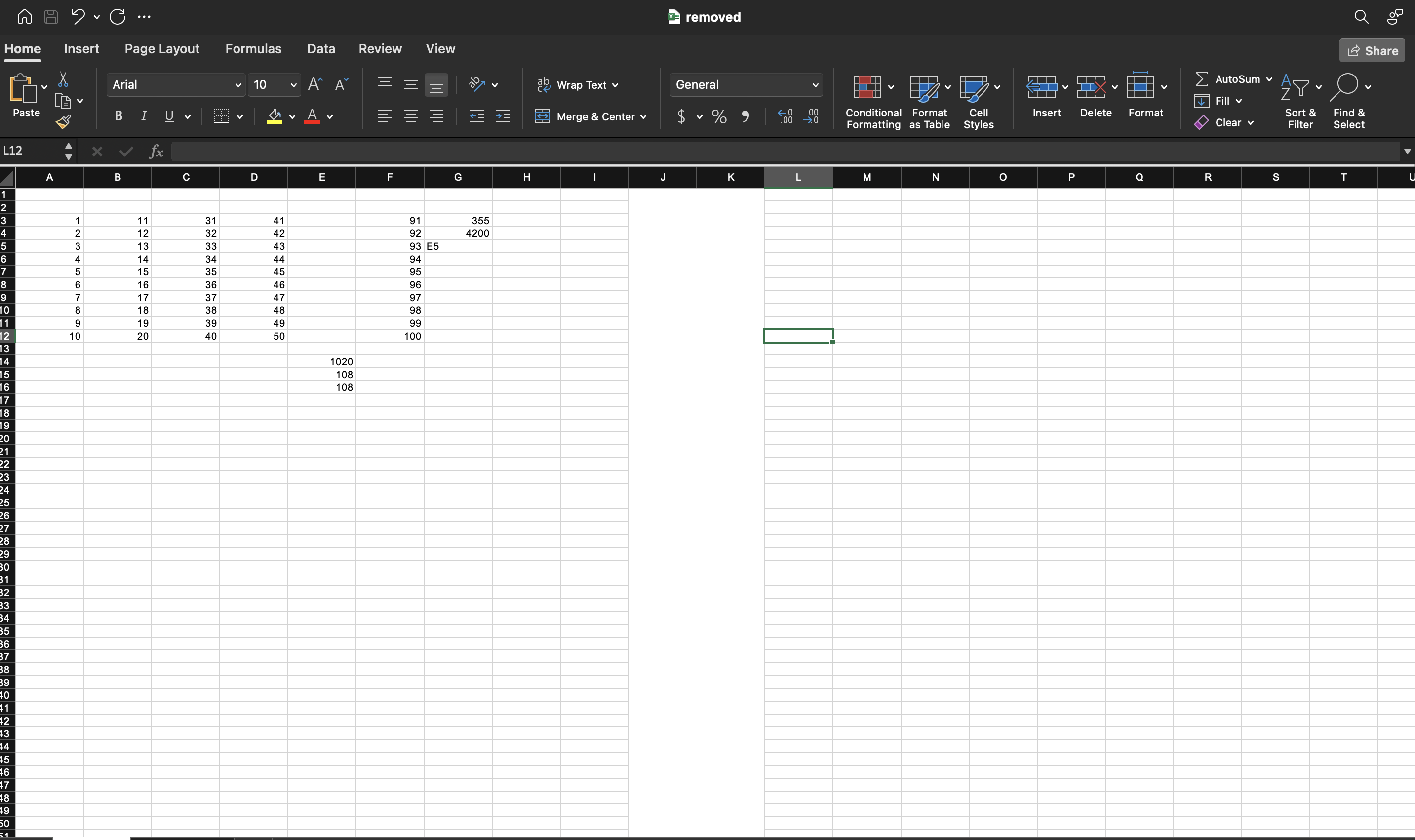
unchanged at 355 because its range moved along with the data it was averaging.
The SUM over cellsRange drops from 1275 to 1020: the named range shrank from
A3:E12 to A3:D12, so the values that were in column C are no longer in it: