Validate a Workbook
Two unrelated things in this library are called validation, and it is worth
separating them before anything else. Workbook.Validate is a structural check
you run on your own file before writing it. Sheet.AddDataValidation sets up
input rules that Excel enforces on whoever opens the file afterwards. This page
covers both, because the example uses one and ends with the other.
| Call | Runs | Catches |
|---|---|---|
Workbook.Validate() | In your program, before saving | Structural problems that make Excel refuse the file |
Sheet.AddDataValidation() | In Excel, when a user types | Values outside the range or list you specified |
What Validate checks
SaveToFile does not validate. That is deliberate, since the check costs real
time on a large workbook, but it means an unvalidated save can produce a file
whose only symptom is Excel offering to repair it and then telling you nothing
about what was wrong. Validate names the problem instead.
At the workbook level it verifies that the number of sheet descriptions matches the number of worksheets, and that no two sheets share a name. Excel rejects duplicate sheet names outright, and the error you get back identifies the offending index and name.
Each sheet is then checked for four things. Row numbers must be unique within
the sheet and cell references must be unique within a row, which is the failure
you hit after calling AddNamedCell twice for the same column instead of using
Cell. Merged cell ranges must parse and must not overlap each other. Sheet
names are capped at 31 characters, counted in runes rather than bytes. Header
and footer strings are capped at 255 characters, again in runes.
Last, each worksheet is run through the generated schema validator, which is what catches an enum attribute set to a value the OOXML schema does not define and other malformed XML that a hand-built part can produce.
if err := ss.Validate(); err != nil {
    log.Fatalf("error validating sheet: %s", err)
}
ss.SaveToFile("validation.xlsx")
What it does not check is anything semantic. Range strings passed to
SetAutoFilter, AddConditionalFormatting, chart series references and
SetFormulaRaw are stored as written. A conditional format pointed at the wrong
column, or a formula referencing a sheet that has since been renamed, validates
cleanly and then behaves wrongly in Excel.
Data validation on cells
Sheet.AddDataValidation returns a DataValidation that you point at a cell or
range with SetRange, then narrow into one of two shapes.
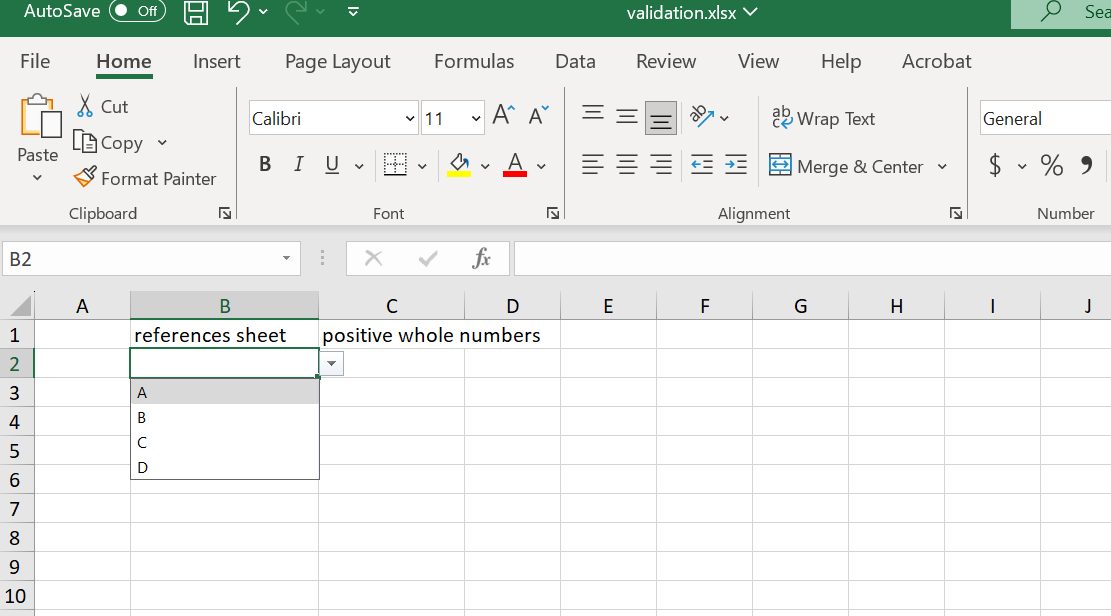
SetList gives a drop-down. The contents come either from a range of cells or
from values written directly, and the two are mutually exclusive:
dvCombo := sheet.AddDataValidation()
dvCombo.SetRange("B2")
dvList := dvCombo.SetList()
dvList.SetRange(vsheet.RangeReference("A1:A4"))
Sheet.RangeReference turns A1:A4 into 'Validation Data'!$A$1:$A$4, which is
what lets the drop-down pull its values from a different tab. Writing "A1:A4"
by hand instead would point at the current sheet. Its godoc carries a warning
worth heeding: the sheet name is baked into the string, so renaming the sheet
afterwards invalidates every reference already calculated from it.
The direct form takes a slice and needs no backing cells:
dvListDirect := dvComboDirect.SetList()
dvListDirect.SetValues([]string{"foo", "bar", "baz"})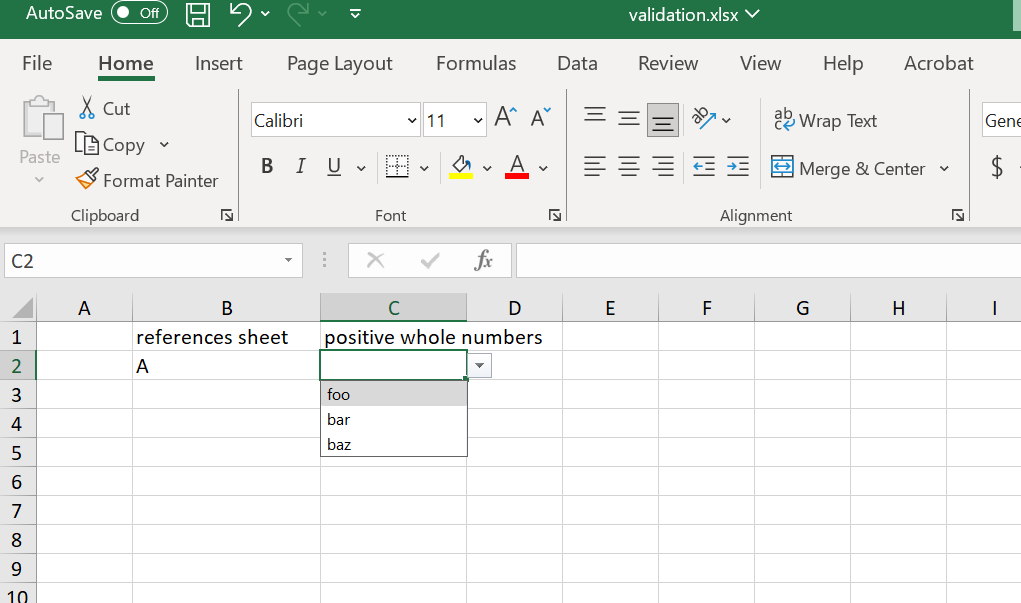
SetComparison gives the numeric and date restrictions instead. It takes a type
and an operator, and returns a DataValidationCompare on which you set the
bound:
dvWhole := sheet.AddDataValidation()
dvWhole.SetRange("D2")
dvWholeCmp := dvWhole.SetComparison(spreadsheet.DVCompareTypeWholeNumber, spreadsheet.DVCompareOpGreaterEqual)
dvWholeCmp.SetValue("0")
The types are DVCompareTypeWholeNumber, DVCompareTypeDecimal,
DVCompareTypeDate and DVCompareTypeTime. The operators are Equal,
NotEqual, Greater, GreaterEqual, Less, LessEqual, Between and
NotBetween. Between and NotBetween need both SetValue and SetValue2;
every other operator uses SetValue alone.
Limitations
Data validation is enforced by Excel, not by unioffice. A rule restricting a
cell to positive whole numbers does not stop your own code writing -5 into it
with SetNumber, and does not stop a value pasted in bulk.
SetList and SetValues write to the same underlying field, so calling both on
one validation leaves whichever ran last. The godoc calls them incompatible.
Blank cells pass by default. SetAllowBlank controls that.
Validate stops at the first error it finds. A workbook with several problems
takes several rounds.
Run the example
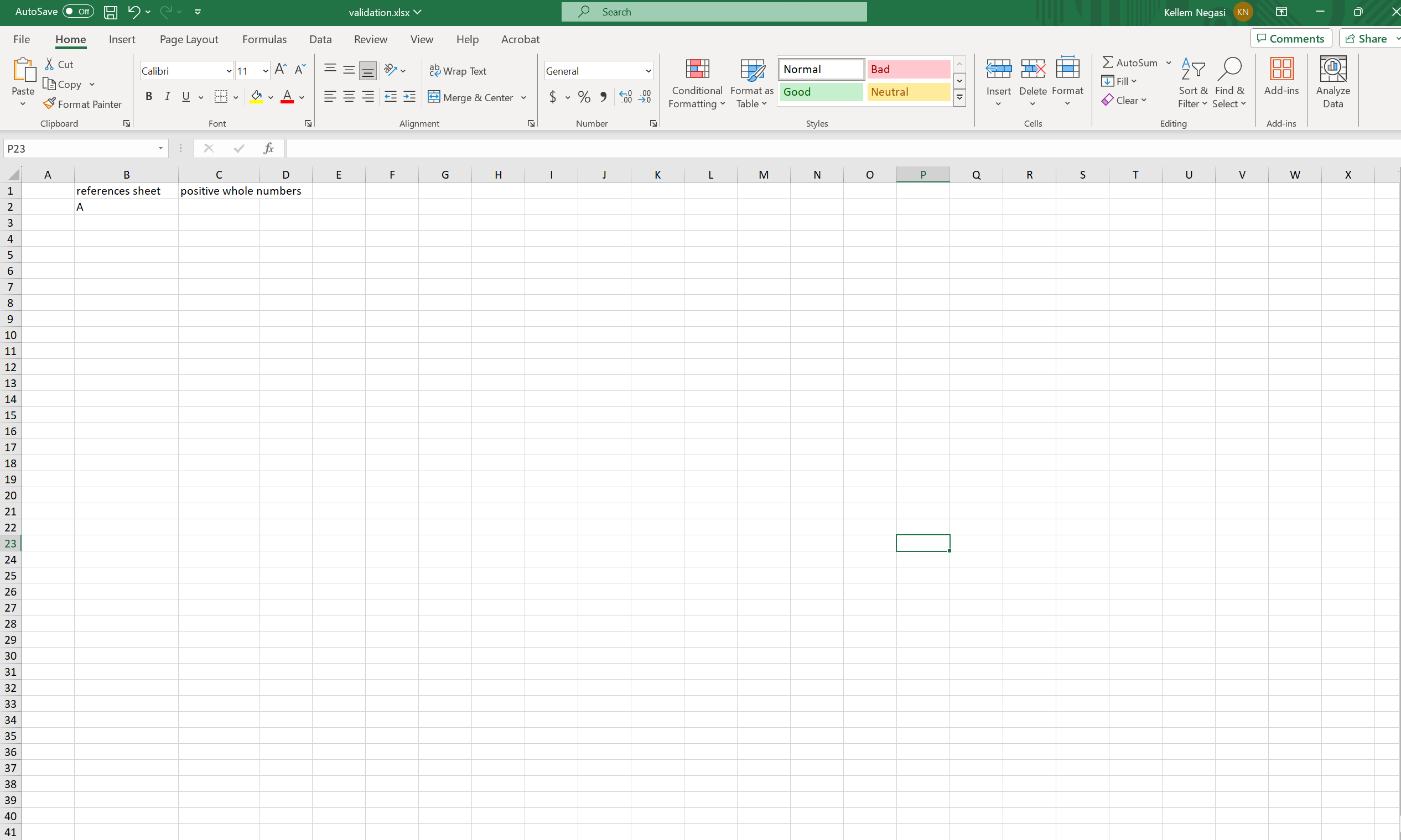
The example builds a sheet with three validated cells: a drop-down sourced from
a second sheet named Validation Data, a drop-down with hard-coded values, and
a positive-whole-number restriction. It then validates the workbook and saves.
git clone https://github.com/unidoc/unioffice-examples.git
cd unioffice-examples/spreadsheet/validation
go run main.go
If this is your first time using UniOffice, follow the getting started guide to create an API key and set up your development environment.
View the full source
Sample output