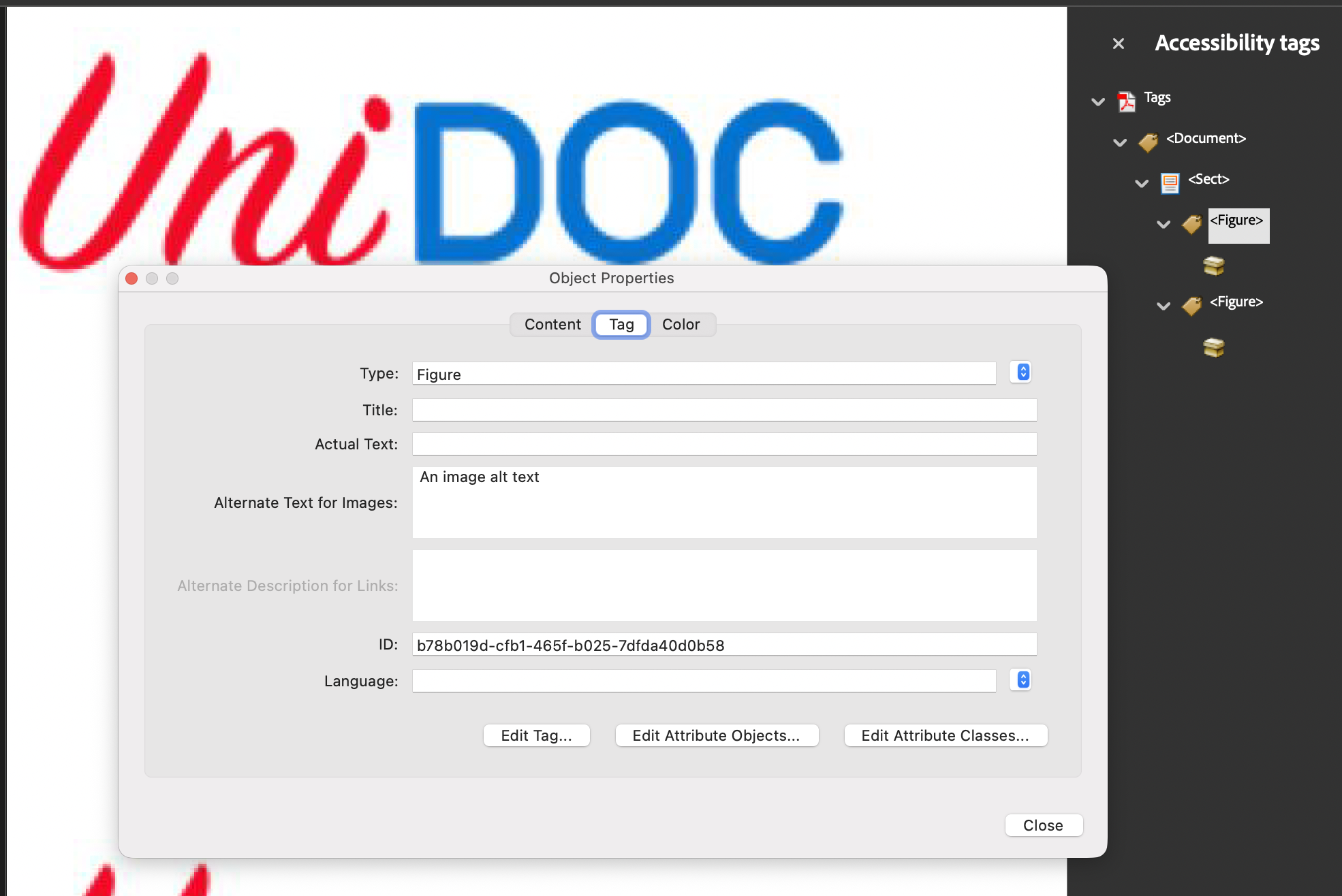
Add Image Alternative Text
An image contributes nothing to a screen reader unless its structure element
carries a description. In a tagged PDF an image is a Figure element, and the
description goes in that element’s /Alt entry. PDF/UA-1 requires it on every
figure that isn’t marked as an artifact, so an undescribed logo will fail
validation even when the rest of the document is tagged correctly.
Image.SetAlternateText is the short path. It records the text on the image, and
the Figure element that GenerateKDict builds picks it up as /Alt.
Doing it
c := creator.New()
c.TagComponents(true)

img, err := c.NewImageFromFile("logo.png")
if err != nil {
    return err
}
img.SetAlternateText("The UniDoc company logo")

if err := c.Draw(img); err != nil {
    return err
}
Call SetAlternateText before Draw. The creator builds the image’s structure
element during the Draw call, and text set afterwards is never read.
SetAlternateText is only defined on Image. Other components have no equivalent,
so a chart or an SVG that needs a description has to go through the K dictionary
directly.
Building the Figure element by hand
Without TagComponents you own the tree, which is what the example does: create a
StructTreeRoot, a Document element, a Sect element under it, and one Figure
element per image.
img.SetMarkedContentID(mcid)

if err := c.Draw(img); err != nil {
    return err
}

k, err := img.GenerateKDict()
if err != nil {
    return err
}
k.Alt = core.MakeString("The UniDoc company logo")
k.SetPageNumber(int64(c.Context().Page))
section.AddKChild(k)
SetMarkedContentID has to come before Draw. An Image starts with no structure
tag info at all, and the BDC marked content operator is only written when that
info exists at draw time. Draw first and the page gets no marked content, leaving
the Figure element pointing at an MCID that is not on the page.
GenerateKDict builds and returns a fresh KDict on every call rather than
returning a cached one, so call it once and keep the pointer. Two calls give you two
unrelated elements, and whichever you don’t add to the tree is discarded silently.
MCIDs are per page and start at zero, so a second image on the same page needs
mcid 1. Reusing an MCID within a page makes the ParentTree mapping ambiguous.
Limitations
/Alt is a plain string. Non-ASCII text needs UTF-16 encoding, which
core.MakeEncodedString(text, true) handles and core.MakeString does not;
SetAlternateText uses the encoded form.
Alternate text and ActualText are not the same thing. /Alt describes content
that has no textual equivalent, while KDict.ActualText replaces content whose
glyphs don’t spell what they mean, such as a decorative drop cap or a word set in a
pictorial font. Use /Alt for images.
An image that is purely decorative should not get alternate text. Mark its block as an artifact instead so it stays out of the structure tree entirely.
Run the example
The example builds the structure tree by hand and places two copies of logo.png
on one page with different descriptions. addImage is the function to read: it
draws the image, generates the Figure element, sets Alt, page number and
bounding box, and attaches it to the section.
git clone https://github.com/unidoc/unipdf-examples.git
cd unipdf-examples/accessibility
go run pdf_add_image_alt_text.go
If this is your first time using UniPDF, follow the getting started guide to create an API key and set up your development environment.
View the full source
Sample output
Open image_alt_text.pdf in a viewer that shows the tag tree, or run an
accessibility checker, to see the Figure elements and their descriptions.