Copy Page with Accessibility
Duplicating a page copies its content stream and its marked content, but not the structure tree, which lives in the source document’s catalog rather than on the page. Copy pages naively out of a tagged PDF and the output has marked content nobody can interpret: the tags are still in the content stream, and there is no tree pointing at them. Rebuilding the tree in the output document is a separate step.
There is no single call that does this. The work is to read the source
StructTreeRoot, copy the structure elements belonging to the pages you keep into a
new tree, and set each copied element’s page number so the creator can rewire /Pg.
Doing it
r, _, err := model.NewPdfReaderFromFile(inputPath, &model.ReaderOpts{ComplianceMode: true})
if err != nil {
    return err
}

strObj, found := r.GetCatalogStructTreeRoot()
if !found {
    return errors.New("input has no structure tree")
}

orgStr, err := model.NewStructTreeRootFromPdfObject(strObj)
if err != nil {
    return err
}
NewStructTreeRootFromPdfObject gives you a StructTreeRoot with K populated, so
orgStr.K is the slice of top-level elements, usually a single Document. Its
children are the per-page content.
From there, copy the elements you want under a fresh element in the output tree, and set the page number on the copies:
sectK := model.NewKDictionary()
sectK.S = core.MakeName(string(model.StructureTypeSection))
sectK.T = core.MakeString(fmt.Sprintf("Page %d", n))
sectK.GenerateRandomID()

// copy the source elements into sectK, then:
kv := model.KValue{}
kv.SetKDict(sectK)
setKPageNumber(&kv, destPageNumber)

docK.AddChild(&kv)
GenerateRandomID sets KDict.ID as a side effect and returns the string, so calling
it for the side effect alone is fine.
Page numbers drive the rewiring
SetPageNumber is the mechanism that connects a copied element to a page in the output.
When the creator writes, it walks the tree and replaces each element’s /Pg with the
indirect object of the output page at that 1-based number, inheriting the number down
to descendants that have none. An element whose page number does not match any output
page keeps whatever /Pg it was copied with, which points into the source document and
produces a broken parent tree entry.
The number to set is the position in the output document, not the source. Copying source pages 3 and 5 into a two page output means setting 1 and 2. The example passes the source page number, which happens to be correct only when you copy pages starting at 1 in order.
Pair that with SetStructParentsKey on the duplicated page, using the 0-based output
index, so the page’s own marked content resolves through the new parent tree.
What a hand-rolled copy loses
A copy is only as complete as the fields you copy. The example’s deepCopyKObject
carries over S, ID, Lang, Alt, T, Pg and C, and recurses into children,
object references and MCIDs. Everything else on the element is dropped, and the losses
are meaningful:
A, the attribute object, holds the /Scope that associates table header cells with
their data cells and the Layout bounding box on figures. Copying without it turns
conforming table headers into headers with no scope. ActualText and E, the expansion
text, go the same way, as do NS and AF.
Copying ID verbatim means copying the same identifier twice if you copy one source
subtree into several output pages. Identifiers must be unique within the IDTree.
Limitations
Reading the source with ComplianceMode: true is what keeps the original object
structure intact for copying. Without it, the reader is free to normalize objects in
ways that make the copied references less predictable.
There is no filtering by page. orgStr.K gives you the whole tree, and working out
which elements belong to which source page means looking at their /Pg. The example
copies all children of the source root into every output page’s section, which is
correct only for a single page source.
Copying pages this way does not set /MarkInfo or a document language on the output.
Both are on the writer, not the page, so a copy is not a tagged PDF until you set them.
The example does so with SetPdfWriterAccessFunc and SetLanguage, and also sets
DisplayDocTitle on the viewer preferences along with a document title, which
PDF/UA-1 requires.
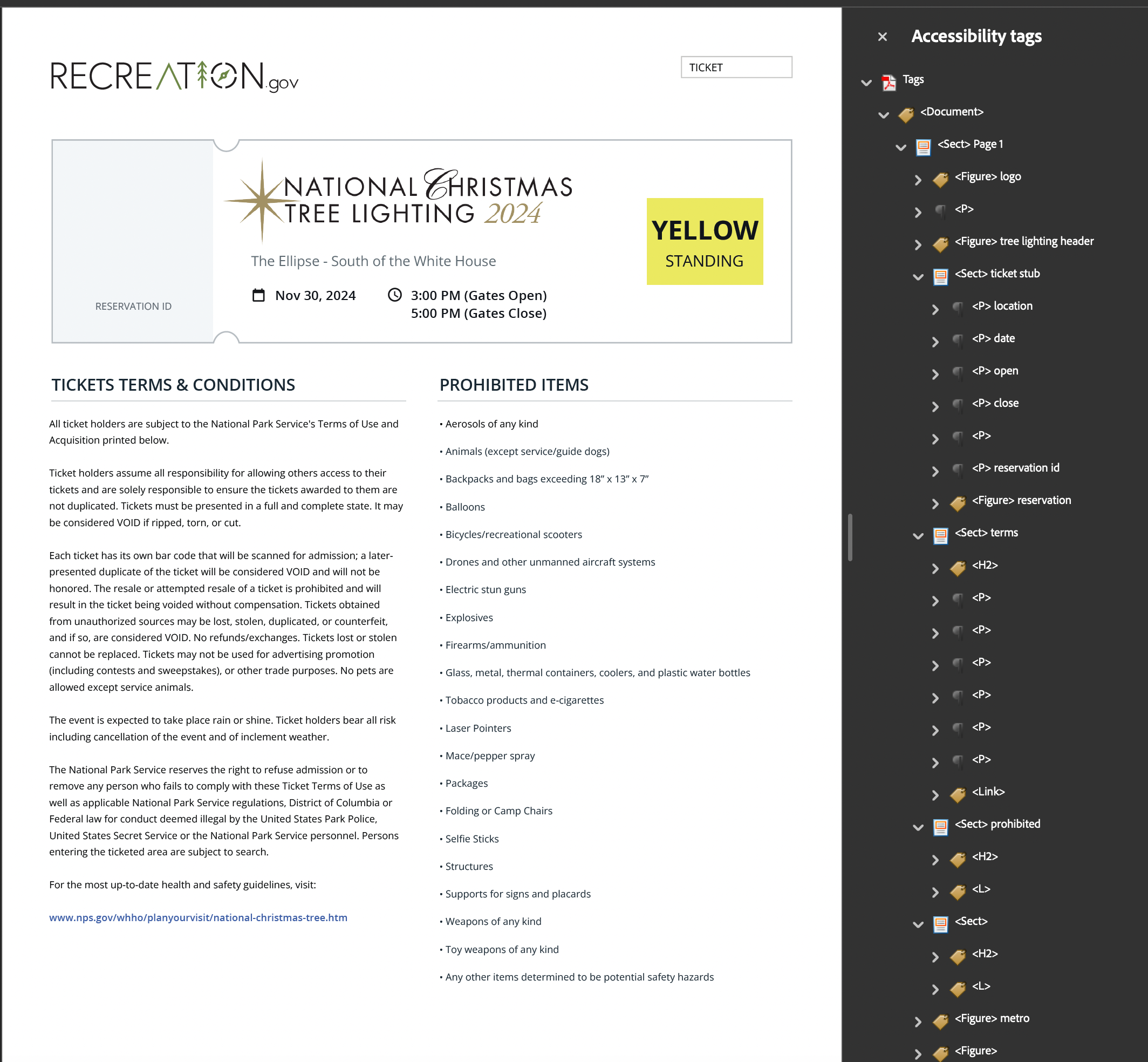
Sample input
Run the example
The example takes an input path, an output path and a list of source page numbers. Read
deepCopyKObject and setKPageNumber first; those two helpers are the whole technique,
and the rest of main is reader and creator setup.
git clone https://github.com/unidoc/unipdf-examples.git
cd unipdf-examples/accessibility
go run pdf_copy_page_with_accessibility.go <INPUT_PDF_PATH> <OUTPUT_PDF_PATH> <PAGE_NUMBERS>
If this is your first time using UniPDF, follow the getting started guide to create an API key and set up your development environment.
View the full source
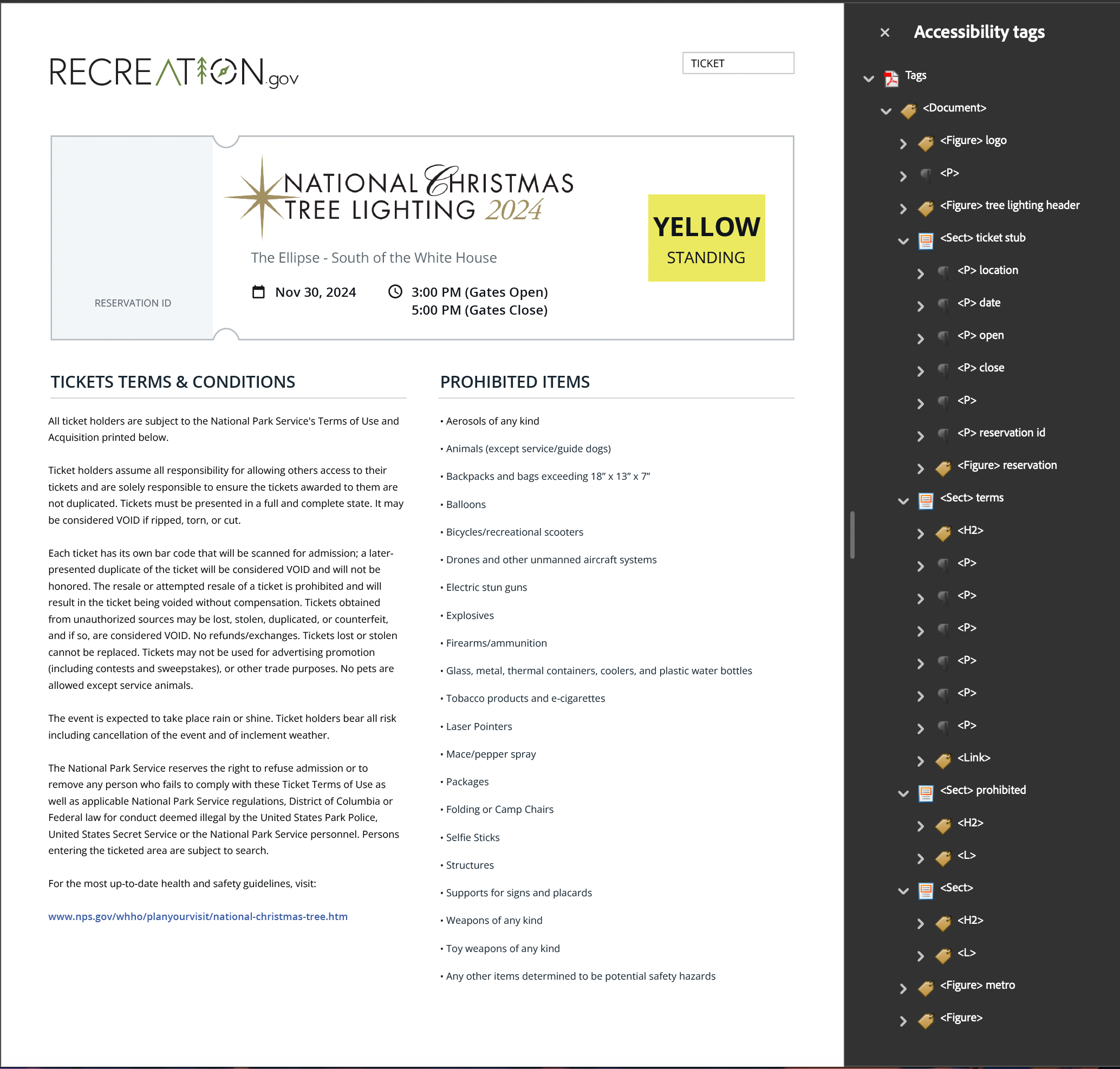
Sample output