Ellipse Annotation
An ellipse annotation rings an area of the page: a circle around a figure, an oval over a
signature block. annotator.CreateCircleAnnotation builds it as a /Circle annotation
with a generated appearance stream, so every viewer draws the same shape.
The definition is CircleAnnotationDef, which is the same set of fields as
the rectangle: lower left corner at X, Y in page coordinates,
a Width and a Height, fill and border toggles with their colors, and an opacity.
There is no separate radius. A circle is an ellipse with Width equal to Height.
Doing it
circDef := annotator.CircleAnnotationDef{
    X:             100,
    Y:             100,
    Width:         50,
    Height:        50,
    FillEnabled:   true,
    FillColor:     model.NewPdfColorDeviceRGB(1, 1, 0),
    BorderEnabled: true,
    BorderWidth:   3,
    BorderColor:   model.NewPdfColorDeviceRGB(0, 0, 0),
    Opacity:       0.5,
}

circAnnotation, err := annotator.CreateCircleAnnotation(circDef)
if err != nil {
    return err
}

page.AddAnnotation(circAnnotation)
The return value is already a *model.PdfAnnotation, so it goes straight into
AddAnnotation.
Width and Height include the border. When BorderEnabled is set, the ellipse radii
are reduced by half the border width and the stroke is centered on that smaller path, so
the painted shape still occupies the box you asked for. A thick border therefore eats into
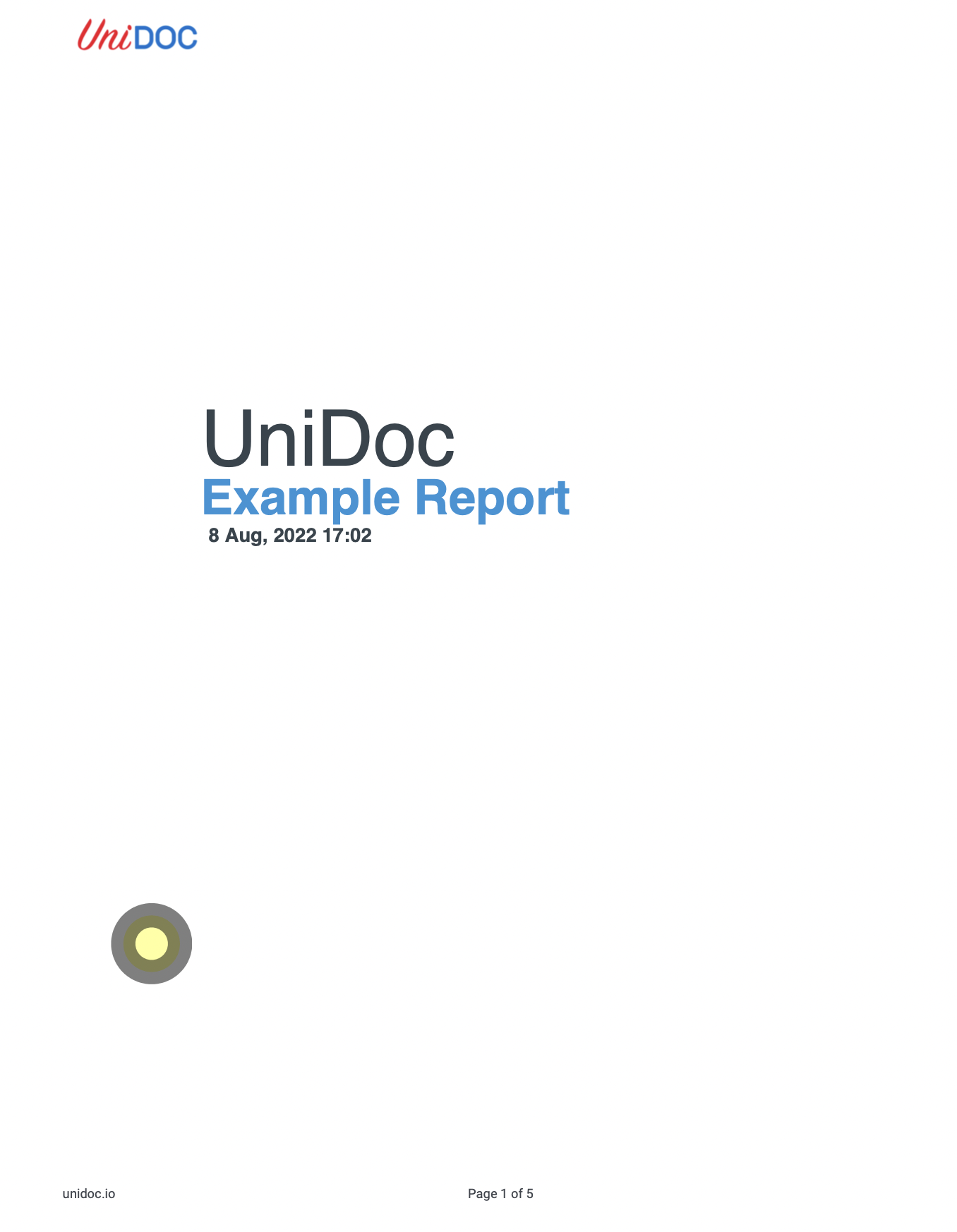
the fill rather than growing the shape: BorderWidth: 15 on a 50 by 50 circle leaves a
small filled disc inside a wide ring.
Placement
X and Y are applied twice when the appearance stream is built, once inside the form
XObject and again when the annotation rectangle is computed. A definition at X: 40,
Y: 87 with a 50 by 50 size comes back with Rect at [80, 174, 130, 224] and a form
bounding box at [40, 87, 90, 137]. Since a viewer maps the appearance bounding box onto
Rect, the ellipse renders at twice the coordinates you passed, which is visible in the
sample output below: the example asks for 40 87 and the circle lands near 80 174.
Two ways around it. Pass half the intended coordinates, or overwrite Rect on the
returned annotation with the rectangle you actually want, which is what the viewer fits
the appearance into:
circAnnotation.Rect = core.MakeArrayFromFloats([]float64{
    circDef.X, circDef.Y,
    circDef.X + circDef.Width, circDef.Y + circDef.Height,
})
CreateRectangleAnnotation does not have this behavior, so a rectangle and an ellipse
built from the same coordinates do not end up in the same place.
Limitations
Opacity is written only when it is below 1, as CA on the annotation plus a graphics
state in the appearance stream. At exactly 1 neither is emitted.
Setting FillEnabled without a FillColor panics on a nil pointer, and likewise for
BorderEnabled without a BorderColor. The reverse, a color with the flag left false, is
silently ignored: IC is written as an empty array and the color never reaches the
appearance stream. With both flags false the appearance stream contains no paint operator
at all and nothing is drawn.
Colors are *model.PdfColorDeviceRGB only. There is no dashed border option here; the
BS dictionary that gets written carries the width alone.
Run the example
The example takes a page number and the ellipse geometry on the command line, and writes
an annotated copy. annotatePdfAddEllipseAnnotation holds the definition, with a 15 point
black border and a semi-transparent yellow fill.
git clone https://github.com/unidoc/unipdf-examples.git
cd unipdf-examples/annotations
go run pdf_annotate_add_ellipse.go input.pdf 1 40 87 50 50 output.pdf
If this is your first time using UniPDF, follow the getting started guide to create an API key and set up your development environment.
View the full source
Sample output
The input page:

After the run. The wide border is drawn inward, leaving the yellow fill as a small disc, and the shape sits at twice the requested offset: