Attaching a File
PdfWriter.AttachFile embeds a file in the document’s /Names /EmbeddedFiles tree,
where a viewer picks it up and lists it in its attachments panel. The attachment
belongs to the document rather than to a page, which is what you want for supporting
material: the source data behind a generated report, or the XML an invoice was
rendered from.
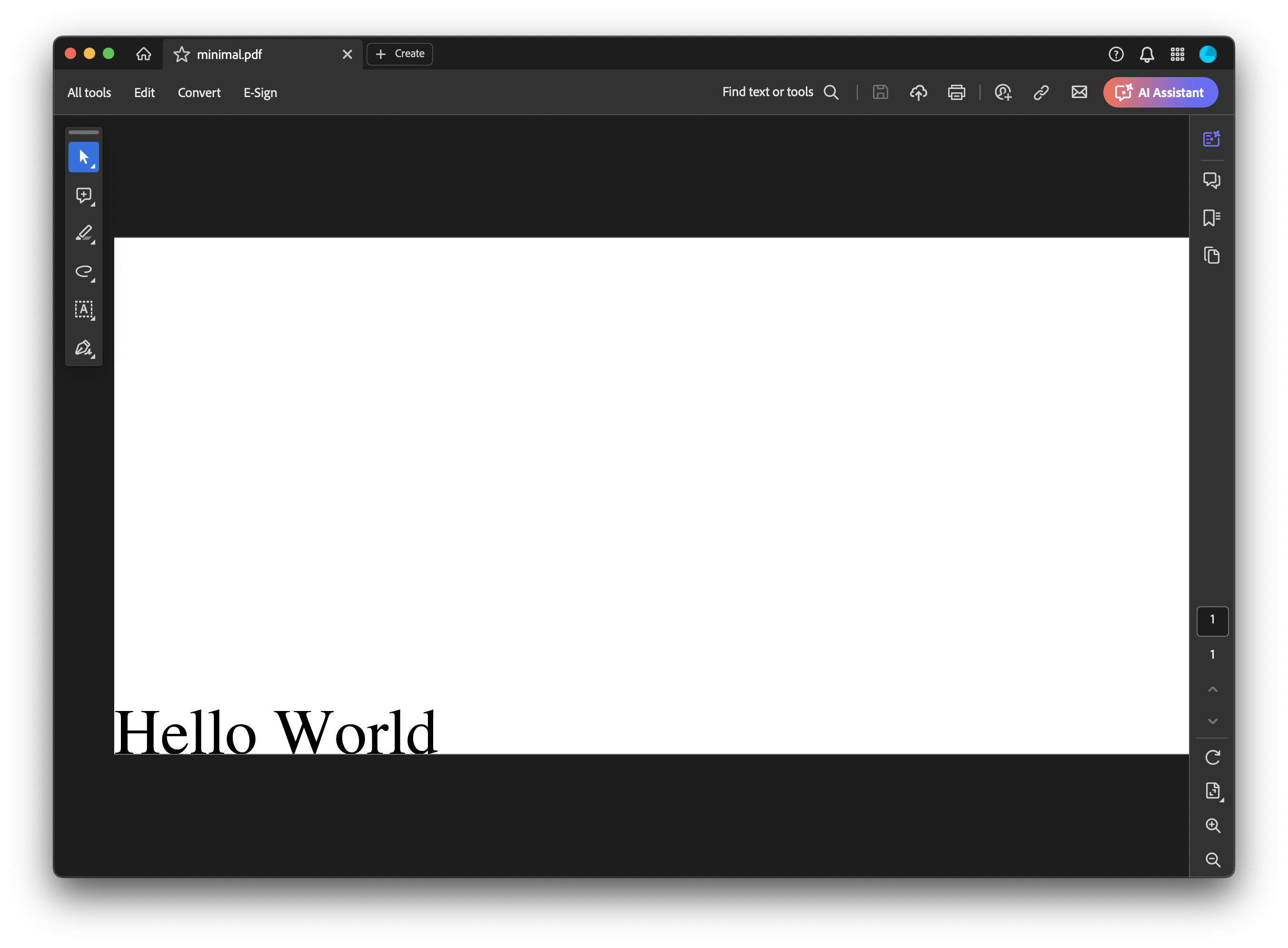
A document without attachments shows no attachments button:
Doing it
pdfWriter, err := pdfReader.ToWriter(nil)
if err != nil {
    return err
}

emFile, err := model.NewEmbeddedFile("dummy.xml")
if err != nil {
    return err
}
emFile.Name = "invoice-source.xml"
emFile.Description = "Source XML for the rendered invoice"
emFile.Relationship = model.RelationshipData

if err := pdfWriter.AttachFile(emFile); err != nil {
    return err
}

return pdfWriter.WriteToFile(outputPath)
AttachFile is a writer method, so an existing document has to be converted first
with pdfReader.ToWriter(nil). Call it once per file; the name tree is rebuilt and
re-sorted on each call, which is a PDF requirement, so the order you attach in doesn’t
matter.
From a path or from bytes
NewEmbeddedFile(path) reads the file and takes the base name of the path as the
attachment name. NewEmbeddedFileFromContent(content) takes a byte slice, which is
what you want when the data was generated in memory and never hit disk. Both sniff the
MIME type from the content and compute an MD5 checksum.
The difference that matters is the default name. NewEmbeddedFileFromContent names
every attachment attachment, so setting Name is not optional there:
eFile, err := model.NewEmbeddedFileFromContent(content)
if err != nil {
    return err
}
eFile.Name = "report-data.xml"
Name is both the display name and the key in the name tree. Two attachments with the
same name produce two entries under the same key, with no error, and viewers vary in
what they do with that. This is why the example renames each copy it attaches rather
than reusing the name NewEmbeddedFile derived from the path.
Attaching to a document you generate
The creator has no attachment method, but it exposes the writer just before writing:
c.SetPdfWriterAccessFunc(func(w *model.PdfWriter) error {
    return w.AttachFile(emFile)
})
The names dictionary is serialized during the write that follows, so an attachment added from this hook lands in the output.
Limitations
EmbeddedFile.FileType is populated by both constructors but never reaches the
output. The embedded file stream’s /Subtype is written as text/plain regardless.
Setting FileType therefore has no effect on how a viewer classifies the attachment;
the file extension in Name is what it goes on.
Relationship is metadata only, recorded as the filespec’s AFRelationship. Its zero
value is RelationshipSource, so a value you never set is written as Source rather
than as unspecified.
Content is held entirely in memory, both in the EmbeddedFile and again while being
Flate compressed for the stream. Large attachments cost roughly twice their size in
peak memory.
There is no removal or listing method on the writer. To drop an attachment you read
the document, collect the ones you want with GetAttachedFiles, and attach those to a
fresh writer.
Run the example
The example attaches five renamed copies of dummy.xml to minimal.pdf, both files
shipped in the attachment folder, and writes output.pdf. addAttachment is the
path-based route that main calls; addAttachmentFromContent alongside it is the
byte-slice route and is not called, so read it as a reference rather than expecting to
see its output.
git clone https://github.com/unidoc/unipdf-examples.git
cd unipdf-examples/attachment
go run pdf_add_attachment.go
If this is your first time using UniPDF, follow the getting started guide to create an API key and set up your development environment.
View the full source
Sample output
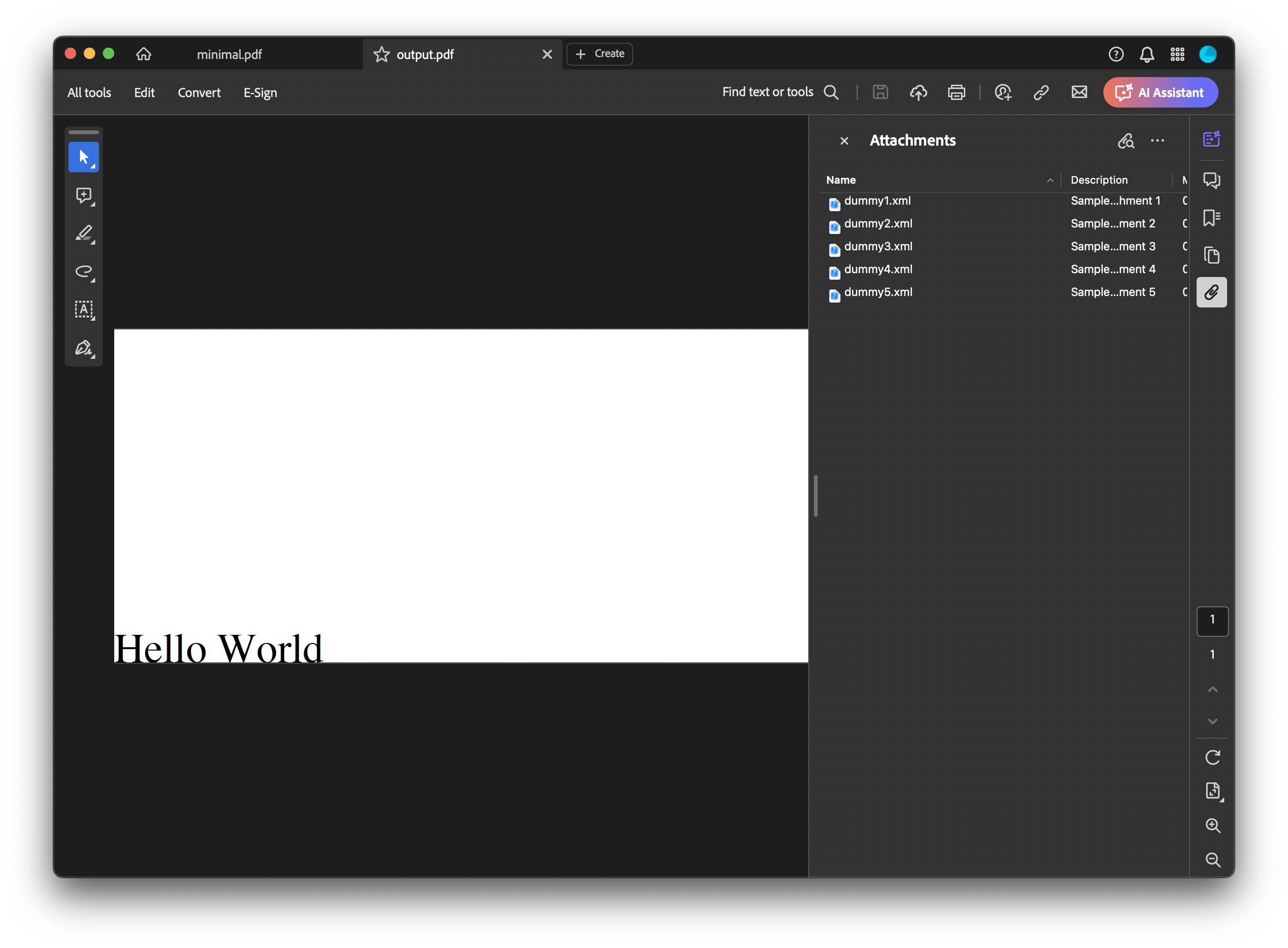
The attachments button appears in the sidebar, and opening it lists the five files: