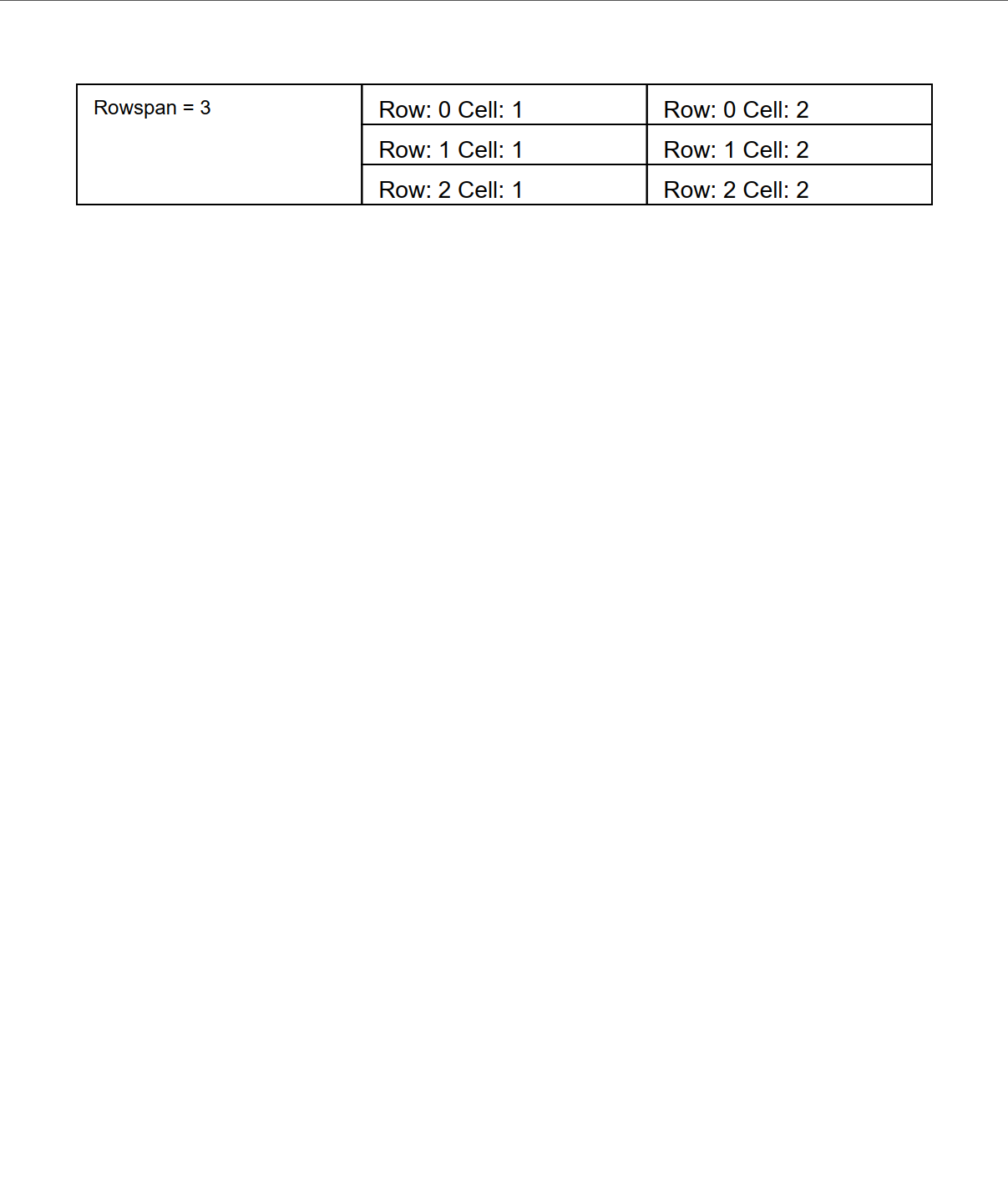
Grids with Row Spans
A cell covering several rows also comes from NewMultiCell, with the span in the
second argument:
grid := c.NewGrid(3)

row := grid.NewRow()

// One column wide, three rows tall: colspan 1, rowspan 3.
cell, err := row.NewMultiCell(1, 3)
if err != nil {
    return err
}
The order is (colspan, rowspan), so a row span goes in the second position. It is
worth double checking, because NewMultiCell(3, 1) and NewMultiCell(1, 3) are
both valid and produce very different layouts.
How later rows fill around a span
You do not skip positions by hand. When you add cells to the rows a span reaches
into, the grid looks at the cells already placed in earlier rows and moves the new
cell past any column still occupied by a span. So after a rowspan 3 cell in column 1,
the next row’s first NewCell lands in column 2 automatically.
The check also decides when a row is full, so a row overlapped by a span accepts
fewer cells than the grid’s column count. Asking for one too many returns
can't add any more cells to this row rather than displacing the span.
Run the example
The example builds a three column grid whose first cell spans three rows, then fills
the remaining positions with AddTextCell so you can see where each subsequent cell
lands.
git clone https://github.com/unidoc/unipdf-examples.git
cd unipdf-examples/grid
go run pdf_grid_rowspan.go
If this is your first time using UniPDF, follow the getting started guide to create an API key and set up your development environment.
View the full source
Sample output