Page Wrapping Grids
A grid longer than the page continues onto the next one without any configuration.
There is no equivalent of the table’s EnableRowWrap: add the rows and draw the
grid, and the creator decides where to break.
grid := c.NewGrid(4)

for i := 0; i < 25; i++ {
    row := grid.NewRow()
    for j := 0; j < 4; j++ {
        cell, err := row.NewCell()
        if err != nil {
            return err
        }
        cell.SetBorder(creator.CellBorderSideAll, creator.CellBorderStyleSingle, 1)
        if err := cell.SetContent(p); err != nil {
            return err
        }
    }
}

if err := c.Draw(grid); err != nil {
    return err
}
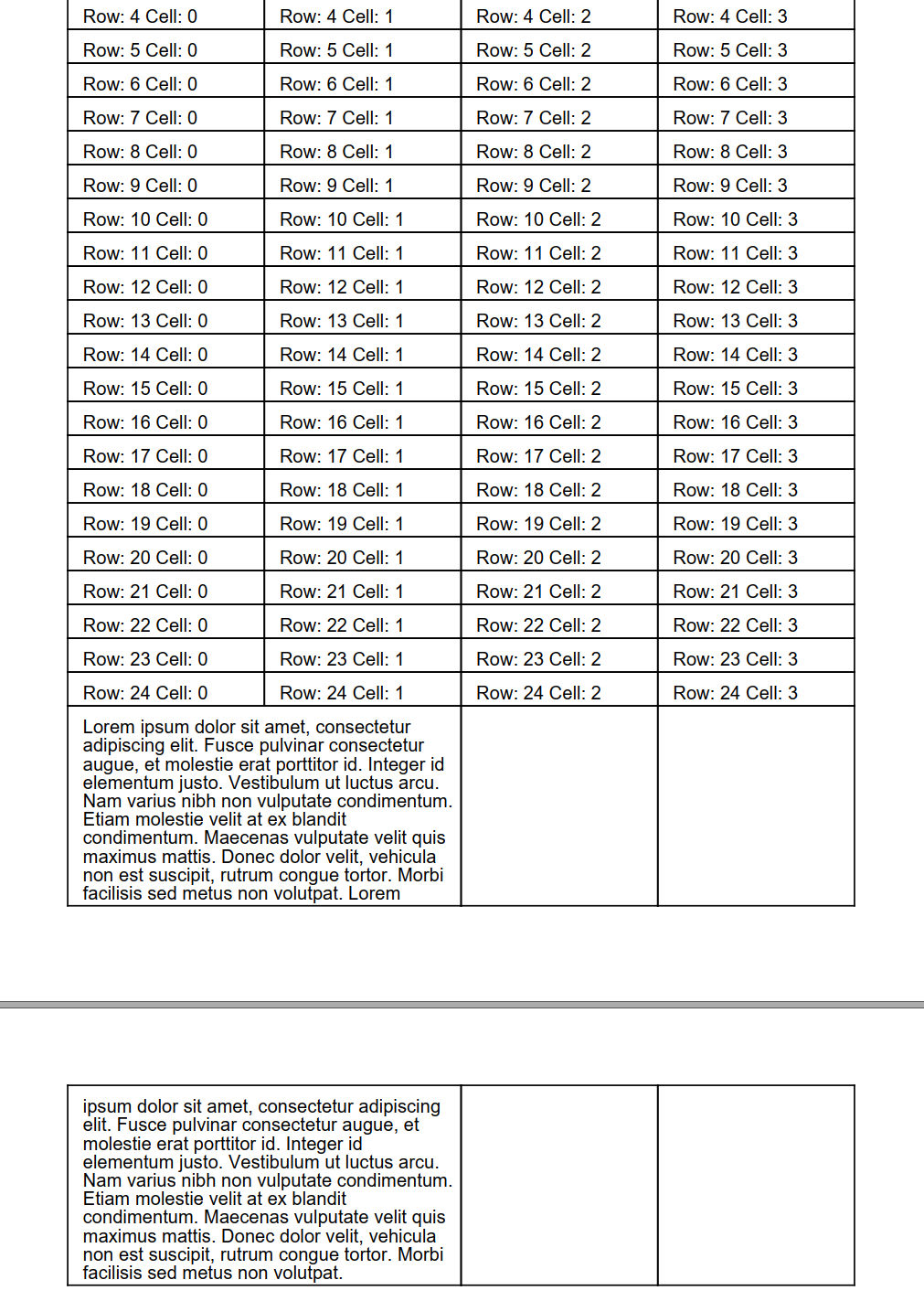
A row that fits in the space left is kept whole. When one doesn’t, the grid first tries to split its content at the boundary and carry the remainder onto the next page.
Only some content can be split that way: StyledParagraph, Division and List.
A row holding anything else, an image or a nested grid for instance, cannot be
divided, so the whole row moves to the next page instead. That is the same
restriction tables have, and it is worth knowing because a row of images will jump
to a new page where a row of text would have split.
Header rows are not repeated
This is the trap when moving from Table. A grid row can be marked as a header:
row.SetSection(creator.GridRowSectionHeader)but that only sets the row’s semantic role. Grid uses it to tag the cells as
TableHeaderCell for accessibility, which matters for tagged PDF.
It does not make the row repeat at the top of each page the way
Table.SetHeaderRows does. If you need repeating column labels on a long listing,
Table is currently the component that provides them.
The sections available are GridRowSectionBody, which is the default,
GridRowSectionHeader, GridRowSectionFooter and GridRowSectionUnknown.
row.IsHeader() is shorthand for comparing GetSection() against the header value.
Run the example
The example fills a four column grid with 25 rows so it overflows the page, then adds a final row containing a long paragraph in a spanning cell to show a single row being split across the boundary.
git clone https://github.com/unidoc/unipdf-examples.git
cd unipdf-examples/grid
go run pdf_grid_wrapping.go
If this is your first time using UniPDF, follow the getting started guide to create an API key and set up your development environment.
View the full source
Sample output