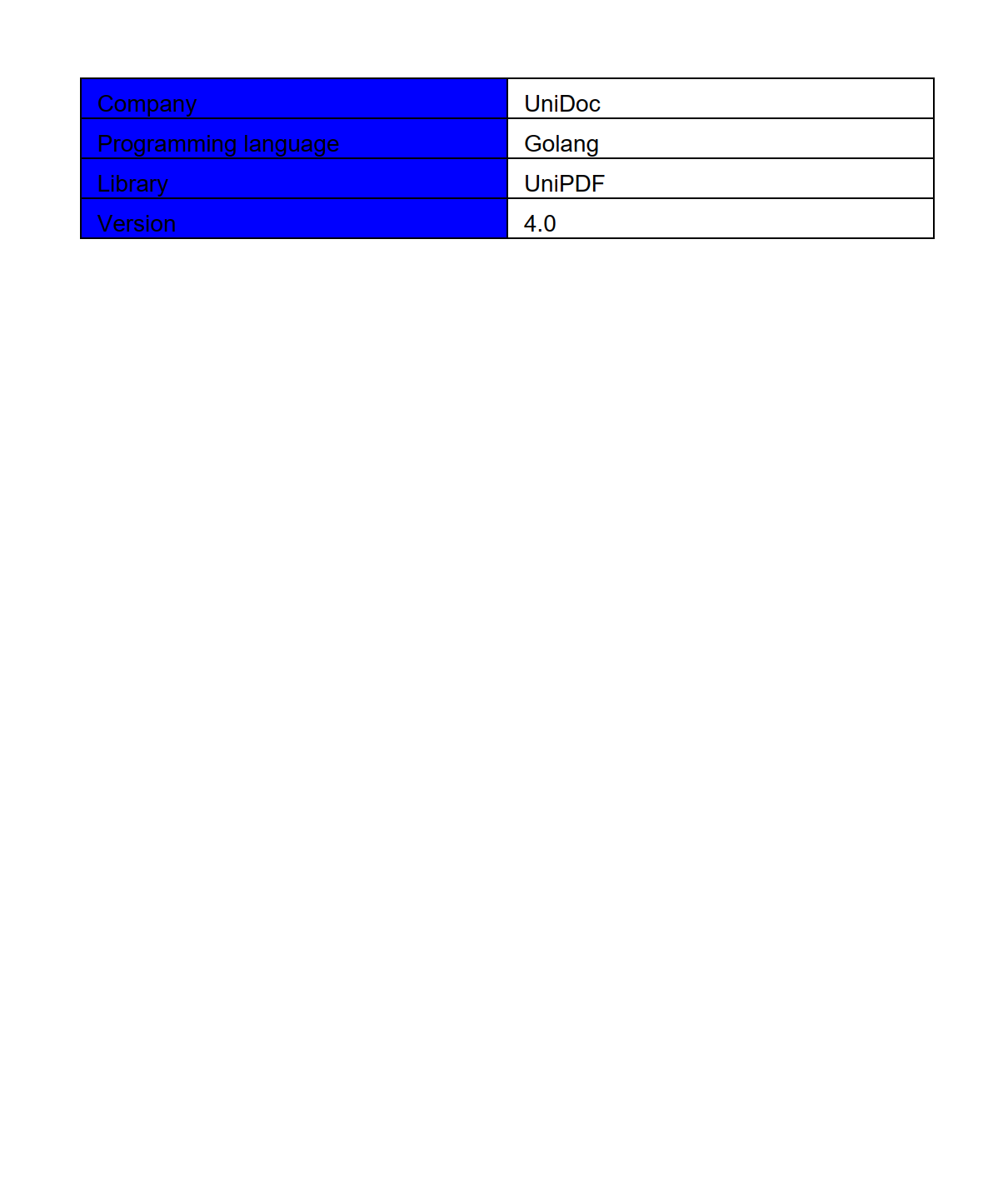
Simple Grid
Grid lays content out in rows and cells, following the same shape as an HTML
table. You create a grid with a column count, ask it for a row, and ask the row for
cells:
grid := c.NewGrid(2)

row := grid.NewRow()

cell, err := row.NewCell()
if err != nil {
    return err
}

p := c.NewStyledParagraph()
p.SetText("Company")
if err := cell.SetContent(p); err != nil {
    return err
}

if err := c.Draw(grid); err != nil {
    return err
}
This is the main difference from Table, where cells are added to the table itself and rows are implied by a running count. Here rows are explicit objects, so it is clear which row a cell belongs to and spans are easier to follow.
NewCell returns an error, unlike Table.NewCell. The error means the row is
already full: a grid never silently widens itself or spills a cell onto the next
row, so a cell that doesn’t fit the column count is refused. Checking it catches a
miscounted row immediately.
Borders and backgrounds
Cells start with no border, a left indent of 5, and content aligned top left:
cell.SetBorder(creator.CellBorderSideAll, creator.CellBorderStyleSingle, 1)
cell.SetBackgroundColor(creator.ColorBlue)
cell.SetIndent(0)
The border sides, styles and alignment constants are the same ones tables use, so
CellBorderSideAll, CellBorderStyleSingle and the CellHorizontalAlignment
values all carry over. Grid cells add SetBorderColor and SetSideBorderColor for
coloring edges, and SetOpacity.
Column widths
Widths are fractions of the grid width, not points, and you must supply one per column:
// Narrow label column, wide value column.
if err := grid.SetColumnWidths(0.3, 0.7); err != nil {
    return err
}
Each value belongs in the range 0 to 1. Passing a number of widths that doesn’t match the column count returns an error and leaves the existing widths alone.
Run the example
The example builds a two column grid of label and value pairs. Its AddCell helper
takes the text plus two booleans for whether to draw a border and a background,
which is what produces the varied look across rows.
git clone https://github.com/unidoc/unipdf-examples.git
cd unipdf-examples/grid
go run pdf_grid_simple.go
If this is your first time using UniPDF, follow the getting started guide to create an API key and set up your development environment.
View the full source
Sample output