Get Outlines
PdfReader.GetOutlines returns the document’s bookmarks as a model.Outline: a
tree of items, each with a title and a destination. The type carries JSON tags, so
one json.Marshal gives you a file you can inspect, edit, and feed to
set outlines.
Doing it
pdfReader, f, err := model.NewPdfReaderFromFile("input.pdf", nil)
if err != nil {
    return err
}
defer f.Close()

outlines, err := pdfReader.GetOutlines()
if err != nil {
    return err
}

data, err := json.MarshalIndent(outlines, "", "    ")
if err != nil {
    return err
}
Each OutlineItem has Title, Dest and Entries, the last being its children,
so nesting in the JSON mirrors nesting in the reader’s bookmark panel. Entries is
tagged omitempty, which is why leaf items have no entries key.
Dest is an OutlineDest: Page, Mode, X, Y and Zoom. Page is a
zero-based page index, so the first page is 0. Mode is the destination type
from the PDF spec, one of XYZ, Fit, FitB, FitH, FitBH, FitV or FitBV,
and it decides which of the coordinates mean anything: XYZ uses X, Y and
Zoom, FitH and FitBH use only Y, FitV and FitBV only X, and the plain
fit modes use none of them. A mode the parser does not recognize becomes Fit.
Destinations are resolved wherever the item keeps them. An item with a /Dest
entry is read directly; one with a /A GoTo action has its /D array used
instead, and if that is a name rather than an array, the document’s name tree is
searched for it. That is worth knowing because bookmarks written by different
tools use different forms of the same thing.
GetOutlines returns a high-level tree. For the raw structure, GetOutlineTree
gives you the PdfOutlineTreeNode linked list, and GetOutlinesFlattened gives a
flat list of nodes and titles; neither reports destinations in a usable form,
which is why the high-level call exists.
Limitations
A document without bookmarks is an error, not an empty result:
GetOutlines returns “the specified reader does not have an outline tree” when
there is no outline tree at all. Treat that as an expected outcome rather than a
failure.
OutlineDest.PageObj, the indirect reference to the destination page, is tagged
json:"-" and so is absent from the JSON. Only the page index survives a round
trip through a file, which is what makes the JSON portable between documents and
also what limits it; see set outlines for what happens when it
is written back.
An item whose destination cannot be parsed still appears in the output, with a
zero-valued dest. A warning goes to the debug log, so enable logging if titles
show up pointing at page 0.
Run the example
getOutlines opens the file, calls GetOutlines and prints the indented JSON to
stdout.
git clone https://github.com/unidoc/unipdf-examples.git
cd unipdf-examples/outlines
go run pdf_get_outlines.go input.pdf
If this is your first time using UniPDF, follow the getting started guide to create an API key and set up your development environment.
main prints the input path before the JSON, so a plain redirect leaves a line of
text above the JSON and the file will not parse. Drop that line on the way out:
go run pdf_get_outlines.go input.pdf | tail -n +2 > outlines.jsonView the full source
Sample output
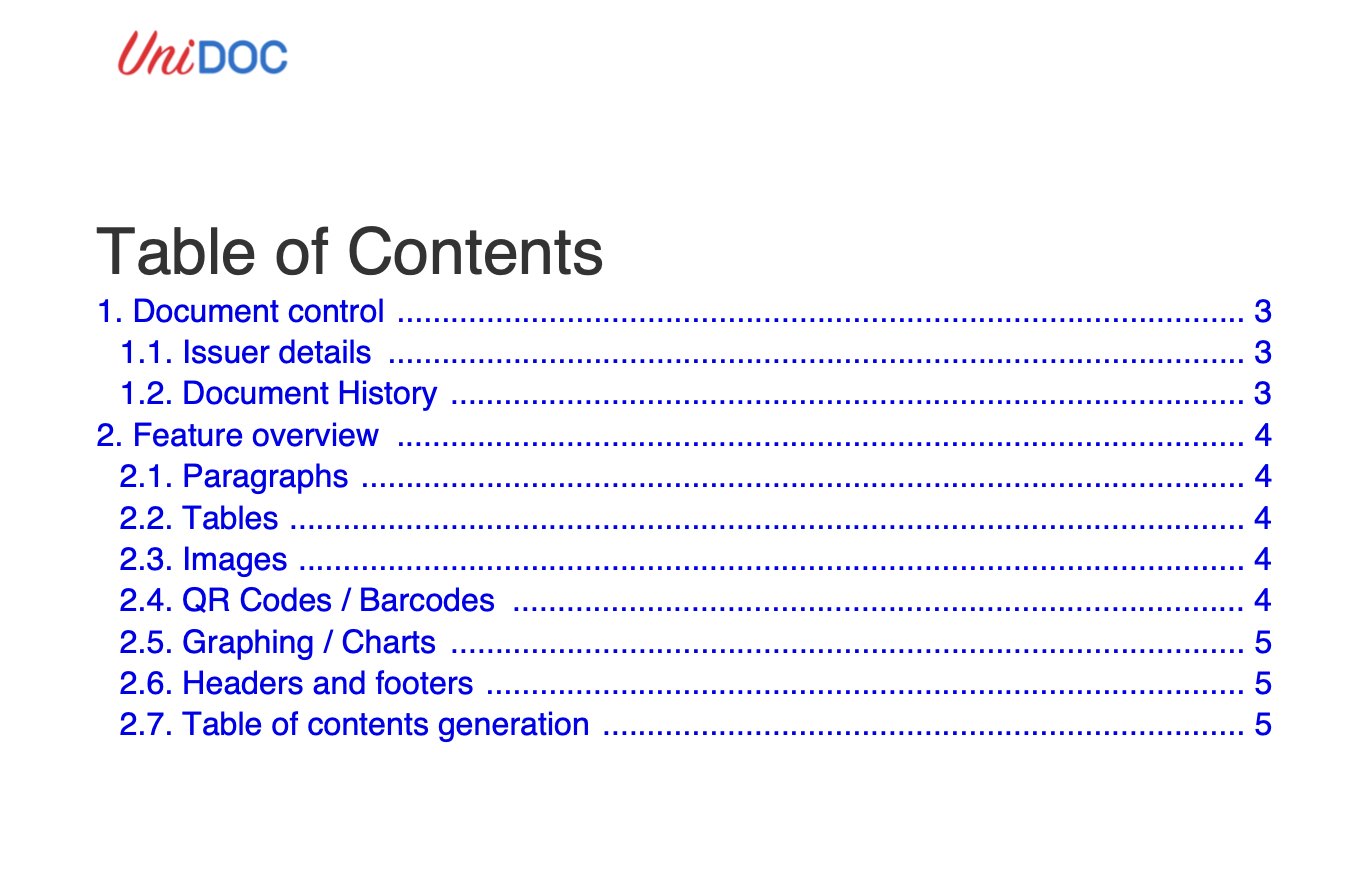
{
    "entries": [
        {
            "title": "Table of Contents",
            "dest": {
                "page": 1,
                "mode": "XYZ",
                "x": 0,
                "y": 792,
                "zoom": 0
            }
        },
        {
            "title": "1. Document control",
            "dest": {
                "page": 2,
                "mode": "XYZ",
                "x": 50,
                "y": 652,
                "zoom": 0
            },
            "entries": [
                {
                    "title": "1.1. Issuer details",
                    "dest": {
                        "page": 2,
                        "mode": "XYZ",
                        "x": 50,
                        "y": 634,
                        "zoom": 0
                    }
                }
            ]
        }
    ]
}