Add a side note to a page margin
Creator.PageFinalize registers a callback that runs once per page just before the
document is written, when the total page count is finally known. Headers and footers are
confined to the top and bottom margins; the finalize callback can draw anywhere on the
page, which is what makes a margin note possible.
Doing it
c.PageFinalize(func(args creator.PageFinalizeFunctionArgs) error {
    p := c.NewStyledParagraph()
    p.SetAngle(90)

    chunk := p.Append(fmt.Sprintf("Page %d/%d", args.PageNum, args.TotalPages))
    chunk.Style.FontSize = 14

    if args.PageNum%2 != 0 {
        p.SetPos(args.PageWidth-p.Height()-10, (args.PageHeight-p.Width())/2)
    } else {
        p.SetPos(p.Height()+10, (args.PageHeight-p.Width())/2)
    }

    return c.Draw(p)
})
Register the callback before drawing content. It is stored on the creator and invoked
during WriteToFile or Write, so ordering relative to the rest of your drawing calls
does not matter, but a callback set after the write has already happened does nothing.
PageFinalizeFunctionArgs carries PageNum, TotalPages, PageWidth, PageHeight,
TOCPages and Chapter. The width and height come from page.Size(), so they are the
rotated dimensions for a landscape page. Chapter is nil on pages before the first
chapter, which includes a front page or a table of contents.
Returning an error aborts the whole write, so the callback is also a reasonable place to fail on a page that violates some rule of your own.
Positioning rotated text
SetAngle(90) rotates counterclockwise, so the note reads bottom to top. Rotation is
applied after the paragraph is translated into position, which means the text pivots
around the point passed to SetPos rather than around its own center.
Width() and Height() are unaffected by the angle: width is still the text’s
horizontal extent and height the sum of its line heights. A paragraph turned 90 degrees
therefore takes up Height() horizontally and Width() vertically, and the swap in the
snippet above is what keeps a 14 point note inside a margin.
The odd and even branches put the note in the right margin of odd pages and the left margin of even ones, for a document meant to be read as spreads.
Limitations
Nothing reserves space for what the callback draws. Body text already occupies the full text area, so a note drawn in the margin will collide with anything that reaches into it. The example gets around this by giving each page’s content a 70 point margin on the side the note sits on, alternating per page.
The callback runs for every page, including a generated front page and any table of
contents pages, and PageNum is the final page number counting those. TOCPages is
there so you can skip them, for instance with if args.PageNum <= args.TOCPages + 1.
Components drawn from the callback should be absolutely positioned. The page is finished by the time the callback runs; a relative component takes the page’s remaining flow context, which is not where you want a margin note.
Anything positioned outside the media box is written into the content stream but never displayed, so a note that vanishes is usually a coordinate slightly off the page rather than a drawing failure.
PageFinalize is a creator hook and applies only to documents you build with the
creator. To stamp existing pages, use creator.NewBlockFromPage or see
watermarks.
Run the example
main sets the callback first, then draws two chapters with drawContent and writes
page_side_notes.pdf. drawContent takes the left and right body margins, which is
where the alternating gap for the note comes from.
git clone https://github.com/unidoc/unipdf-examples.git
cd unipdf-examples/pages
go run pdf_page_side_note.go
If this is your first time using UniPDF, follow the getting started guide to create an API key and set up your development environment.
View the full source
Sample output
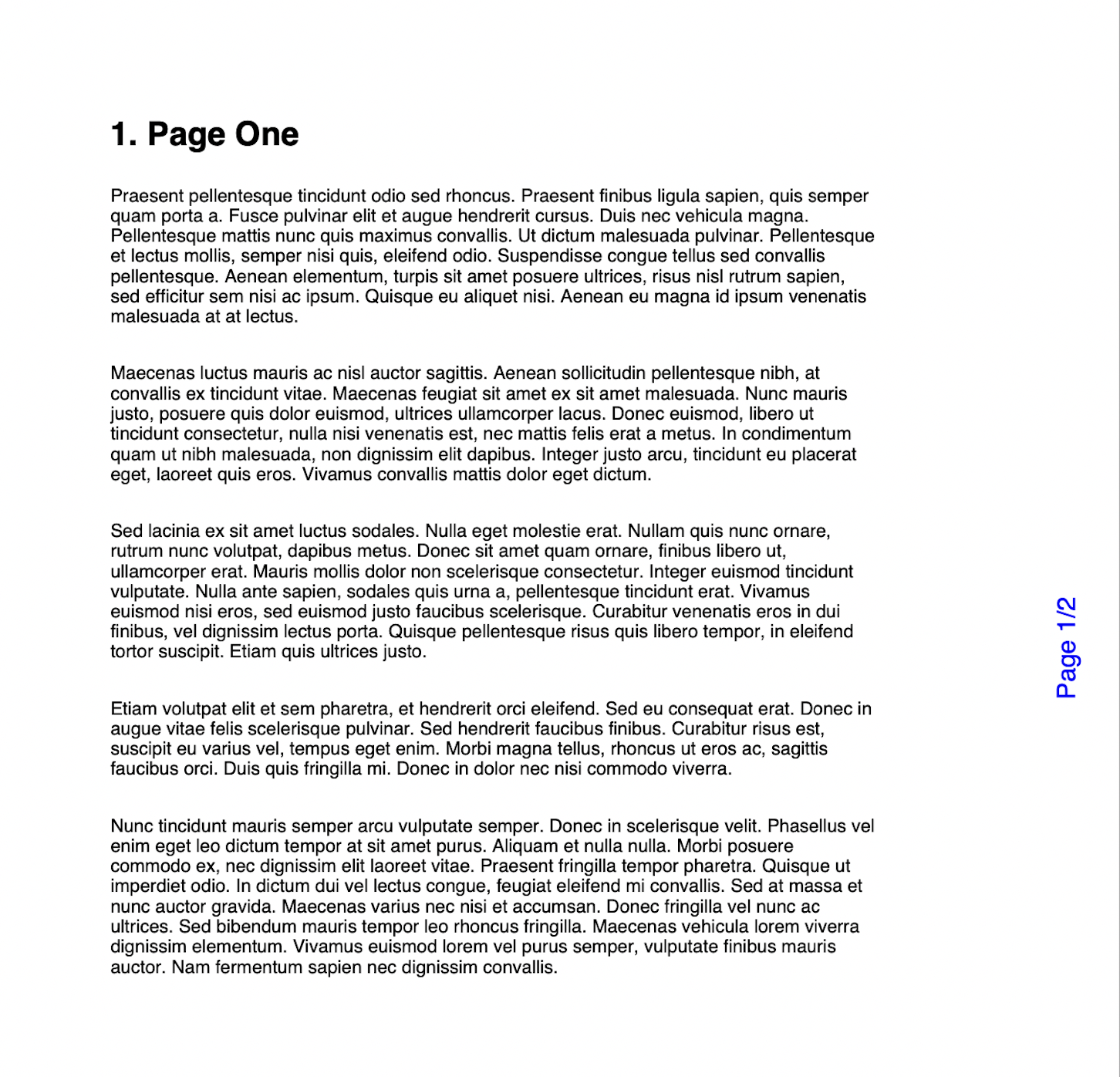
Page one of the output, with Page 1/2 running up the right margin in blue.