Validate PDF/A-4 Standard
Validation tells you whether a file already satisfies PDF/A-4, without changing it. Because part 4 has three profiles rather than conformance levels, checking a document usually means trying each in turn and seeing which it passes.
Doing it
Validation needs a compliance reader, not an ordinary one:
detailedReader, err := model.NewCompliancePdfReader(inputFile)
if err != nil {
    return err
}

standards := []model.StandardImplementer{
    pdfa.NewProfile4(nil),
    pdfa.NewProfile4E(nil),
    pdfa.NewProfile4F(nil),
}

for _, standard := range standards {
    if err = standard.ValidateStandard(detailedReader); err != nil {
        fmt.Printf("%s: %v\n", standard.StandardName(), err)
        continue
    }
    fmt.Printf("%s: passed\n", standard.StandardName())
}
NewCompliancePdfReader keeps the extra structural detail the verifiers need, which a
normal PdfReader discards. Passing an ordinary reader is not an option; the signature
requires the compliance type.
StandardName() returns PDF/A-4, PDF/A-4e or PDF/A-4f, so it is a convenient label
for the result line. One reader can be checked against every profile in turn, as above.
Reading the result
ValidateStandard returns nil when the document conforms, and an error describing the
violated rules otherwise. It is a report, not a hard failure: a document failing
PDF/A-4 may still pass PDF/A-4f if the only problem was an embedded file, which is
exactly why the example tries all three.
Limitations
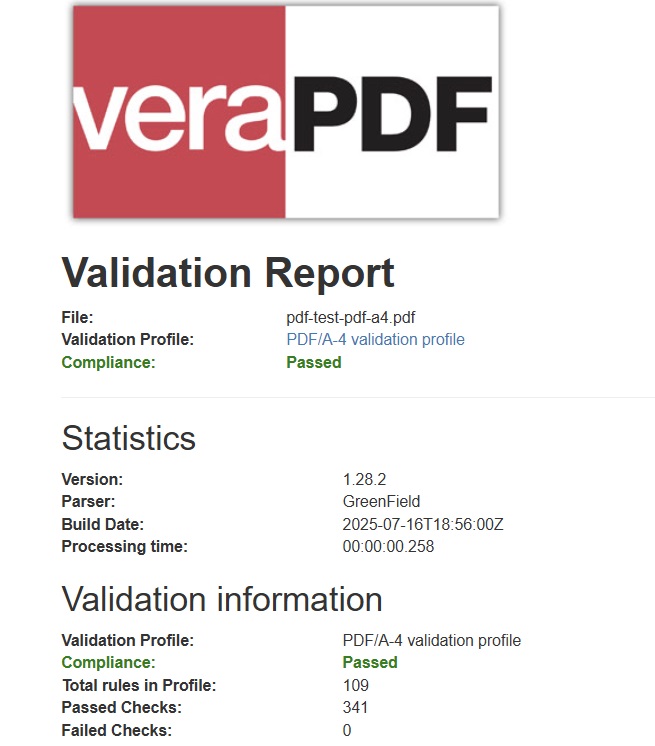
This is UniPDF’s own verifier, and it is not a substitute for an independent one. Check
ValidateStandard’s godoc for the known limitations of the current implementation, and
run veraPDF as well before publishing a conformance claim.
Validation is separate from the identification metadata. A file can carry a
pdfaid claim in its XMP and still fail, and vice versa; see
get PDF/A identification metadata for
reading the claim rather than testing the reality.
Run the example
pdfa4_validate_standard.go opens the input with a compliance reader, tries all three
part 4 profiles, and prints the outcome for each along with the elapsed time.
git clone https://github.com/unidoc/unipdf-examples.git
cd unipdf-examples/pdfa
go run pdfa4_validate_standard.go <input.pdf>
If this is your first time using UniPDF, follow the getting started guide to create an API key and set up your development environment.
View the full source
Sample output