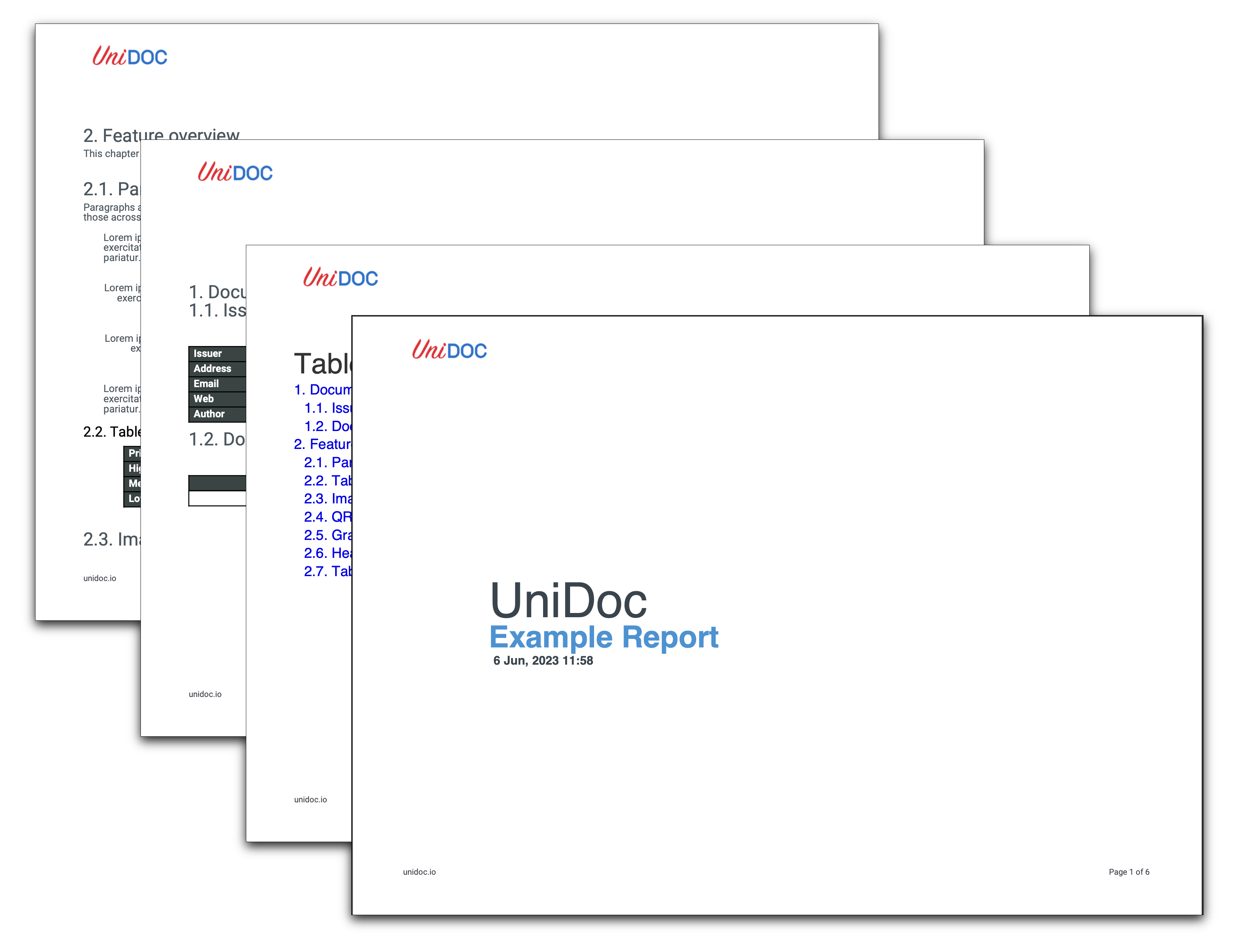
Create PDF Report Landscape
There is no landscape flag on the creator. A landscape page is just a page whose width
exceeds its height, so you build one by swapping the two elements of a PageSize. Wide
tables and charts are the usual reason to want it.
Doing it
c := creator.New()

// A4 rotated: width and height swapped.
c.SetPageSize(creator.PageSize{creator.PageSizeA4[1], creator.PageSizeA4[0]})

c.SetPageMargins(50, 50, 100, 70)
PageSize is a [2]float64 of width and height in points, and PageSizeA3,
PageSizeA4, PageSizeA5, PageSizeLetter and PageSizeLegal are all declared
portrait. Indexing [1] then [0] produces the rotated form without hard-coding
numbers. For a size that has no constant, build one from creator.PPMM (points per
millimeter) or creator.PPI (points per inch).
Call order
SetPageSize resets all four page margins to 10% of the new page width. Call it before
SetPageMargins or your margins are silently replaced. This is the one ordering trap in
the whole setup, and it is why the example puts SetPageSize immediately after
creator.New().
It also only affects pages created after the call. Pages already added keep the size they were created with, so mixing orientations means setting the size again between draws rather than expecting a retroactive change.
What changes downstream
Everything positioned in absolute coordinates has to move. The header block is still the
page width by the top margin, but the page is now roughly 842 points wide instead of 595,
so the page-number paragraph in the footer sits at SetPos(750, 20) in this example
against SetPos(300, 20) in the portrait one. Tables and images sized to the content
width adapt on their own; anything with an explicit x coordinate does not.
Aside from that, the document is assembled exactly as in
Create PDF Report - same chapters, same AddTOC, same header and footer
callbacks. Orientation is a page property and nothing else in the creator has an opinion
about it.
Limitations
Rotating a page after the fact is a different operation. Creator.RotateDeg adds to the
active page’s /Rotate entry, changing how a viewer displays a page whose media box is
still portrait; the creator’s layout still uses the portrait width. It errors when there
is no active page or when the angle is not a multiple of 90.
Run the example
RunPdfReport is the same structure as the portrait example with the swapped page size
and the shifted footer coordinate. DoFirstPage draws the cover, DoDocumentControl and
DoFeatureOverview build the two chapters, and makeQrCodeImage renders the barcode in
the feature overview.
git clone https://github.com/unidoc/unipdf-examples.git
cd unipdf-examples/report
go run pdf_report_landscape.go
If this is your first time using UniPDF, follow the getting started guide to create an API key and set up your development environment.
View the full source
Sample output