Tables in a Report
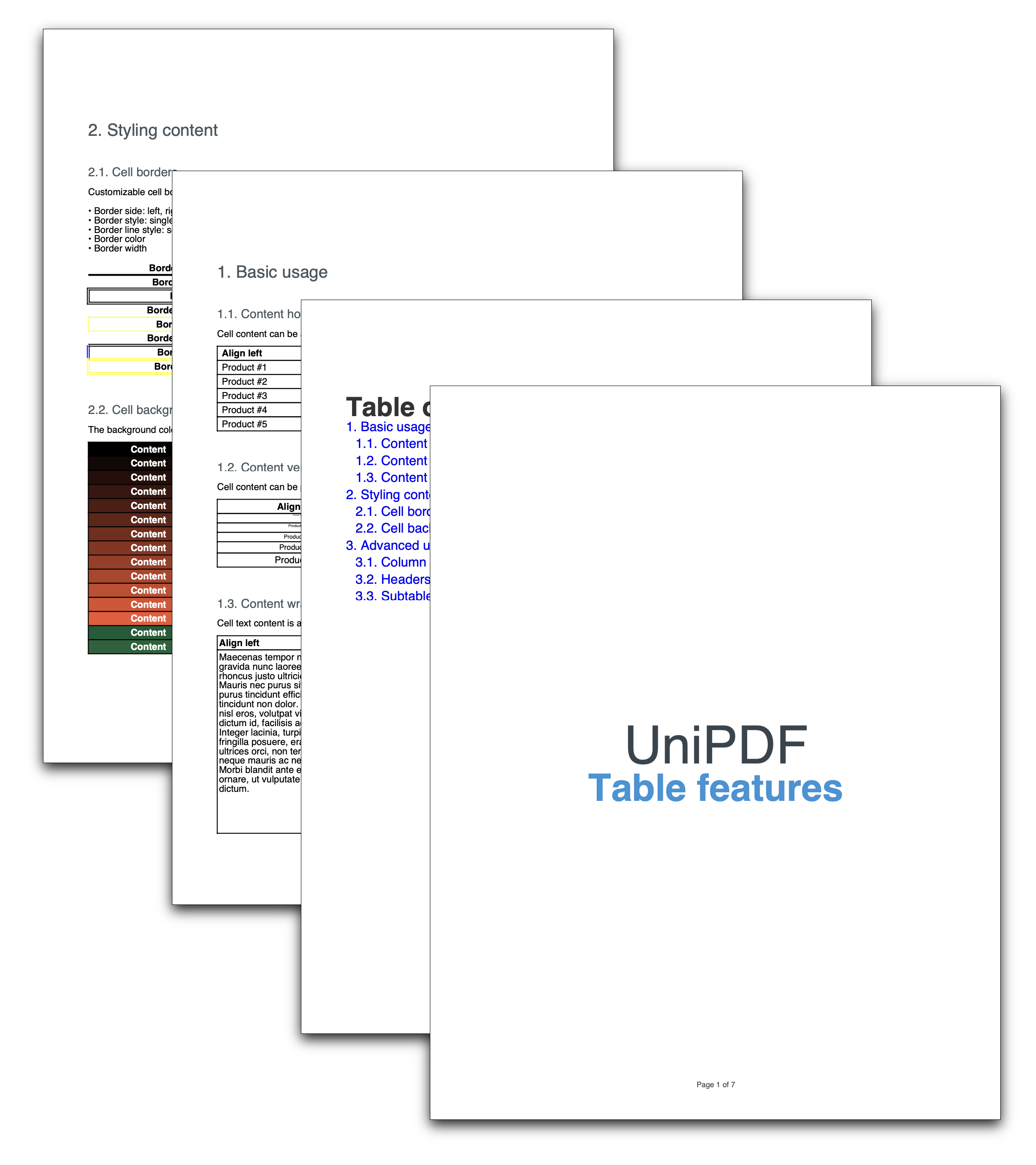
This example is a report about tables. Rather than a minimal snippet per feature, it builds one document with a cover page, a styled table of contents and three chapters that work through alignment, styling and spans in turn. It’s the example to read if you want to see the table API and the report API used together at realistic scale.
For the table features themselves, the tables guides cover each one on its own with a smaller example. This page is about how the document is put together.
Chapter structure
Three top-level chapters, each built by one function and drawn once its subchapters are in place:
| Function | Chapter | Subchapters |
|---|---|---|
basicUsage | Basic usage | contentAlignH, contentAlignV, contentWrapping |
stylingContent | Styling content | contentBorders, contentBackground |
advancedUsage | Advanced usage | columnSpan, tableHeaders, subtables |
The subchapter functions take the parent *creator.Chapter and call sc.Add(table) on a
subchapter they create themselves. Nothing is drawn until the parent function calls
c.Draw(ch), which is what keeps a chapter and its tables together for pagination.
Each subchapter function defines a local drawCell closure over the table it’s filling.
That pattern shows up in nearly every table example, because borders, alignment and
background are cell properties and setting them inline for every cell is unreadable.
Styling the TOC without a callback
customizeTOC shows the light-touch option for the table of contents: get the component
with c.TOC() and configure it directly.
c.AddTOC = true

toc := c.TOC()
toc.Heading().SetMargins(0, 0, 50, 0)

hstyle := c.NewTextStyle()
hstyle.Font = fontBold
hstyle.FontSize = 28
toc.SetHeading("Table of Contents", hstyle)

lstyle := c.NewTextStyle()
lstyle.FontSize = 14
toc.SetLineStyle(lstyle)
No CreateTableOfContents callback and no CustomTOC. Those are only needed when the
built-in line layout itself has to change, which is covered in
Create PDF Custom Table of Contents.
SetLineStyle applies to number, title, separator and page in one call, and only to lines
added after it, so call it before drawing any chapters. Heading() returns the heading
StyledParagraph if you want to adjust spacing without replacing the text.
Where the table features are covered
| In this example | Guide |
|---|---|
contentAlignH, contentAlignV, contentWrapping | Simple |
contentBorders, contentBackground | Styling |
columnSpan | Column span |
tableHeaders | Headers |
subtables | Subtables |
Row spans, row wrapping and division-based layouts are not in this example; see Row span, Row wrap and Division layout.
Run the example
main wires it together: two standard 14 fonts, 50pt margins on all sides, then
drawFrontPage, drawFooter and customizeTOC before the three chapter functions. The
footer is a centered “Page N of M” built from FooterFunctionArgs, and it appears on the
cover and TOC pages too, since the callback runs for every page in the finished document.
git clone https://github.com/unidoc/unipdf-examples.git
cd unipdf-examples/report
go run pdf_tables.go
If this is your first time using UniPDF, follow the getting started guide to create an API key and set up your development environment.
View the full source
Sample output