Sign and Configure DocMDP Restriction with Valid Changes
A DocMDP restriction is only interesting once somebody edits the document. This
guide takes the permitted case: the document is certified at
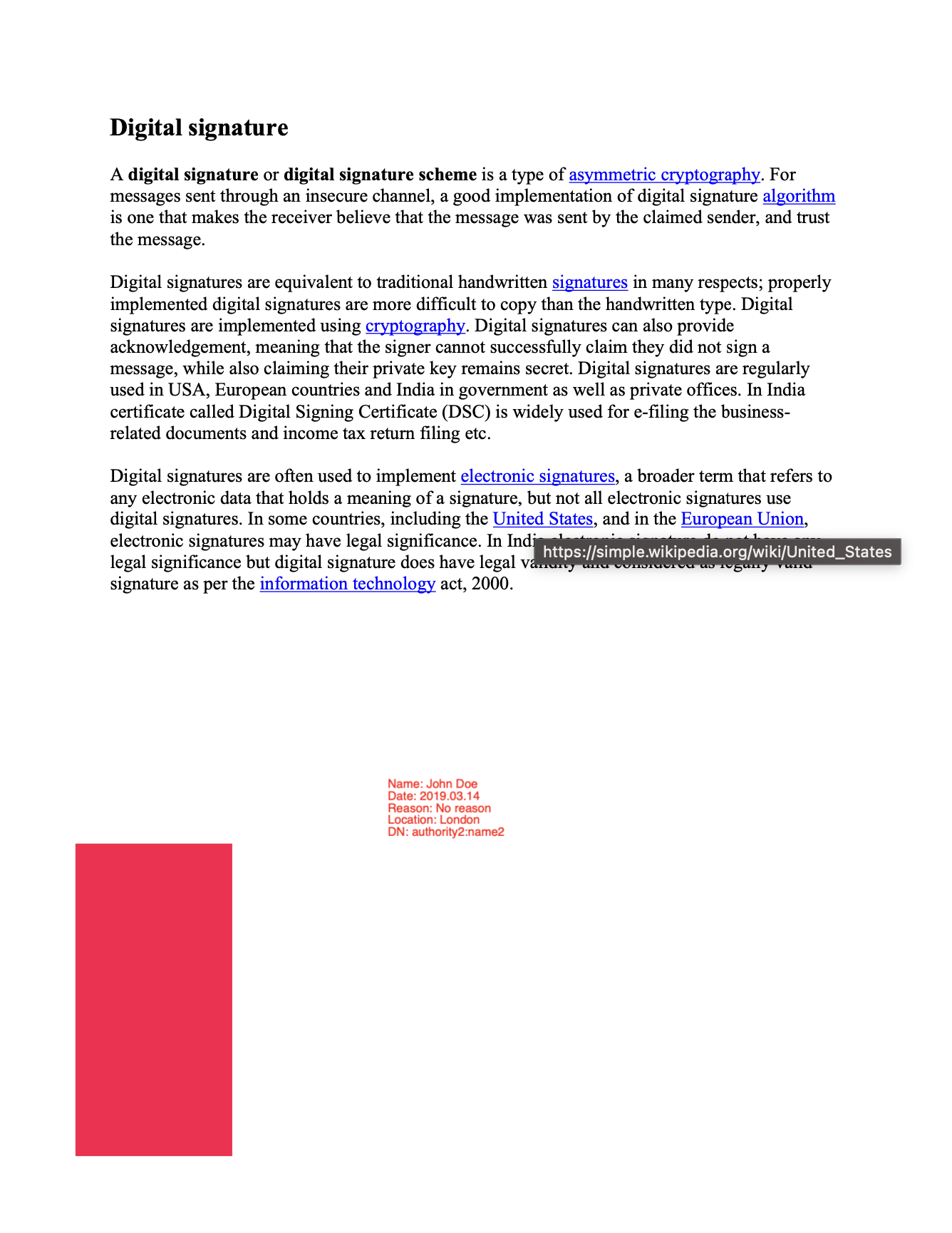
mdp.FillFormsAndAnnots, an annotation is added in a later revision, and
validation confirms that the signature survives. The
invalid changes guide is the same flow with a
change the level does not allow.
The example writes three revisions of the same file. Revisions are numbered from zero, and those are the numbers that show up in the diff report:
| Revision | What happens |
|---|---|
| 0 | The original document. |
| 1 | addSignature certifies it at mdp.FillFormsAndAnnots. |
| 2 | addSomeValidChanges appends a square annotation. |
ValidateFile then reopens the result and validates it. The diff runs from the
revision where the signature first appears up to the last one, so only revision 2
is compared.
Making a permitted change
appender, err := model.NewPdfAppender(reader)
if err != nil {
    return err
}

page, err := reader.GetPage(1)
if err != nil {
    return err
}

annotation := model.NewPdfAnnotationSquare()
rect := model.PdfRectangle{Llx: 50.0, Lly: 50.0, Urx: 150.0, Ury: 250.0}
annotation.Rect = rect.ToPdfObject()
annotation.IC = core.MakeArrayFromFloats([]float64{4.0, 0.0, 0.3})
annotation.CA = core.MakeFloat(0.5)

page.AddAnnotation(annotation.PdfAnnotation)
appender.UpdatePage(page)
AddAnnotation alters the page’s Annots array, and UpdatePage tells the
appender to supersede the page object. Both are needed: without UpdatePage the
new annotation never reaches the output.
At FillFormsAndAnnots this counts as permitted, so it lands in the diff report
as a warning rather than an error. At mdp.FillForms the same change would be an
error, because a square annotation is not a widget.
Validating the result
perms := reader.GetPerms()
if perms == nil || perms.DocMDP == nil {
    return errors.New("unexpected perms object")
}

docMDPPerm, ok := perms.DocMDP.GetDocMDPPermission()
if !ok {
    return errors.New("unexpected docMDP object")
}

innerHandler, _ := sighandler.NewAdobePKCS7Detached(nil, nil)
handlerDocMdp, _ := sighandler.NewDocMDPHandler(innerHandler, docMDPPerm)

res, err := reader.ValidateSignatures([]model.SignatureHandler{handlerDocMdp})
The level is read back out of the document rather than hardcoded, so the validator does not need to know how the file was certified. That value is safe to trust: it lives in the signature dictionary, which the signature itself covers, so raising it after the fact breaks the signature.
The inner handler has to match the signature actually in the file. It is
NewAdobePKCS7Detached here because that is what signed the document; for a
PAdES-signed file it would be NewEtsiPAdESLevelB. If the inner handler does not
claim the signature, the DocMDP wrapper does not claim it either, and the result
comes back with handler not set.
Limitations
Warnings are not failures. Only DiffResults.Errors decides validity, through
IsPermitted, and permitted changes are still enumerated as warnings. A report
full of warnings and diff is permitted: true is the expected shape of a
successful validation, not a partial one.
IsVerified is overwritten by the diff outcome. A signature whose cryptography
is sound is still reported invalid when the diff contains errors, which is the
whole point, but it means IsVerified alone will not tell you which of the two
checks failed. Look at DiffResults to distinguish them.
If the inner signature does not verify, the diff never runs and DiffResults
stays nil. Broken bytes shadow the DocMDP result rather than adding to it.
The same change can be reported more than once. A modified form field is checked in two places by the default policy and appears twice in the warnings, and a merged field and widget annotation is reported once as a field and once as an annotation.
Run the example
addSignature certifies the document, addSomeValidChanges adds the annotation,
and ValidateFile prints the result. generateSigKeys produces a throwaway
self-signed certificate, which is why the output reports the certificate as
untrusted.
git clone https://github.com/unidoc/unipdf-examples.git
cd unipdf-examples/signatures
go run pdf_sign_docmdp_valid_changes.go <INPUT_PDF_PATH> <OUTPUT_PDF_PATH>
If this is your first time using UniPDF, follow the getting started guide to create an API key and set up your development environment.
View the full source
Sample output
== Signature 1
Name: Test Signature Appearance Name
Date: 2026-08-04 00:12:31 +0700 UTC+0700
Reason: TestSignatureAppearance Reason
Location not specified
Contact info not specified
Fields: 1
Signed: Document is signed
Signature validation: Is valid
Trusted: Untrusted certificate
diff is permitted: true
MDP warnings:
    Square annotation  was added in revisions #2
Revocation data: CRL not found
Revocation data: OCSP not found
Done
The annotation has no title, hence the gap in the warning text.
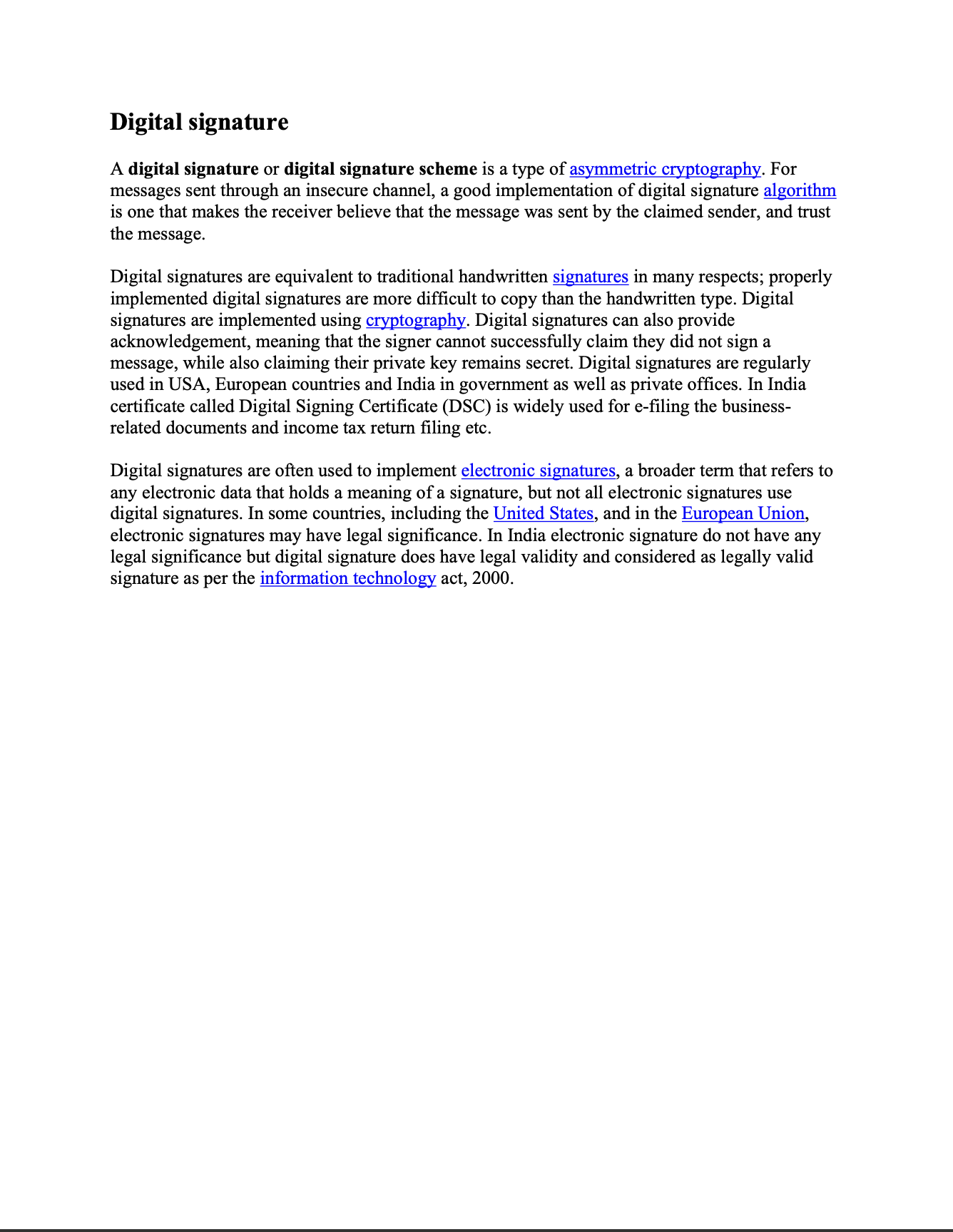
The input document:
And the signed document with the square annotation added afterwards: