Column Span
A cell that covers more than one column is created with MultiColCell instead of
NewCell. The argument is how many columns it should occupy.
table := c.NewTable(5)

// A cell filling the whole width of a five column table.
cell := table.MultiColCell(5)
cell.SetBorder(creator.CellBorderSideAll, creator.CellBorderStyleSingle, 1)
if err := cell.SetContent(p); err != nil {
    return err
}
NewCell() is just MultiCell(1, 1), so a normal cell and a spanning one are the
same thing with different spans. If you need to span rows and columns at once, use
MultiCell(rowspan, colspan).
Cells are placed in the order you add them, filling each row left to right before moving to the next. A spanning cell consumes the columns it covers, so the next cell you add starts after them. There is no need to skip positions by hand, and no way to address a cell by coordinates.
Adding cells whose spans add up to more than the table’s column count pushes the overflow onto the following row, which usually shows up as a table that looks one row taller than intended.
Run the example
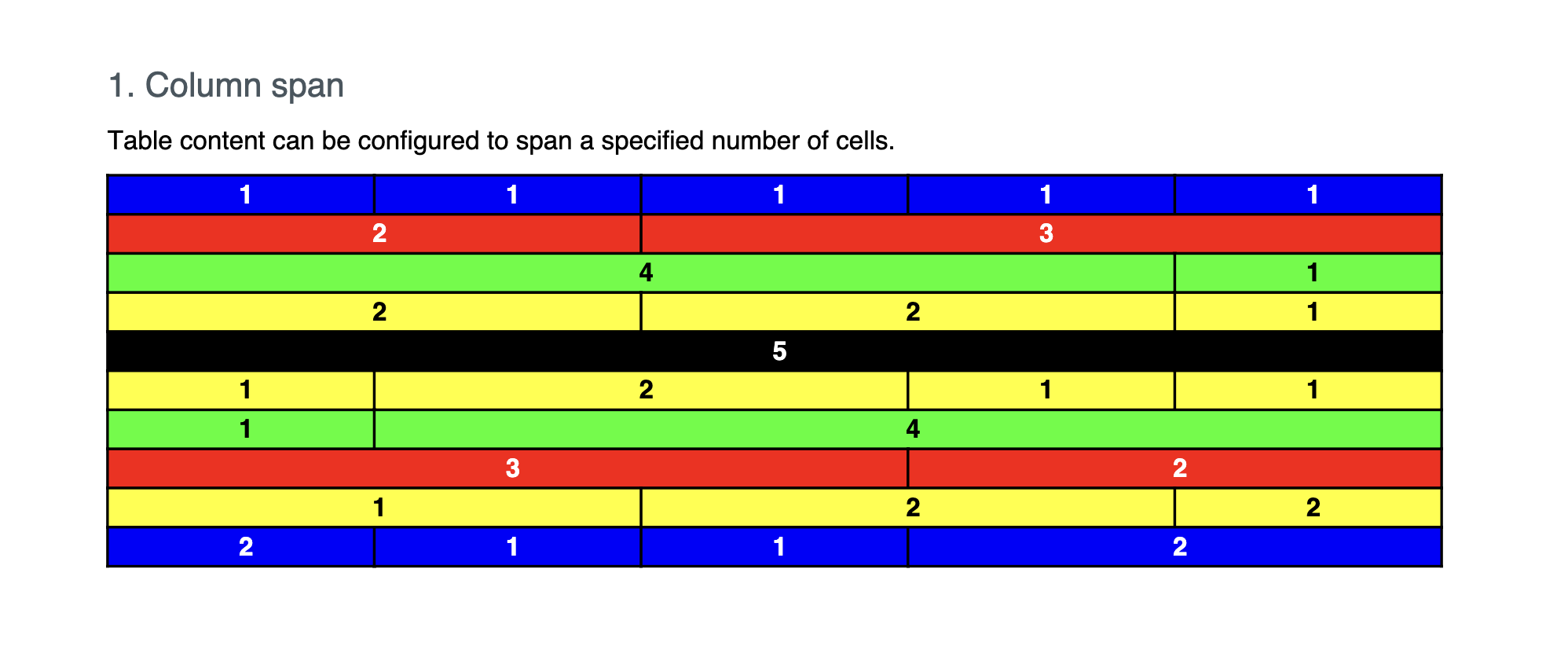
columnSpan builds a five column table and adds rows with different span
combinations, so you can see how each one lays out.
git clone https://github.com/unidoc/unipdf-examples.git
cd unipdf-examples/tables
go run pdf_tables_colspan.go
If this is your first time using UniPDF, follow the getting started guide to create an API key and set up your development environment.
View the full source
Sample output