Row Wrap
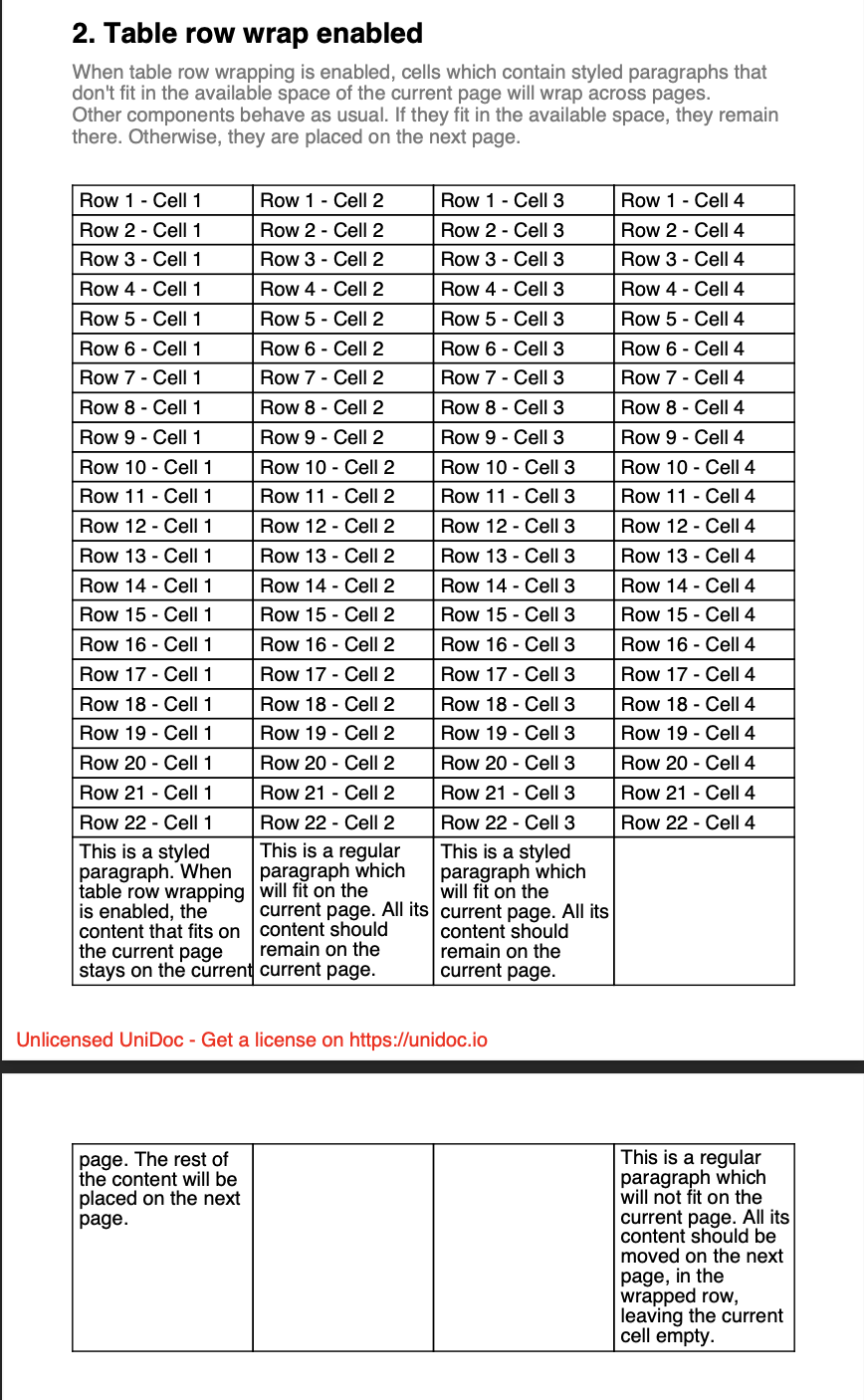
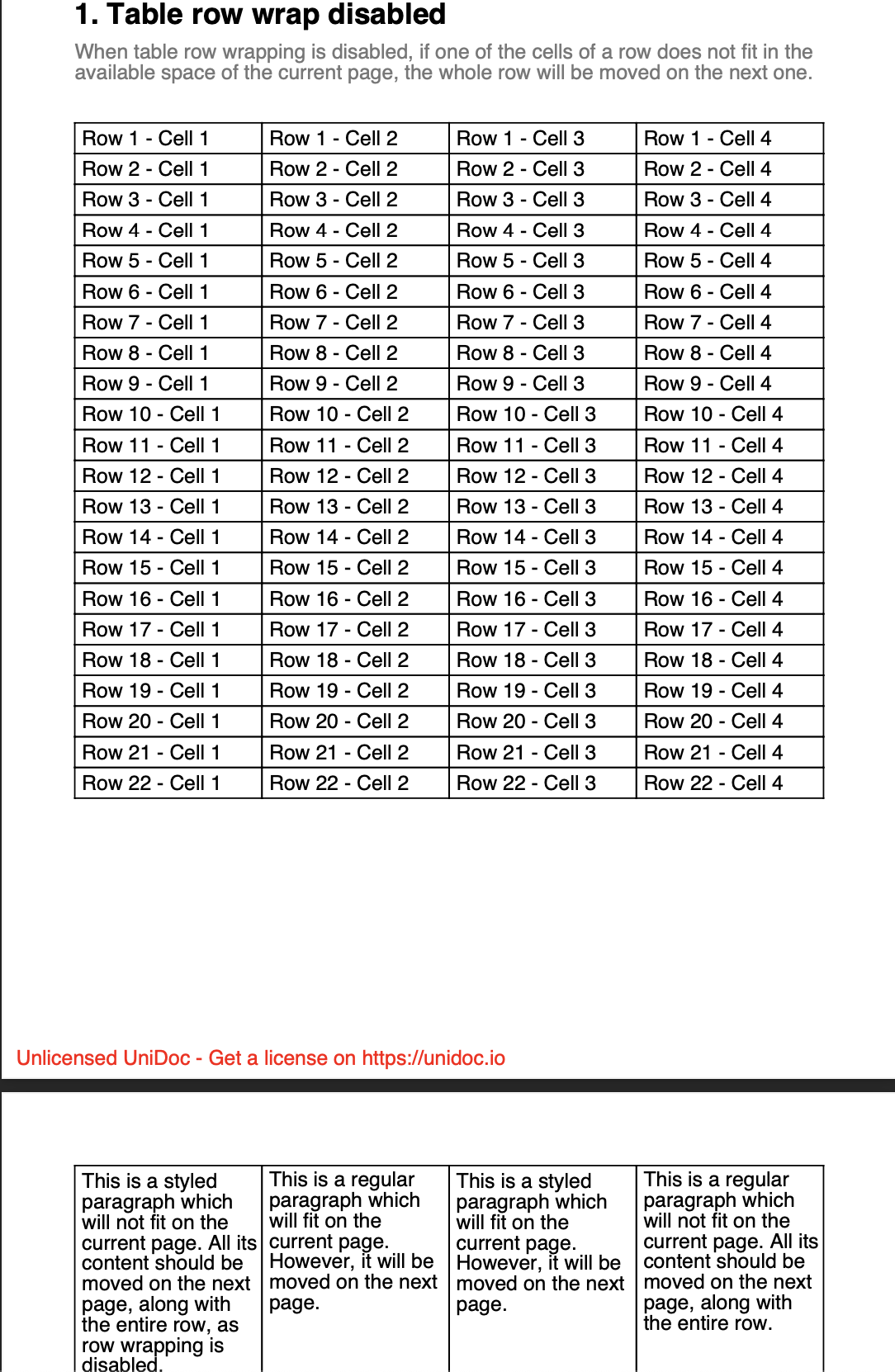
When a table reaches the bottom of a page, a row that doesn’t fit has to go somewhere. By default the whole row moves to the next page. With row wrapping enabled the row splits instead, continuing on the next page.
| Setting | Row that doesn’t fit |
|---|---|
EnableRowWrap(false) (default) | Moves to the next page whole. |
EnableRowWrap(true) | Splits at the page boundary. |
EnableRowWrap(true) with SetRowWrapDisabled(n, true) | Rows split, except row n, which moves whole. |
The default suits most tables, since a split short row tends to look like a mistake. Wrapping matters when a single cell can hold enough text to fill a page on its own: such a row never fits the space remaining, so without wrapping it gets pushed forward page after page. If wrapping suits the table but one row has to stay in one piece, a totals row for instance, exclude that row instead of turning wrapping off for everything.
Enabling row wrapping
table := c.NewTable(4)
table.EnableRowWrap(true)
Add cells and draw the table as usual. The creator takes care of the page boundary.
Keeping one row together
SetRowWrapDisabled works on the cells already present in the row, so add the
cells first and exclude the row afterwards:
for i := 0; i < 4; i++ {
    sp := c.NewStyledParagraph()
    sp.SetText("...").Style.FontSize = 14

    cell := table.NewCell()
    if err := cell.SetContent(sp); err != nil {
        return err
    }
}

// Rows are 1-based, so table.Rows() is the row just completed.
if err := table.SetRowWrapDisabled(table.Rows(), true); err != nil {
    return err
}
Called before the cells exist, it does nothing at all: there are no cells registered for that row yet to mark.
Limitations
Row wrapping applies only to rows whose cells hold StyledParagraph content.
Other content types will not split regardless of EnableRowWrap. If a row refuses
to wrap, check this first.
Excluding a row from wrapping doesn’t let it outgrow a page. Splittable content (styled paragraphs, divisions, lists) taller than a full page is clipped, and other content that tall is not drawn at all.
SetRowWrapDisabled returns an error when the row number falls outside
1..Rows(), so an off-by-one surfaces straight away rather than passing silently.
Row wrapping also changes the layout of cells that span several rows. With wrapping on, a spanning cell taller than its rows sends the overflow to the last spanned row, which then splits across pages. With wrapping off, that overflow is spread evenly over the spanned rows. Turning wrapping on will therefore alter how row spans look, even on pages where nothing wraps.
Run the example
The example produces three pages, one for each behavior above, in
rowWrapDisabled, rowWrapEnabled and rowWrapDisabledForRow. The fillTable
helper is where EnableRowWrap is applied.
git clone https://github.com/unidoc/unipdf-examples.git
cd unipdf-examples/tables
go run pdf_tables_row_wrap.go
If this is your first time using UniPDF, follow the getting started guide to create an API key and set up your development environment.
View the full source
Sample output
Row wrapping disabled, so the row moves to the next page whole:
Row wrapping enabled, so the row splits at the boundary: