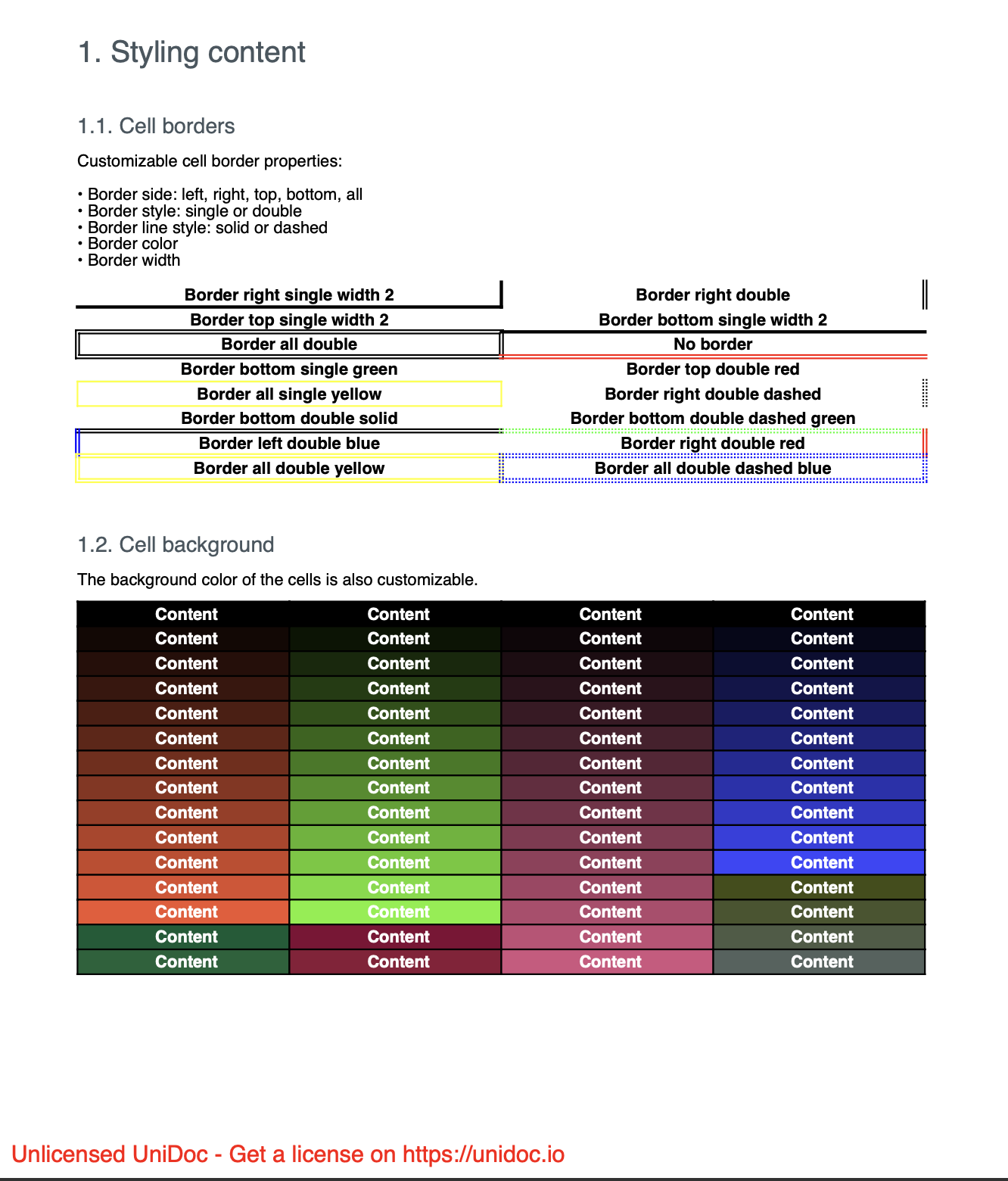
Styling
Borders and fills are set per cell, not on the table. A table with a uniform look is just every cell given the same treatment, usually through a small helper that adds the cell and styles it in one call.
cell := table.NewCell()
cell.SetBorder(creator.CellBorderSideAll, creator.CellBorderStyleSingle, 1)
cell.SetBackgroundColor(creator.ColorRGBFromHex("#eeeeee"))
if err := cell.SetContent(p); err != nil {
    return err
}
Borders
SetBorder takes a side, a style and a width.
| Side | Effect |
|---|---|
CellBorderSideLeft | Left edge only. |
CellBorderSideRight | Right edge only. |
CellBorderSideTop | Top edge only. |
CellBorderSideBottom | Bottom edge only. |
CellBorderSideAll | All four edges. |
The styles are CellBorderStyleNone, CellBorderStyleSingle and
CellBorderStyleDouble. Cells default to no border, so a table drawn without any
SetBorder call has none at all.
Each call sets one side, so building a cell with, say, a heavy top edge and a light
left edge means calling SetBorder twice. Because adjacent cells each draw their own
edges, a shared boundary is painted twice: give it to only one of the two cells if
the doubled width shows.
Background color
SetBackgroundColor fills the cell behind its content. Colors come from the usual
creator constructors, ColorRGBFromHex, ColorRGBFrom8bit and the named constants
such as creator.ColorBlack. The fill covers the cell, so it also sits behind any
padding, not just the text.
Run the example
The example splits into two subchapters. contentBorders walks through the border
sides, styles and widths, and contentBackground covers fills. Both use a local
drawCell helper that takes the styling as parameters.
git clone https://github.com/unidoc/unipdf-examples.git
cd unipdf-examples/tables
go run pdf_tables_styling.go
If this is your first time using UniPDF, follow the getting started guide to create an API key and set up your development environment.
View the full source
Sample output