Subtables
AddSubtable copies the cells of one table into another at a position you choose.
It is useful when a page is really a grid of small blocks, each with its own header
and layout, rather than one uniform table.
table := c.NewTable(6)

// Place a 4x4 block at row 1, column 1.
table.AddSubtable(1, 1, generateSubtable(4, 4))

// Place another starting at column 5, alongside the first.
table.AddSubtable(1, 5, generateSubtable(4, 4))
Positions are 1-based, so the first cell of the first row is 1,1. The cells are
copied, not referenced, so changing the subtable afterwards has no effect on the
table it was added to.
Columns grow to fit
The destination table extends itself when a subtable doesn’t fit within its
columns. This happens when the subtable is wider than the table, and also when it
starts far enough right that its columns run past the last one. A table created with
c.NewTable(6) can therefore end up with more than six columns.
Two consequences follow. Column widths are recalculated when the table grows, so blocks placed early may not sit where you expect once a later block widens the table. And because the growth is automatic, a wrong column position produces a wider table rather than an error, which is worth checking first if the layout comes out stretched.
Nothing stops two subtables overlapping. Positions are taken as given, so overlapping placements are your responsibility to avoid.
Run the example
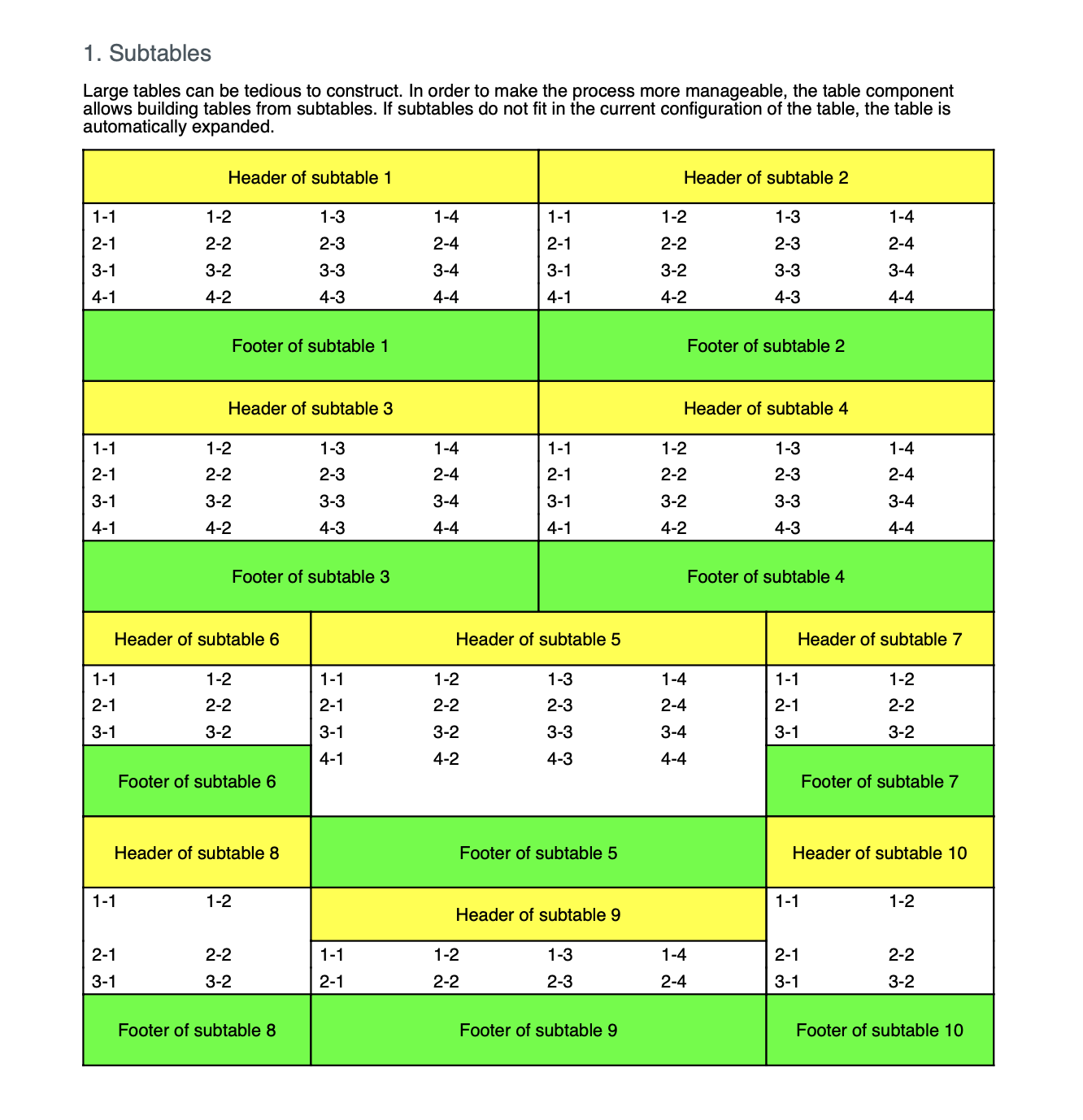
The subtables function creates a six column table and fills it with ten blocks of
varying sizes through its generateSubtable helper, which is where each block’s
header row and borders are set up.
git clone https://github.com/unidoc/unipdf-examples.git
cd unipdf-examples/tables
go run pdf_tables_subtables.go
If this is your first time using UniPDF, follow the getting started guide to create an API key and set up your development environment.
View the full source
Sample output