Boarding Pass
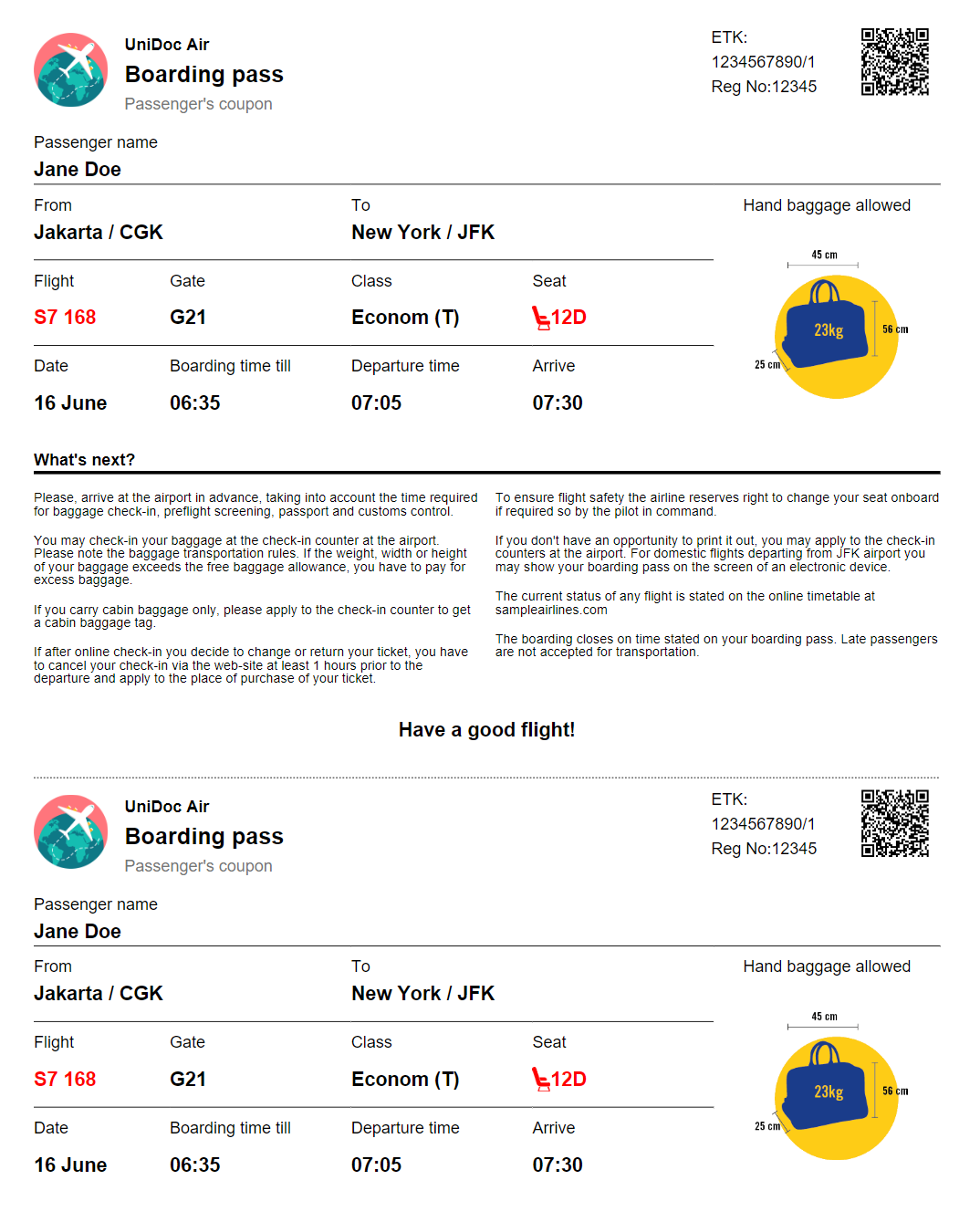
A boarding pass is printed twice on one sheet: the passenger’s coupon at the top and an identical stub at the bottom, separated by a cut line. The template defines the form once and invokes it at both positions, which is the thing worth copying here. The templates overview covers the shared mechanics.
Defining the form once
{{define}} blocks live in the template file itself, so reusing a chunk of layout does
not need SubtemplateMap. The whole pass is one definition:
{{define "boarding-pass-form"}}
<table columns="4" column-widths="0.1 0.4 0.4 0.1">
    ...
</table>
{{end}}

{{template "boarding-pass-form" . }}

<table columns="2">
    ... the "What's next?" notes and the tear line ...
</table>

{{template "boarding-pass-form" . }}
. passes the whole Pass value through unchanged, so both copies show the same data.
SubtemplateMap is for markup shared between separate files, as in the
documentation example; a block used only within one file is
simpler as a define.
Row spans in a template
The pass leans on cells that cover several rows: the airline logo on the left and the
QR code on the right each span the three header rows, and the baggage icon spans five.
rowspan is an ordinary attribute:
<table-cell indent="0" rowspan="3" background-color="#ffffff">
    <image src="path('templates/res/logo.png')" fit-mode="fill-width" margin="10 10 0 0"></image>
</table-cell>
Behind it the processor calls Table.MultiCell(rowspan, colspan), so a template row
span behaves exactly like one built in Go. Values of zero or less are treated as 1.
Because the shared table-cell-paragraph subtemplate reads .Rowspan from its
dictionary, and extendDict keeps whatever was set last, calls that follow a spanning
cell reset it explicitly:
{{template "table-cell-paragraph" (extendDict $props "Rowspan" 3 "Align" "right" "Text" (printf "ETK:\n%s\nReg No:%s" .Etk .RegNumber)) }}
{{template "table-cell-paragraph" (extendDict $props "Rowspan" 1 "Margin" "0" "Font" "helvetica-bold" "Text" "Boarding pass") }}
The printf "%s\n%s" there is how the multi-line ETK block is produced. There is no
line break tag; a newline has to reach the parser as character data.
The tear line
The dashed rule between the two copies is a cell border rather than a drawn line:
<table-cell colspan="2" align="center" border-line-style="dashed" border-width-bottom="1" border-color="#000000">border-line-style applies to the whole cell outline, so only the sides given a
non-zero width are visible. That is why the bottom width is set and the others are
left alone.
Resources
The only registered resource is the QR code, put in ImageMap under qr-code-1:
qrCode, err := createQRCode("https://github.com/unidoc/unipdf-examples/tree/master/templates/boarding-pass", 100, 100)
if err != nil {
    log.Fatal(err)
}

tplOpts := &creator.TemplateOptions{
    ImageMap: map[string]*model.Image{
        "qr-code-1": qrCode,
    },
}
No helper functions and no font map: every font attribute names a standard 14 font,
and the logo, baggage and seat icons are loaded inline with path(). The QR raster is
100 by 100 pixels here, small enough that the code stays crisp at print size without
carrying a large image; the airplane ticket uses 500 for a code that is scaled up.
Run the example
main reads the template and boarding_pass.json, builds the QR code, and draws once.
Everything else is in templates/main.tpl.
git clone https://github.com/unidoc/unipdf-examples.git
cd unipdf-examples/templates/boarding-pass
go run pdf_boarding_pass.go
If this is your first time using UniPDF, follow the getting started guide to create an API key and set up your development environment.
View the full source
Sample output