Documentation
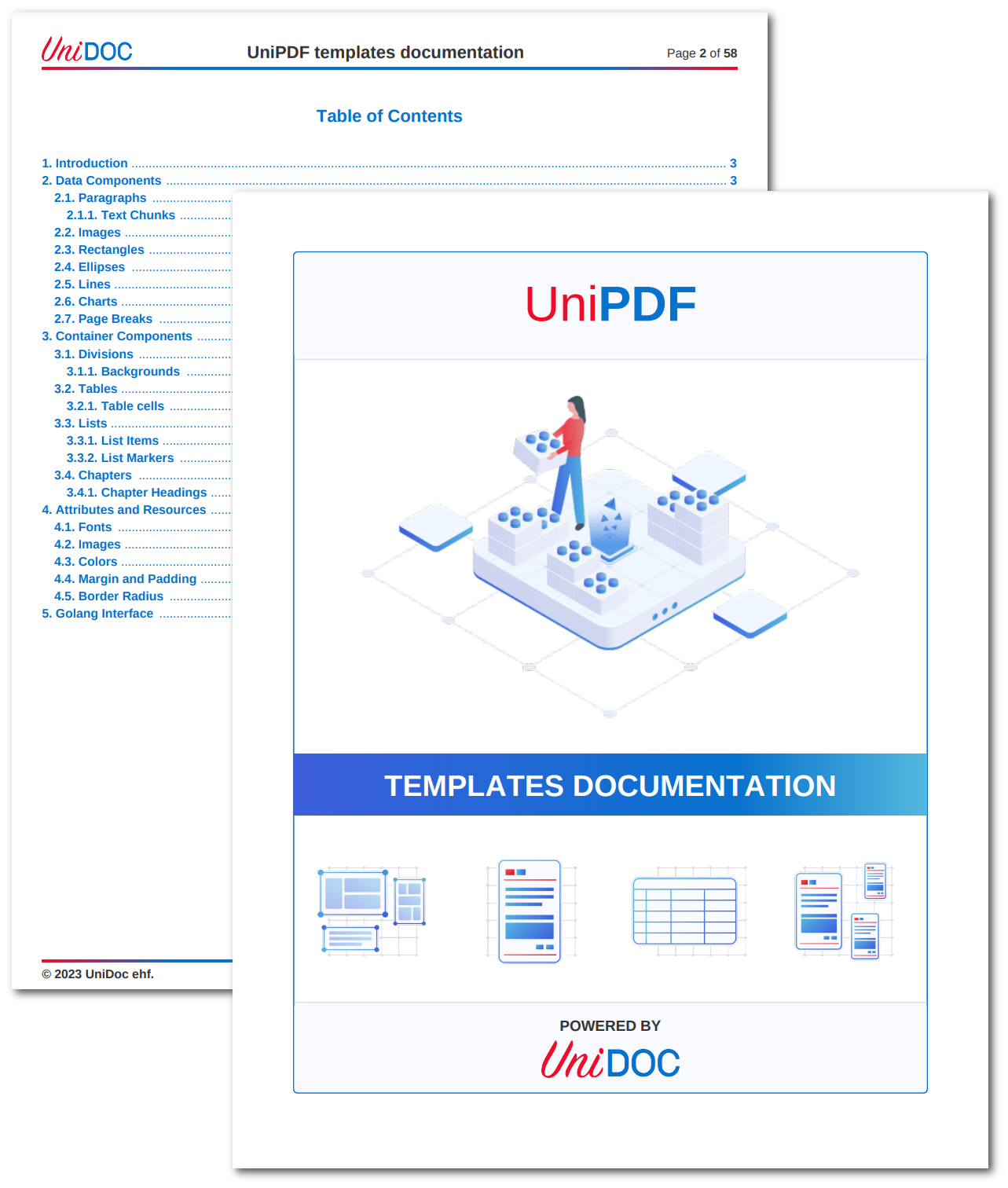
This example builds UniPDF’s own template reference document: a multi-chapter PDF with a front page, a running header and footer, and a generated table of contents. It uses most of the template system, so it works well as a model for any large templated document.
A templated document comes from three things. The layout lives in a .tpl file as
markup, using tags such as <paragraph>, <image>, <table> and <chart>. The
fonts, images, colors, charts and helper functions it draws on are supplied from Go.
Values for the current page or record are passed in as data and read with Go’s
text/template syntax, like {{.PageNum}}. One call brings them together:
err := c.DrawTemplate(templateReader, data, tplOpts)The part that is easy to miss is how the markup finds the resources. It refers to
them by the name they were registered under, never by file path or Go variable. When
a template says color="primary" or src="logo", those strings are map keys
defined in Go.
Registering resources
creator.TemplateOptions carries six maps, and each key you add becomes a name the
markup can use:
| Field | Holds | Used in markup as |
|---|---|---|
ColorMap | creator.Color values | color="primary" |
ImageMap | pre-loaded *model.Image | <image src="logo"> |
FontMap | pre-loaded *model.PdfFont | font="deja-vu-sans-mono" |
ChartMap | render.ChartRenderable values | <chart src="pie-chart-1"> |
HelperFuncMap | Go functions | {{xmlEscape "<paragraph>"}} |
SubtemplateMap | other templates, by name | {{template "helpers" .}} |
createTplOpts builds all six and hands back one options value that every drawing
pass then shares. The front page, header, footer and body are drawn by separate
calls, and passing them the same options is what keeps their colors and fonts
consistent.
An image can skip ImageMap and come straight off disk through the path helper,
which is easier for one-off assets:
<image src="path('templates/res/images/reports.png')" fit-mode="fill-width"></image>Splitting the body into chapters
The body is one template per chapter under templates/chapters/. drawContent
reads the directory and registers each file under its own name before drawing:
files, err := os.ReadDir("templates/chapters")
if err != nil {
    log.Fatal(err)
}

for _, file := range files {
    filename := file.Name()

    chapterTpl, err := readTemplate(filepath.Join("templates/chapters", filename))
    if err != nil {
        log.Fatal(err)
    }

    // Register under the filename without its extension.
    tplOpts.SubtemplateMap[strings.TrimSuffix(filename, filepath.Ext(filename))] = chapterTpl
}
main.tpl then just pulls them in:
{{template "01_00_Introduction" .}}
{{template "02_00_Components" .}}
<page-break></page-break>
{{template "03_00_Container_Components" .}}
The numeric prefixes on the chapter filenames are doing real work here, since
os.ReadDir returns entries sorted and the chapters come back in reading order.
A separate helpers subtemplate holds shared pieces like chapter-title and
paragraph, which chapters call with dict to pass arguments:
{{template "paragraph" dict "Font" "helvetica-bold" "Text" "Basic syntax of images:"}}That gives you reusable blocks rather than markup copied between chapters.
Front page, header, footer and contents
Each of these is its own template, drawn through the matching creator hook, and all
of them use the same tplOpts.
drawFrontPage wraps c.CreateFrontPage and draws front-page.tpl with nil
data, the page being static:
c.CreateFrontPage(func(args creator.FrontpageFunctionArgs) {
    // read front-page.tpl, then:
    c.DrawTemplate(frontPageTpl, nil, tplOpts)
})
drawHeaders registers the header and footer through c.DrawHeader and
c.DrawFooter. These draw into a *creator.Block rather than the page, so they call
block.DrawTemplate(c, tpl, data, tplOpts). Both skip the first page, which keeps
the running header off the front page:
if pageNum == 1 {
    return
}
Page numbers arrive as ordinary data, PageNum and TotalPages, which the footer
prints and also uses to link back to the contents page.
drawTOC sets c.AddTOC = true and styles the generated entries inside
c.CreateTableOfContents, walking toc.Lines() to color each line’s number, title,
separator and page. The contents are built from the chapters the document already
holds, so this pass has to come last.
Charts
Charts work through an extra step that isn’t visible from the markup. A helper
creates the chart, stores it in the shared chartMap under a name the caller
supplies, and returns that name:
"createPieChart": func(name string, valMap map[string]interface{}, isDonut bool) string {
    chartMap[name] = createPieChart(valMap, isDonut)
    return name
},
The template calls the helper to register the chart, then points at it by name:
<chart src="pie-chart-1" height="175"></chart>So the chart is built in Go, named in the template, and resolved through ChartMap.
The builders behind it, createPieChart, createLineChart, createBarChart and
createStackedBarChart, are thin wrappers over
unichart, with chartColors supplying a
shared palette.
Limitations
Resource names are a silent contract. A typo in color="primry" or src="logoo"
is a failed map lookup, not a compile error, so an element that renders unstyled or
an image that never appears usually means the name doesn’t match the Go map key.
Build TemplateOptions once and reuse it. Creating fresh options for each drawing
pass is the usual reason a header’s colors drift away from the body.
Literal markup has to be escaped. These templates document XML tags, so they run
them through the xmlEscape helper: {{xmlEscape "<paragraph>"}}. Without it the
tag is parsed as a component instead of printed.
Line breaks inside a paragraph come from data rather than markup. The example passes
"newline": "
" and emits {{.newline}} where it needs one.
Optimizing the output
A document this size gains from object deduplication and stream compression, which
main turns on before writing the file:
c.SetOptimizer(optimize.New(optimize.Options{
    CombineDuplicateDirectObjects:   true,
    CombineIdenticalIndirectObjects: true,
    CombineDuplicateStreams:         true,
    CompressStreams:                 true,
    UseObjectStreams:                true,
}))
The PDF optimization guides cover what each option does.
Run the example
git clone https://github.com/unidoc/unipdf-examples.git
cd unipdf-examples/templates/documentation
go run pdf_templates_documentation.go
If this is your first time using UniPDF, follow the getting started guide to create an API key and set up your development environment.
The Go file supplies the resources and drives the drawing passes. The markup sits in
templates/, with main.tpl as the entry point, the chapters under chapters/, and
shared pieces in helpers.tpl.
View the full source
Sample output