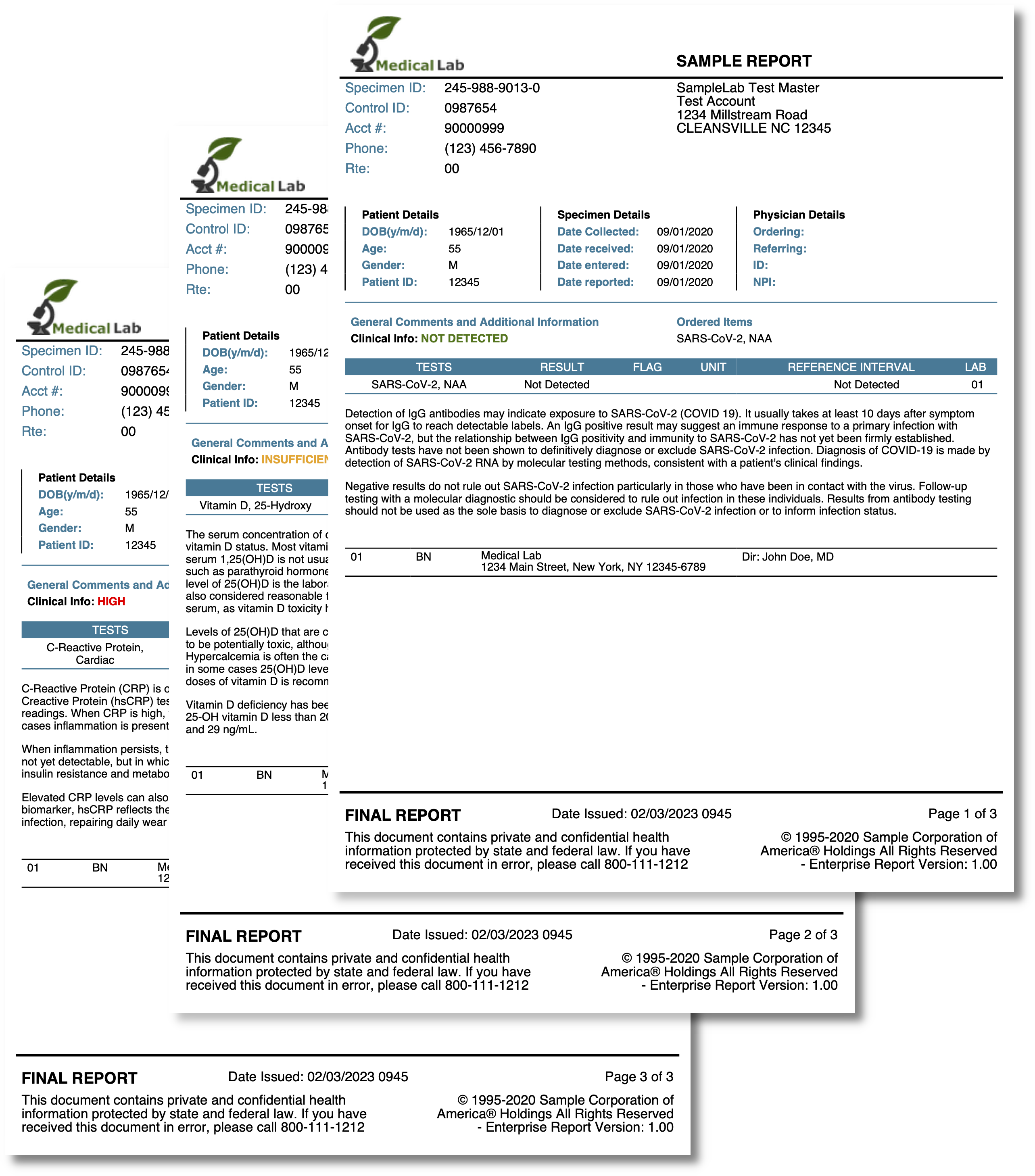
Lab Results
A pathology report: patient, specimen and physician details, then one page per test result with its values, reference intervals and interpretive notes. Two things about it are worth borrowing - the page-per-record structure and the way a data field selects a color. The templates overview covers the shared mechanics.
One page per record
The whole body is a single range over the results, with a page break emitted between
iterations but not after the last one:
{{range $idx, $result := .Results}}
    ... tables for this result ...

    {{/* Make sure each test result is rendered on a new page */}}
    {{if lt $idx (len (slice $.Results 1)) }}
        <page-break></page-break>
    {{end}}
{{end}}
len (slice $.Results 1) is the length of the list without its first element, which is
the last valid index. Templates have no subtraction, so this is the usual way to express
“all but the last”.
Guarding the break matters: a trailing <page-break> produces a blank final page, since
the break is unconditional and does not check whether anything follows it.
<page-break> is only valid directly under the creator or inside a <chapter>. Emitting
one from inside a <division> or a table cell makes DrawTemplate return an “invalid
template parent node” error, which is why the break sits at the top level of the loop
body rather than inside the content it separates.
Note also the $. prefix. Inside the range, . is the current result, so the outer
data is reached through $ - $.Patient.Birthdate and $.Physician.Npi come from the
document root while $result.Flag comes from the item.
Coloring from the data
Each result carries a Level of green, yellow or red. The template needs a hex color,
so the mapping lives in Go and is exposed as a helper that returns a string:
var levelColor = map[Level]string{
    Green:  "#407505",
    Yellow: "#F5A623",
    Red:    "#FF0000",
}

tplOpts := &creator.TemplateOptions{
    HelperFuncMap: template.FuncMap{
        "infoColor": func(level Level) string {
            if color, ok := levelColor[level]; ok {
                return color
            }

            return "#000000"
        },
    },
}<text-chunk font="helvetica-bold" color="{{ (infoColor $result.Level) }}">{{ $result.Info }}</text-chunk>The helper’s fallback to black is doing real work. A color attribute the processor
cannot resolve - not a ColorMap key and not a # hex code - also falls back to black,
but silently, so an unmapped level would produce black text with no indication anything
had gone wrong. Returning an explicit default keeps the decision in Go where you can see
it.
The alternative is ColorMap, registering creator.Color values under names and writing
color="level-red". That is the better choice when the same palette is used across many
elements. A helper returning a hex string is better here, because the color is chosen per
record from a data field rather than fixed in the layout.
Making room for the header
c.SetPageMargins(15, 15, 180, 100) looks extreme until you see the header: a logo plus
six labelled info fields, drawn from templates/header.tpl. The block passed to a header
callback is exactly as tall as the page’s top margin, so a 180 point header needs a 180
point margin. Anything taller is clipped without warning, and the usual symptom is a
header whose bottom row is missing.
Both header and footer are drawn by the same closure and given the same tplOpts as the
body, along with the specimen identifiers and the page numbers:
data := map[string]interface{}{
    "SpecimenID":   labResults.SpecimenID,
    "ControlID":    labResults.ControlID,
    "PageNum":      pageNum,
    "TotalPages":   totalPages,
    // ...
}

if err := block.DrawTemplate(c, tpl, data, tplOpts); err != nil {
    log.Fatal(err)
}
The header data is assembled by hand rather than passing the whole LabResults value,
which keeps header.tpl reading {{.SpecimenID}} instead of {{.Results.SpecimenID}}.
Either works; the flat map is easier to change later.
Run the example
The output has one page per entry in lab_results.json. main draws the body, then
registers the header and footer; the per-page furniture is in templates/header.tpl and
templates/footer.tpl.
git clone https://github.com/unidoc/unipdf-examples.git
cd unipdf-examples/templates/lab-results
go run pdf_lab_results.go
If this is your first time using UniPDF, follow the getting started guide to create an API key and set up your development environment.
View the full source
Sample output