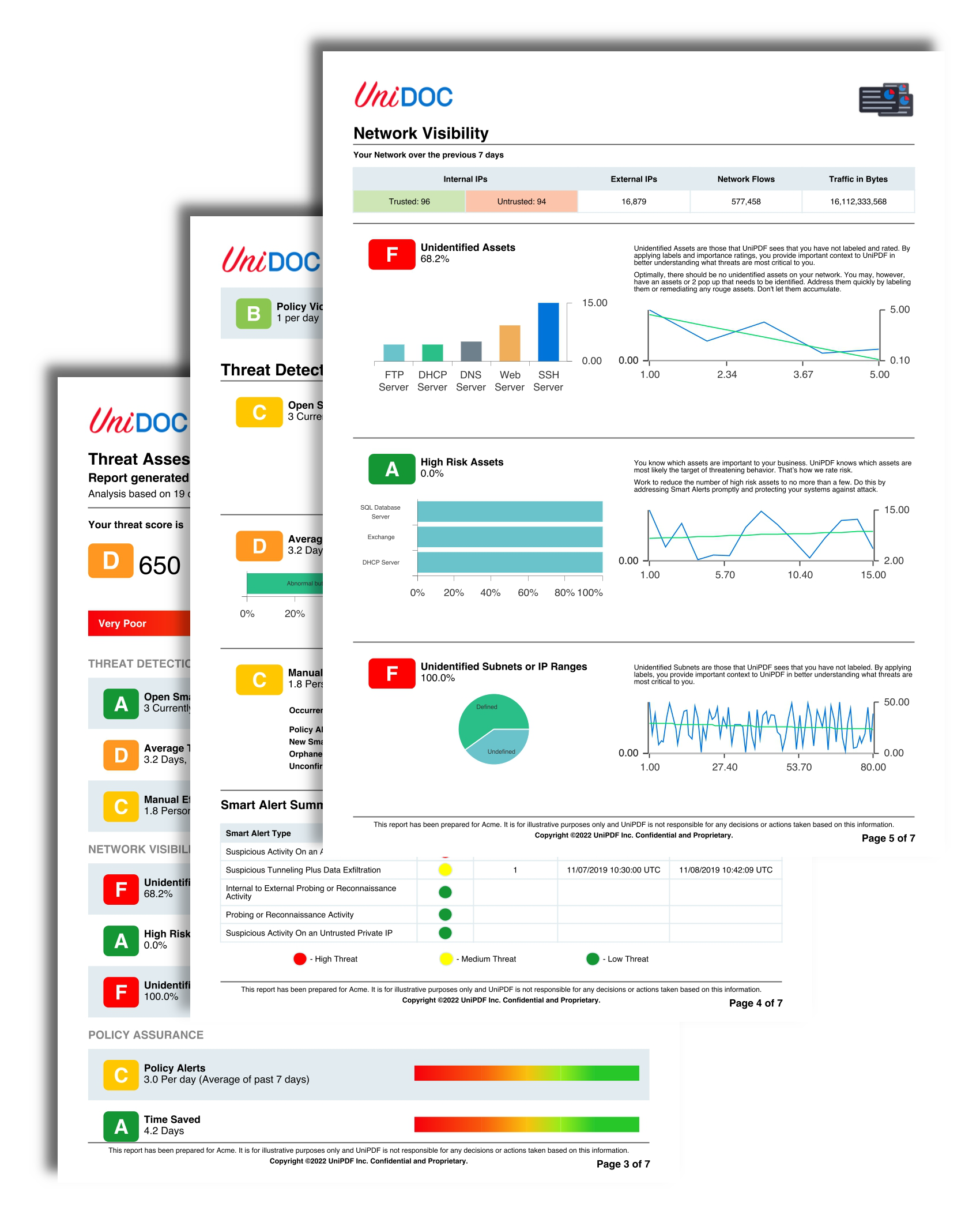
Security Report
This example is the chart-heavy one. It builds a multi-page security report whose pages are mostly pie, line, bar and stacked bar charts, and every chart is created by a helper function called from the markup rather than being prepared in Go ahead of time. If you are looking for how to get charts into a template, start here.
Everything else it uses is standard: c.AddTOC for the generated contents,
c.CreateFrontPage for the cover, and c.DrawHeader and c.DrawFooter for the
running header and footer, each skipping page one.
Charts through a helper
The chart tag resolves its src against TemplateOptions.ChartMap, so a chart has
to be in that map under a name before the tag is parsed. Helpers run in the
text/template pass, which finishes before any XML is parsed, so a helper can
build the chart, register it, and hand the name back to the markup:
chartMap := map[string]render.ChartRenderable{}
tplOpts := &creator.TemplateOptions{
    HelperFuncMap: template.FuncMap{
        "CreatePieChart": func(name string, valMap map[string]interface{}) string {
            chartMap[name] = createPieChart(valMap)
            return name
        },
    },
    ChartMap: chartMap,
}
The markup calls the helper inside the src attribute, so the name is registered
and used in the same expression:
<chart height="80" src="{{CreatePieChart "pie-chart-1" (dict "Normal" 3.0 "High" 5.0)}}"></chart>What makes this work is that chartMap and tplOpts.ChartMap are the same map.
The closure writes into it during the template pass and the processor reads out of
it during the XML pass.
Where a chart takes more than a couple of arguments, the example assigns the name to a variable first:
{{$src := CreateStackedBarChart "stacked-bar-chart-1"
    (CreateStackedBar "" (dict "Abnormal and Unauthorized" 40.0 "Abnormal but Authorized" 60.0))}}
<chart height="50" src="{{$src}}" margin="0 0 0 0"></chart>
CreateStackedBar is the odd one out among the helpers: it returns a
unichart.StackedBar value rather than a name, and that value is passed straight
into CreateStackedBarChart’s variadic parameter. Helpers can return anything a
template pipeline can carry, not just strings.
The builders themselves, createPieChart, createLineChart, createBarChart and
createStackedBarChart, are thin wrappers over
unichart. parseChartValMap converts the
dict the template passes into a sorted []dataset.Value, which is why the values
in the markup are written as floats: an untyped 40 would arrive as an int and
fail the float64 assertion, giving a bar of zero.
Limitations
An empty or unmatched src fails the whole draw with an “invalid template
resource” error. Unlike a color or font name, a chart name does not fall back to
anything.
Names are map keys, so calling a helper twice with the same name replaces the first
chart. Both tags then render the second one, silently. The example numbers its
charts, line-chart-1 through line-chart-6, for exactly this reason.
<chart> is only valid directly under the creator, a block, a division, a
table-cell or a chapter. Anywhere else is an “invalid template parent node” error.
The tag accepts x, y, width, height and margin; anything else is ignored
with a debug log.
Set height on every chart tag. Width takes care of itself, since a relatively
positioned chart uses the available context width, but height comes from the chart
object, so leaving it out gives you unichart’s default size rather than anything
related to the cell the chart sits in. Every chart in this example sets it.
The header, footer and front page here are drawn with nil options, which is fine
because they use only standard fonts and hex colors. A template that references a
registered font or color needs the options passed to that drawing call too.
Run the example
main wires up the helpers, draws templates/main.tpl, then registers the header,
footer and front page callbacks and writes unipdf-security-report.pdf. The chart
builders are at the bottom of the file; the layout is all in templates/main.tpl.
git clone https://github.com/unidoc/unipdf-examples.git
cd unipdf-examples/templates/security-report
go run pdf_security_report.go
If this is your first time using UniPDF, follow the getting started guide to create an API key and set up your development environment.
View the full source
Sample output